
Photo-based problem capture
Snap a photo of a textbook, notebook, or exam problem and MathPal uses OCR to read handwriting and formulas before solving the question.

MathPal is a browser-based AI math tutor that reads photographed problems, explains them step by step, and adds practice and progress tracking. It is positioned for grade 6–9 students, with broader support noted for other learners.
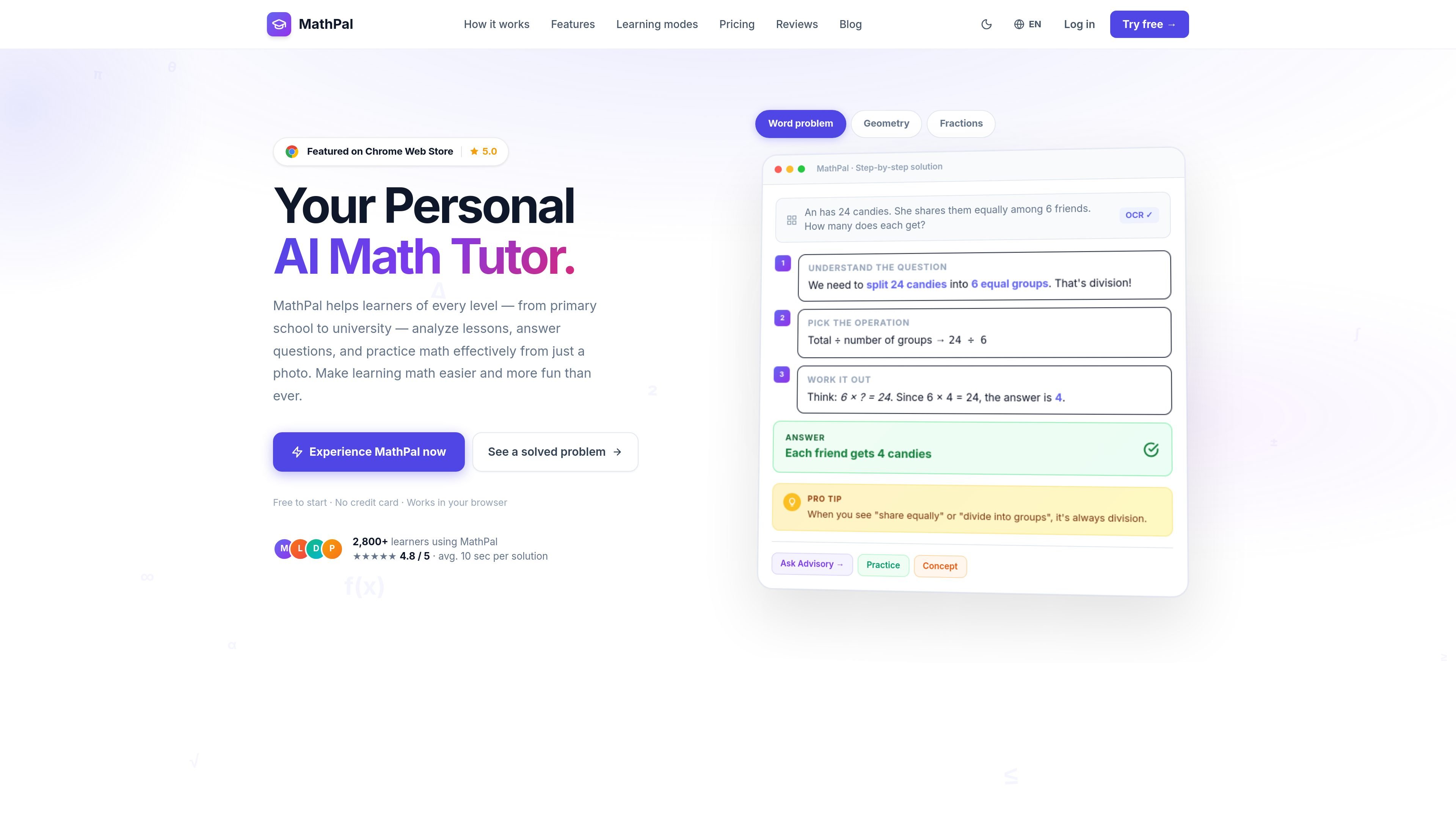
MathPal is an AI math tutor designed to help students understand math from a photo of a problem. The site describes it as a browser-based tool for grade 6–9 learners, while also noting it can support learners from primary school through university.
Its core workflow is to capture a problem with OCR, explain the solution step by step, and reinforce learning with formulas, concepts, tips, practice, and review tools. The product also includes an advisory mode that guides learners with questions instead of immediately giving the answer.
Snap a photo of a textbook, notebook, or exam problem and MathPal uses OCR to read handwriting and formulas before solving the question.
The solver breaks down a problem into steps and explains the reasoning, rather than returning only the final answer.
Each solution can include formulas, concepts, and tips so learners can review the math behind the answer and common mistakes to avoid.
Advisory Mode turns the interaction into guided questioning instead of direct answers, using a Socratic-style approach.
Practice mode generates exercises at three difficulty levels and grades them instantly.
The app saves solved problems into a searchable learning history and updates a knowledge radar that tracks strengths and weaknesses by topic.
A student can photograph a textbook or notebook problem and get a worked solution that shows the reasoning step by step.
A learner who wants to understand a topic more deeply can use the concept, formula, and tip views to review the ideas behind a solution.
A student can switch to Practice mode to generate exercises at different difficulty levels and check answers immediately.
When a learner is stuck, Advisory Mode can ask guiding questions and lead them toward the answer instead of supplying it outright.
After solving problems, students can revisit the saved history and knowledge radar to see which topics need more review.
MathPal lets you upload a math problem as a photo and then gives a step-by-step solution. The site also describes modes for concept explanations, formulas, practice, advisory guidance, Q&A chat, and free chat.
The pricing page shows a Free Trial, Pro, and Premium plan. The site says you can pay monthly or yearly for Pro, buy Premium as a one-time payment, cancel anytime, and use the product without an API key.
MathPal’s core workflow is browser-based. The site also references a Chrome extension page, so access appears to be through the web app and browser extension.
The homepage says MathPal helps grade 6–9 students, and also states it can support learners from primary school to university. Its explanations are presented as curriculum-aligned step-by-step reasoning.
The site says each plan has an energy-based usage limit and that energy resets at the start of each cycle for paid subscriptions. The Free plan is limited and does not save history or statistics.

GameGrad turns PDF study material into quiz questions that appear inside arcade games, so users can practice active recall while they play. It offers a free tier with one PDF and a Pro plan with more uploads, more questions, and answer explanations.

LangPanda is a browser extension for learning languages from streaming video and other supported sites. It combines instant subtitle lookup, flashcard creation, vocabulary tracking, and spaced-repetition review for 36 languages.

recall is an AI flashcard app that turns reading and notes into study cards through Claude, ChatGPT, or another MCP client. It uses one-time lifetime access pricing and spaced repetition review.

Talkpal is an AI-powered language learning web and mobile app for practicing speaking, listening, writing, and pronunciation. It offers guided courses, roleplays, and call-style conversation practice across 130+ languages.

BeFreed is a personalized audio learning app that turns books and other knowledge sources into narrated listening experiences. It helps people learn on demand through interactive audio, voice selection, and built-in learning tools.

MentorSpace is an AI-powered mentoring product for startup and academic planning. It helps students, founders, and small groups create 90-day roadmaps, get context-aware guidance, and track progress over time.