

42min
42min is a meeting scheduling platform for booking pages, routing forms, team scheduling, and automated reminders for customizable, calendar-connected workflows.
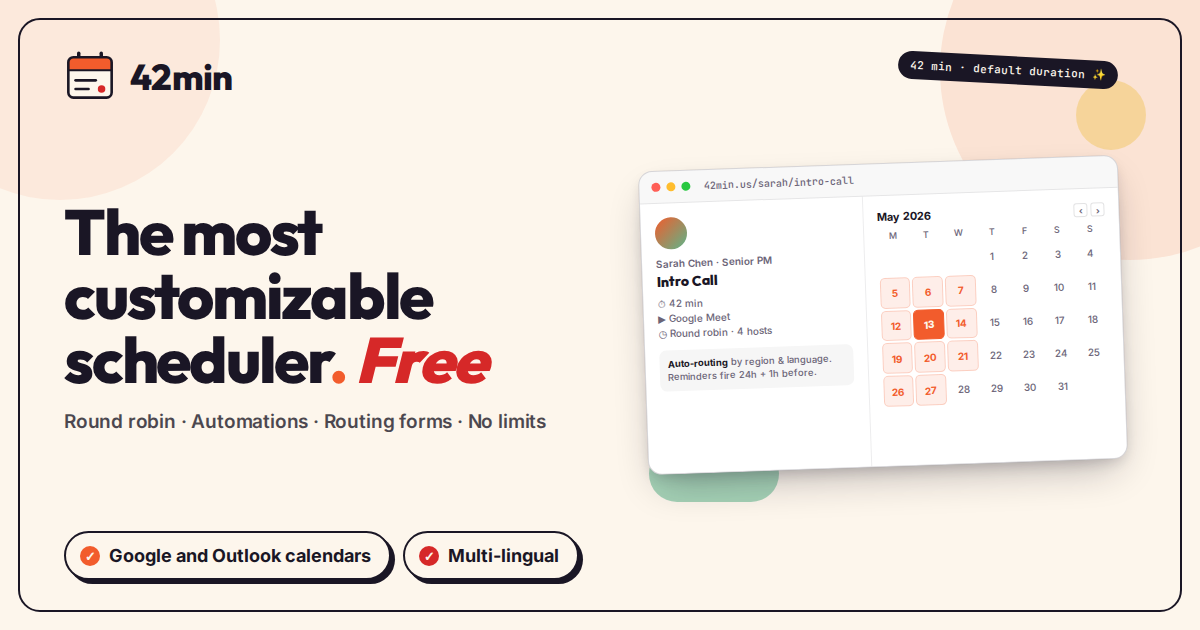
What is 42min?
42min is a meeting scheduling platform for creating booking pages, routing leads, and automating follow-up workflows. It supports one-on-one, round robin, and group events, with configurable availability, custom forms, and calendar synchronization.
The product is designed for teams that want more control over how meetings are booked. It includes routing forms with if-then logic, multilingual setup options, HTML email templates, reminders, webhooks, and team management features such as RBAC and analytics.
Key Features
- Flexible scheduling setup: Create named schedules, weekly availability patterns, date-specific overrides, buffers, minimum notice rules, booking windows, and holiday blocking for 50+ countries.
- Multiple event types: Support unlimited one-on-one events, round robin assignment, and group events, with custom durations, start-time increments, color coding, and location options such as Google Meet, Zoom, phone, physical locations, or custom URLs.
- Routing forms and lead qualification: Build multi-step forms with custom questions, required or optional fields, drag-and-drop ordering, and routing logic that sends people to specific events, external URLs, messages, or other forms.
- Automations and integrations: Trigger email and SMS reminders, follow-up emails, webhooks, Google Calendar two-way sync, and automatic Google Meet link generation.
- Team and analytics tools: Manage multiple users and teams, use round robin load balancing, access role-based controls, and review dashboards for bookings, activity, routing funnels, and CSV exports.
- Localization and security options: Offer multilingual interfaces and templates, locale-aware dates and calendars, and password handling with Argon2 or bcrypt.
How to Use 42min
Start by connecting a Google Calendar account so availability can be checked against existing events. Then create a schedule or booking page, define event types, and add any questions or routing rules needed for the booking flow.
Once the page is configured, share the booking link with invitees. The platform handles booking confirmation, reminders, follow-ups, and connected workflows automatically.
Use Cases
- Sales lead routing: Qualify incoming leads with routing forms and send them to the right rep or meeting type based on geography, language, or answers.
- Team scheduling: Balance incoming bookings across several hosts with round robin assignment and track team-level activity in a shared dashboard.
- Client booking pages: Publish a branded scheduling page with custom durations, language selection, and location options for calls or in-person meetings.
- Automated meeting follow-up: Send reminders, post-booking emails, and webhook events into downstream systems after a meeting is scheduled, rescheduled, or canceled.
- International scheduling: Use locale-aware dates, multilingual templates, and holiday blocking to reduce friction across different regions.
FAQ
- Does 42min support more than one meeting type? Yes. The product supports one-on-one events, round robin scheduling, and group events.
- Can it route bookings based on form answers? Yes. The source describes routing forms with if-then logic, including routing by geography and language.
- Does it integrate with calendars and meeting links? It supports Google Calendar two-way sync and automatic Google Meet link generation.
- Is there a free plan during early access? The page says all features are free during early access and that no card is required.
- Does it support reminders and webhooks? Yes. It includes email and SMS reminders, follow-ups, and webhooks for booking events.
Alternatives
- Calendly: A broadly known scheduling tool that is simpler in its standard setup, while 42min emphasizes routing forms, team workflows, and automation.
- Cal.com: An open scheduling platform that can be compared for flexibility, though the source positions 42min around a fully free early-access model with routing and team features included.
- TidyCal: A lighter scheduling alternative that is typically used for straightforward booking pages rather than complex routing and automation workflows.
- Manual scheduling via forms and calendars: A non-dedicated alternative for teams that only need basic booking, but it lacks the structured scheduling, routing, and automation features described for 42min.
Alternatives

LIAM
LIAM is an AI copilot that drafts email replies, organizes your inbox with auto-labels and prioritization, and schedules meetings from your calendar.

Planndu: Daily Task Planner
Planndu is an intuitive productivity application designed to help users organize tasks, manage projects, build routines, and enhance focus using tools like AI generation and a built-in Pomodoro timer.

Biji
Biji is a versatile platform designed to enhance productivity through innovative tools and features.

Gemma AI
Gemma AI is a smart application that calls you directly with personalized, intelligent voice reminders to ensure you never miss important tasks, appointments, or deadlines.

Tactiq
Tactiq is an AI meeting assistant that provides live transcription, AI summaries, action items, and custom AI prompts for Google Meet, Zoom, and Teams.

garden-md
Turn meeting transcripts into a structured, linked company wiki with local markdown and an HTML browser view. Sync from supported sources.