
Isolated worktrees for each session
AO creates separate workspaces for worker sessions so files, branches, and pull requests stay isolated while the agent does the coding.

Agent Orchestrator is a desktop IDE for supervising AI coding agents, organizing workspaces, pull requests, CI, and reviews in one place. Free and open source under Apache 2.0.
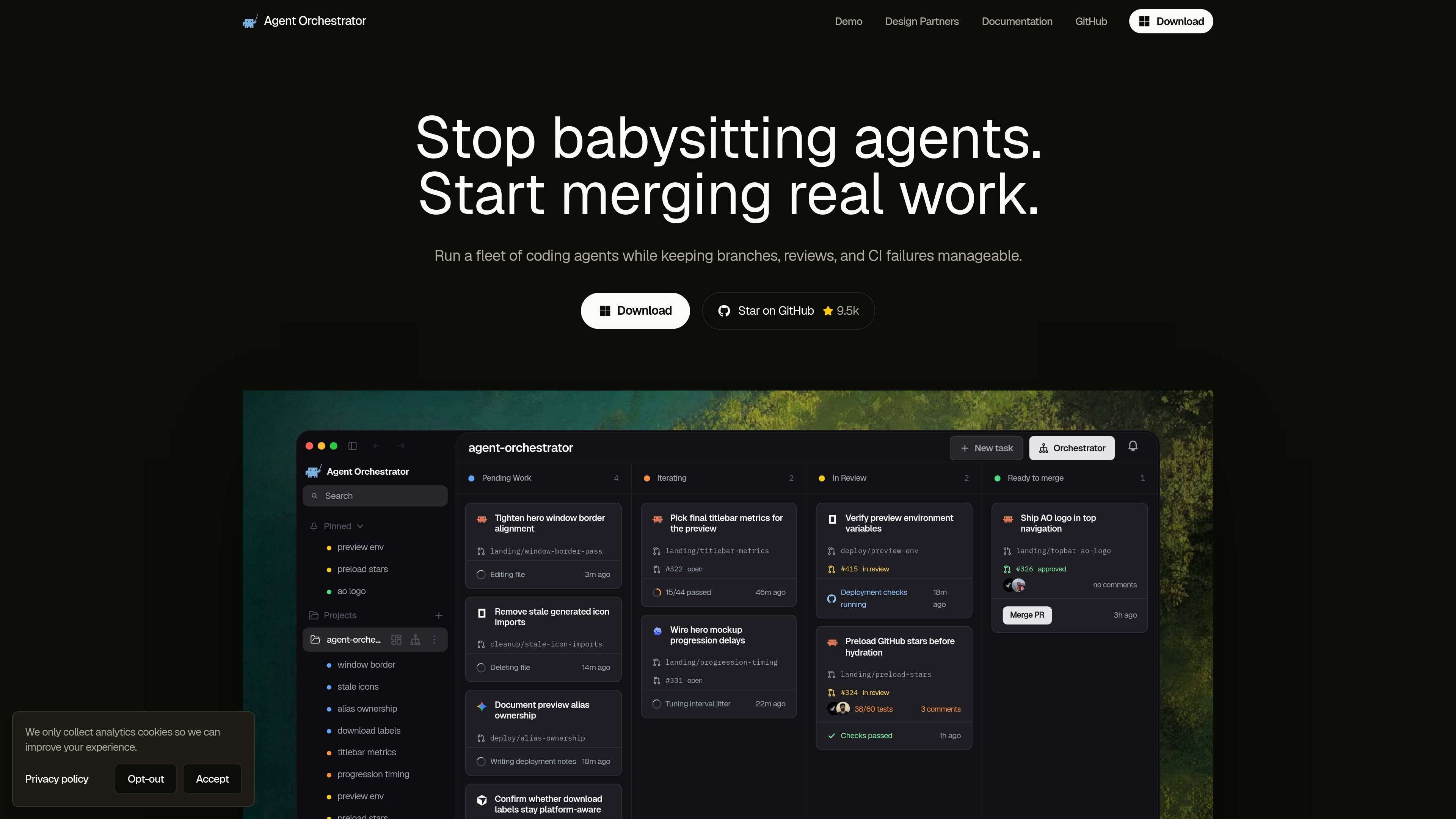
Agent Orchestrator (AO) is a desktop IDE for supervising AI coding agents. It organizes worker sessions into isolated workspaces, keeps their conversations and terminal sessions accessible, and connects the work they produce to GitHub pull requests, reviews, CI checks, and merge status.
The product is designed to help teams and individual builders run several coding agents at once without losing track of branches or follow-up work. AO acts as the control layer around the agents: it shows project and session state, routes review feedback back to the right worker, and supports a workflow from task creation to merge and cleanup.
AO creates separate workspaces for worker sessions so files, branches, and pull requests stay isolated while the agent does the coding.
A board view shows work across states such as pending work, in review, ready to merge, and merged, with branch, PR, and agent details on the card.
The system tracks review comments and CI failures on PRs it opens and routes the issues back to the session that owns the branch.
Sessions can run in a structured Chat UI or the agent harness's native terminal experience, with support for switching between them on compatible Claude Code and Codex sessions.
AO can launch reviewer agents, send follow-up instructions to the correct worker, and keep activity, approvals, usage, and conversation history in one place.
The app includes a desktop companion experience and an opt-in mobile listener for monitoring runs and receiving notifications from your home network.
Use AO when one project needs several coding agents working in parallel on separate tasks, with each session kept in its own worktree and status board entry.
Use AO to follow a pull request from first commit to merge, while keeping CI status, review comments, and readiness to merge visible in the app.
Use AO when review feedback or broken checks should be routed back to the worker that owns the branch instead of being handled manually in a separate tool.
Use AO when you want to choose between a structured Chat UI and a native terminal session depending on the agent harness and your preferred workflow.
Use the mobile companion to check session status, open a terminal, and receive notifications when an agent needs attention while you are away from your desk.
Yes. The site says Agent Orchestrator is free and open source under Apache 2.0.
AO works best when each worker has a clear, reviewable outcome such as a bug fix, feature, refactor, test update, documentation change, or review follow-up.
The docs describe AO as a desktop IDE for supervising AI coding agents, with support for isolated workspaces, pull requests, CI, reviews, merge conflicts, and notifications. It also offers both Chat and terminal-based session modes, depending on the harness.
The installation docs say the desktop app is the canonical install path and that AO uses the agent binaries and sign-ins already installed on your machine. Supported harnesses include Claude Code, Codex, Cursor, Aider, OpenCode, Droid, Kimi Code, and GitHub Copilot, among others.
No. The docs say the desktop app starts and supervises a local Go daemon, the tool does not bundle provider CLIs, and the legacy npm package is frozen at 0.10.0 and no longer recommended for new users.

SonOf connects to your repo and PM tool, audits your codebase, and turns approved work into shipped tickets with senior engineering review.

ByteAsk is a terminal-first AI coding agent for C and C++ that edits repos and verifies changes with compilers, debuggers, sanitizers, and tests.

CreateOS Sandbox is an isolated compute environment for running code and agent workloads in Firecracker micro-VMs with private networking and SDK, CLI, or MCP control.

Biji is a versatile platform designed to enhance productivity through innovative tools and features.

hob is an independent workspace for coding agents, with local control over sessions, terminals, history, routing, and follow-up work.

Manta AI is an autonomous web app testing tool that maps app behavior, catches regressions, and generates tests from a URL, no scripts or selectors needed.