

Appicons.ai
Appicons.ai is an AI app icon generator that creates mobile (iOS/Android) and desktop icon concepts from a prompt—edit and export PNG.
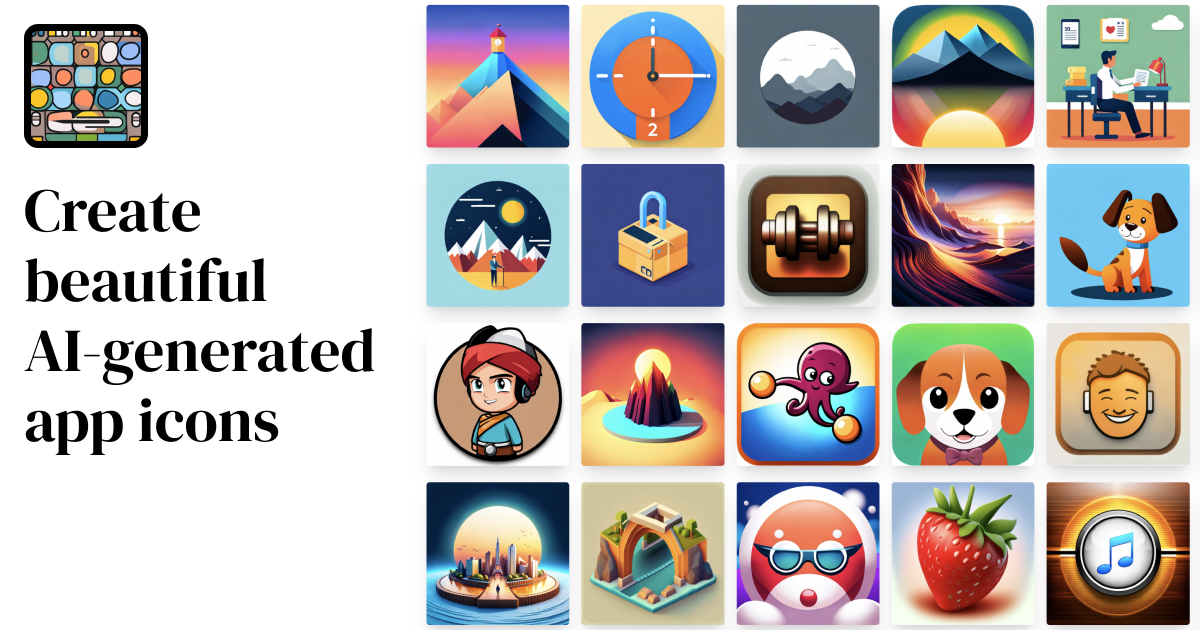
What is Appicons.ai?
Appicons.ai is an AI app icon generator that creates app icon artwork for mobile and desktop use. The core purpose is to help developers and designers generate icon concepts quickly, then refine and export the result as PNG files.
The workflow centers on describing the icon you want (including app details and style), letting the AI generate multiple options, and then editing and downloading the icon in the sizes you need.
Key Features
- AI icon generation from a description: You describe your app and the icon style; the generator produces multiple icon options to choose from.
- Prompt enhancement with GPT: GPT is used to enhance your prompt to help improve the quality of generated icons.
- Edit the generated icon in Photopea: After generation, you can edit the icon using Photopea (an online Photoshop alternative).
- Export to PNG at 1024×1024: Once you’re satisfied with the design, you can export the icon to 1024 × 1024 PNG.
- Upscale to 2048×2048 (plan-dependent): The pricing options listed include “Upscale to 2048x2048,” indicating support for higher-resolution output in the plans shown.
How to Use Appicons.ai
- Start a new icon by describing your app and the style you want.
- Generate and compare options: the AI produces multiple icon variants that you can review.
- Customize by editing the chosen icon in Photopea.
- Export and download the final icon, including 1024×1024 PNG (and, depending on plan, an upscale to 2048×2048).
Use Cases
- Kickstarting a mobile app rebrand: Generate multiple iOS or Android icon concepts for a new or updated product, then pick the closest match to your brand style.
- Prototyping icon styles for a new app launch: Test different visual directions by changing your prompt and reviewing AI-generated options.
- Iterating on a concept using photo editing: Use the Photopea editor to adjust the generated design before exporting for use in app materials.
- Creating desktop icon assets: Generate icons suitable for desktop applications using the same prompt-and-export workflow.
- Supporting multiple app projects: Use the credit-based plans to create icons across several mobile app builds without needing separate workflows for each project.
FAQ
-
Does Appicons.ai generate iOS and Android icons?
Yes. The page specifically mentions creating “iOS app icons” and “Android icons.” -
Can I improve my prompt before generation?
Yes. The site states that GPT enhances prompts to help generate better icons. -
How do I edit the icons after generation?
The generated icons can be edited with Photopea, described as a free online Photoshop alternative. -
What image formats and sizes can I export?
The page states you can export to 1024×1024 PNG. It also mentions an “Upscale to 2048x2048” step as part of the listed plans. -
Is there commercial use allowed?
The pricing section lists “Commercial use” on all shown plans.
Alternatives
- Vector/icon design tools (e.g., editors that support SVG/PNG export): These are better if you want full manual control over shapes and typography, but they don’t generate icon concepts directly from a natural-language prompt.
- Online AI image generation platforms with an “image-to-icon” workflow: These can generate similar artwork, but you may need additional steps to get consistent icon dimensions and polished results.
- Icon design marketplaces and templates: These provide ready-made assets or customizable templates; they trade AI generation flexibility for faster, more predictable starting points.
Alternatives

Pictographic
Pictographic generates AI SVG icons and illustrations, with 20,000+ customizable stroke-based icons, custom generation, and a Figma plugin.

Napkin AI
Napkin AI transforms your text into insightful visuals, making communication more effective and engaging.

Refero
Refero: UI/UX design inspiration & references for web/iOS. Find tens of thousands of screenshots with advanced search for designers.

Frames
Frames helps you create launch posters and social media marketing graphics fast with premium device frames and templates for Instagram, Twitter, and Product Hunt. Free to start.

TapNow
TapNow is an AI-native visual creation engine for businesses and creators—generate professional-grade visuals for e-commerce ads to cinematic art.

Palette
Generate a custom Tailwind color palette from a text prompt with light and dark mode, neutral swatches, and shades for your colors—Palette.