

BARKOD
Generate scanable, artistic barcode SVGs from digits with EAN-13, EAN-8, and Code 128 options, plus style and color presets.
What is BARKOD?
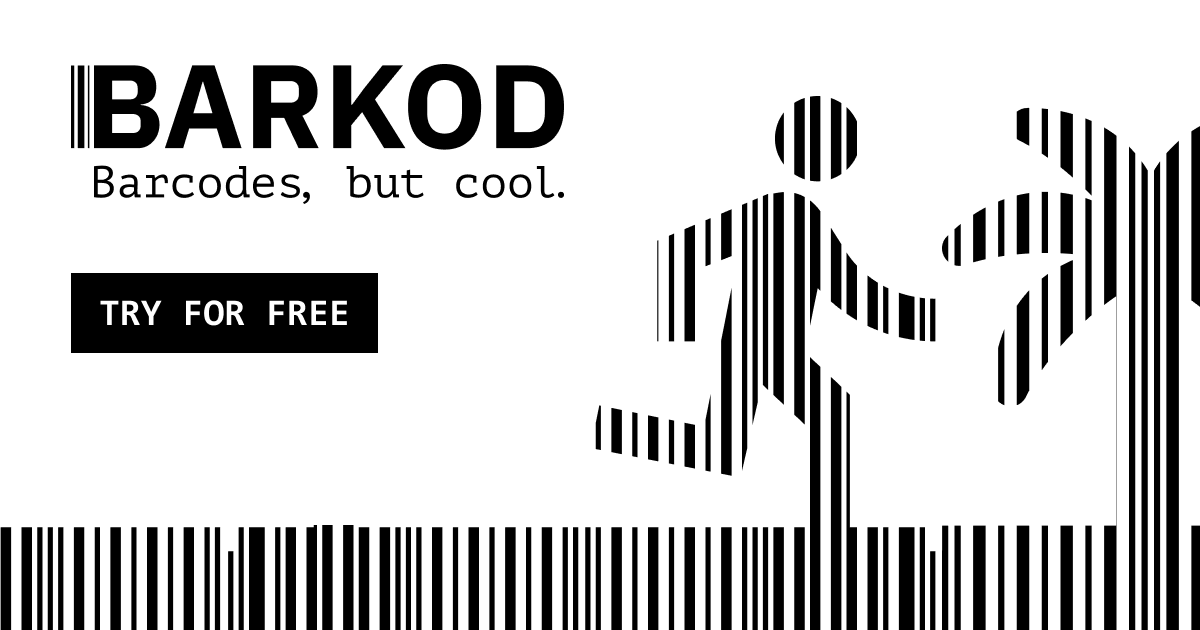
BARKOD is an artistic barcode generator that turns the digits you enter into a scannable SVG graphic. It’s designed for people who want barcodes to look more intentionally designed, while still keeping practical scan reliability in mind.
The generator focuses on producing vector output (SVG) and emphasizes a “protected” scan zone so the resulting artwork remains compatible with standard barcode scanners when printed and tested.
Key Features
- SVG output for each generated barcode: You get vector graphics you can place in designs and export without rasterization artifacts.
- Multiple supported barcode types: The interface lists EAN-13, EAN-8, and Code 128, so you can match the barcode format your workflow requires.
- Barcode style presets: Choose a visual theme (e.g., outlined silhouettes) using the available “style” selection to transform how the digits are represented.
- Color selection controls: A “Choose Color Preset” option lets you apply a preset color scheme to the generated SVG.
- Protected scan-zone behavior: The bottom “scan-zone” is described as unmodified to meet scanner standards; the site advises users not to crop this area.
- Explicit scanability guidance: The site notes that ink spread, packaging curvature, and scanner quality can affect scanning, and recommends printing and testing a physical sample.
- Copy/download workflow: The page includes options to download and copy the SVG output for use in other tools.
How to Use BARKOD
- Select the barcode type (EAN-13, EAN-8, or Code 128) and enter the barcode digits.
- Pick a barcode style and choose a color preset for the look you want.
- Generate the barcode, then use Download or Copy SVG to get the SVG file/text.
- Before final production, print and test a physical sample, ensuring the bottom scan-zone remains unmodified and is not cropped.
Use Cases
- Packaging redesign for existing product codes: When you need a barcode that matches a brand’s visual direction, generate an SVG representation of the digits and apply it to labels.
- Product illustration and layout for small runs: Use the SVG output to compose printable packaging or inserts while keeping the barcode’s scan-zone intact.
- Design assets for web or print mockups: Export or copy the SVG for layout previews where barcodes must remain crisp at different sizes.
- Labeling workflows that require specific formats: Generate barcodes in EAN-13, EAN-8, or Code 128 depending on what your system expects.
- Prototyping with production constraints in mind: Follow the site’s guidance to print and test a sample, especially if you’re using curved packaging or different printers/inks.
FAQ
-
What barcode numbers does BARKOD provide? No. The site explicitly states it does not sell or provide official GTINs. It only generates the graphical interpretation of the digits you enter.
-
Can I crop the generated barcode artwork? The site advises not to crop the bottom “scan-zone,” described as unmodified for scanner reliability.
-
Is the output a vector file? Yes. Each generated barcode is provided as an SVG, and you can copy it or download it.
-
How do I confirm the barcode will scan after printing? The site recommends printing and testing a physical sample first, since ink spread, packaging curvature, and scanner quality can affect scan performance.
-
Which barcode standards are supported? The page lists EAN-13, EAN-8, and Code 128.
Alternatives
- Standard barcode generator tools (EAN/UPC/Code 128): These typically focus on compliance and scannability with minimal styling; they may lack the artistic SVG styling and presets.
- Label design software with barcode elements: Many tools let you insert barcodes into layouts and control styling, but may not provide the same “artistic generator” approach or scan-zone behavior described here.
- Vector illustration tools (with barcode plugins or templates): You can build custom graphics, but you’ll need to manage barcode generation and scan reliability yourself.
- Dedicated compliance-focused barcode services: These prioritize verified formats and print guidance; they may be less centered on turning digits into themed artwork.
Alternatives

Napkin AI
Napkin AI transforms your text into insightful visuals, making communication more effective and engaging.

Refero
Refero: UI/UX design inspiration & references for web/iOS. Find tens of thousands of screenshots with advanced search for designers.

创客贴 AI
创客贴 AI is an AI-powered design platform that includes various AI design tools to help users reduce design complexity and enhance design efficiency.

Make Real
Draw a UI and make it real using the tldraw SDK.

Frames
Frames helps you create launch posters and social media marketing graphics fast with premium device frames and templates for Instagram, Twitter, and Product Hunt. Free to start.

TapNow
TapNow is an AI-native visual creation engine for businesses and creators—generate professional-grade visuals for e-commerce ads to cinematic art.