

Botsify
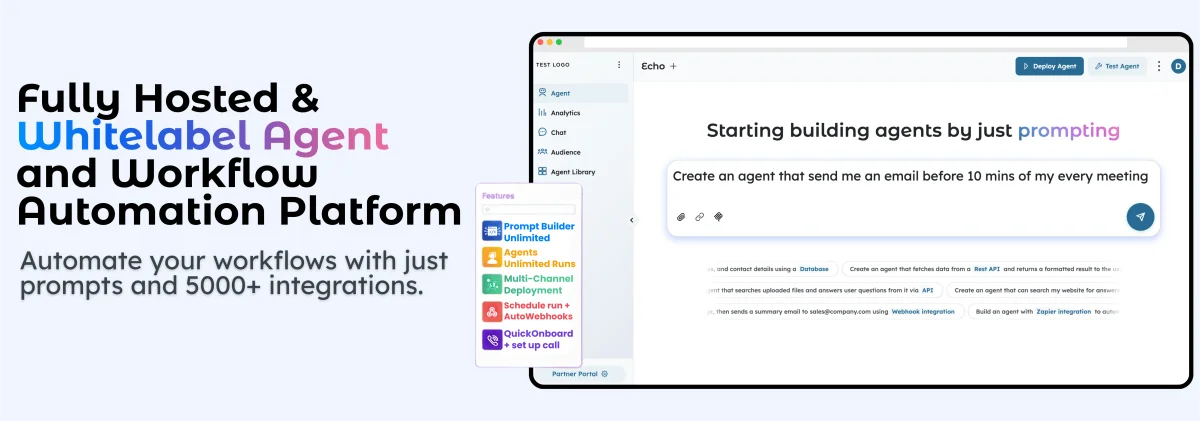
Botsify helps teams build reusable AI Skills for agents—prompt them, connect to apps, knowledge bases, and APIs to launch workflows faster.
What is Botsify?
Botsify is a platform for creating reusable “AI Skills” that you can plug into AI agents. Instead of building agent logic from scratch, you configure skills such as data analysis, API actions, rule-based decisions, and knowledge retrieval so agents can take actions and produce grounded answers.
The core purpose is to help teams deliver AI agent capabilities faster by reusing the same prepared skill blocks across multiple client projects or internal deployments, while connecting skills to existing apps and data sources.
Key Features
- Reusable AI Skills (skill library concept): Build a capability once and reuse it across multiple agents and client projects, reducing repeated setup work.
- Data analysis capabilities: Skills can analyze unstructured data and produce actionable insights, including pattern recognition in queries and sentiment/intent classification.
- Knowledge retrieval from uploaded sources: Retrieve answers from your own docs, FAQs, and internal sources so responses are grounded in your content.
- API orchestration: Connect Skills with your stack to trigger actions, sync records, and fetch live data, including mapping API responses back into conversational outputs.
- Flexible rule-based decisions: Define conditions based on user intent, profile attributes, or interaction context to enable consistent branching logic without hardcoded trees.
- App and data connections (examples shown): The page highlights integrations such as Zapier, Google Calendar, Stripe, Google Sheets, SQL, and Salesforce, demonstrating how Skills can connect to common business systems.
How to Use Botsify
- Request platform access: Fill in your business details on the Botsify page to receive a demo account via email.
- Explore the platform with feature access: The page states that you receive “unrestricted access to all features for a limited time,” and you can check email/SPAM for details.
- Create or configure AI Skills: Use prompt-based instructions and configuration to define capabilities like data analysis, API actions, custom logic, or knowledge retrieval (coding is optional for advanced workflows).
- Connect Skills to your tools and knowledge: Integrate Skills with apps and data sources (e.g., via Zapier/API connections and knowledge uploads) and map outputs back into agent conversations.
- Deploy your agent: Once your Skills are configured, use them within agents so the agent can perform the defined actions and provide grounded responses.
Use Cases
- Market research and data analysis: Use a data analysis Skill to process unstructured inputs such as customer feedback themes, then extract trends or insights the agent can explain.
- Sales automation with CRM data: Create an agent that uses CRM context (example shown: Salesforce integration) to support lead or account-related workflows by fetching and mapping relevant CRM information.
- Helpdesk or support workflows: Combine knowledge retrieval (uploaded docs/FAQs) with API orchestration to let an agent answer questions grounded in internal content and perform follow-up actions.
- Payments and customer onboarding flows: Use an agent Skill with Stripe payment processing (example shown) to trigger payment-related steps as part of an automated conversational workflow.
- Lead qualification and automated routing using rules: Apply flexible rule-based decisions to branch flows based on user intent or profile attributes so the agent takes consistent next steps across interactions.
FAQ
What is a Skill in Botsify?
A Skill is a reusable capability an AI agent can execute—such as data analysis, API actions, custom logic, or knowledge retrieval—built once and reused across agents and client projects.
Do I need coding to create Skills?
No. The page states most teams create Skills with prompt-based instructions and configuration. Developers can optionally connect custom APIs for advanced workflows, but coding is not required for core usage.
Can I reuse the same Skill for different clients?
Yes. Skills are designed to be reusable; you can clone a proven Skill and adjust brand/context settings for new clients without rebuilding the underlying logic.
Which systems can Skills connect to?
Skills can work with APIs, CRMs, helpdesks, internal tools, databases, and knowledge sources. Outputs can be mapped back into conversations so the agent can explain results clearly.
How do Skills improve delivery speed?
Skills reduce repeated setup work: instead of rebuilding prompts and flows for each project, teams can use prebuilt Skills as building blocks for faster production.
Alternatives
- General-purpose agent builders with modular tools: Tools that let you assemble agent behaviors from prompt blocks and integrations may offer similar “no-code” assembly, but the workflow focus may differ (e.g., more on chat UX vs. structured orchestration).
- Custom agent development frameworks: Building with a developer framework can provide maximum flexibility, but it usually requires more engineering effort compared with reusable Skills intended to speed delivery.
- Workflow automation platforms (API/CRM-centric): Automation-focused tools can trigger actions across apps, but they may not provide the same grounded knowledge retrieval and reusable agent capability library described for Botsify.
- Knowledge base + Q&A tools: Standalone retrieval/Q&A solutions can answer from uploaded content, but they may not include the same combination of data analysis, rule-based branching, and API orchestration in one setup.
Alternatives

Falconer
Falconer is a self-updating knowledge platform for high-speed teams to write, share, and find reliable internal documentation and code context in one place.

Codex Plugins
Use Codex Plugins to bundle skills, app integrations, and MCP servers into reusable workflows—extending Codex access to tools like Gmail, Drive, and Slack.

ClawTick
ClawTick is a CLI-first AI agent automation platform for scheduling webhook tasks on cron with monitoring, alerts, retries, and execution logs.
OpenFlags
OpenFlags is an open source, self-hosted feature flag system with a control plane and typed SDKs for progressive delivery and safe rollouts.

AakarDev AI
AakarDev AI is a powerful platform that simplifies the development of AI applications with seamless vector database integration, enabling rapid deployment and scalability.

Whirr
Whirr is a quiet macOS menu bar app that mirrors Claude Code agent activity to your Mac’s notch—so you can glance without watching the screen.