
Capture words from any screen
Press a shortcut on Mac and Capecho uses on-device OCR to read the word and surrounding sentence from articles, PDFs, subtitles, images, and other non-selectable text. You can also copy first and use the clipboard path.
Capecho is a Mac app for capturing unfamiliar words in context and reviewing them with spaced repetition. Save vocabulary from articles, PDFs, subtitles, and images without hand-made flashcards.
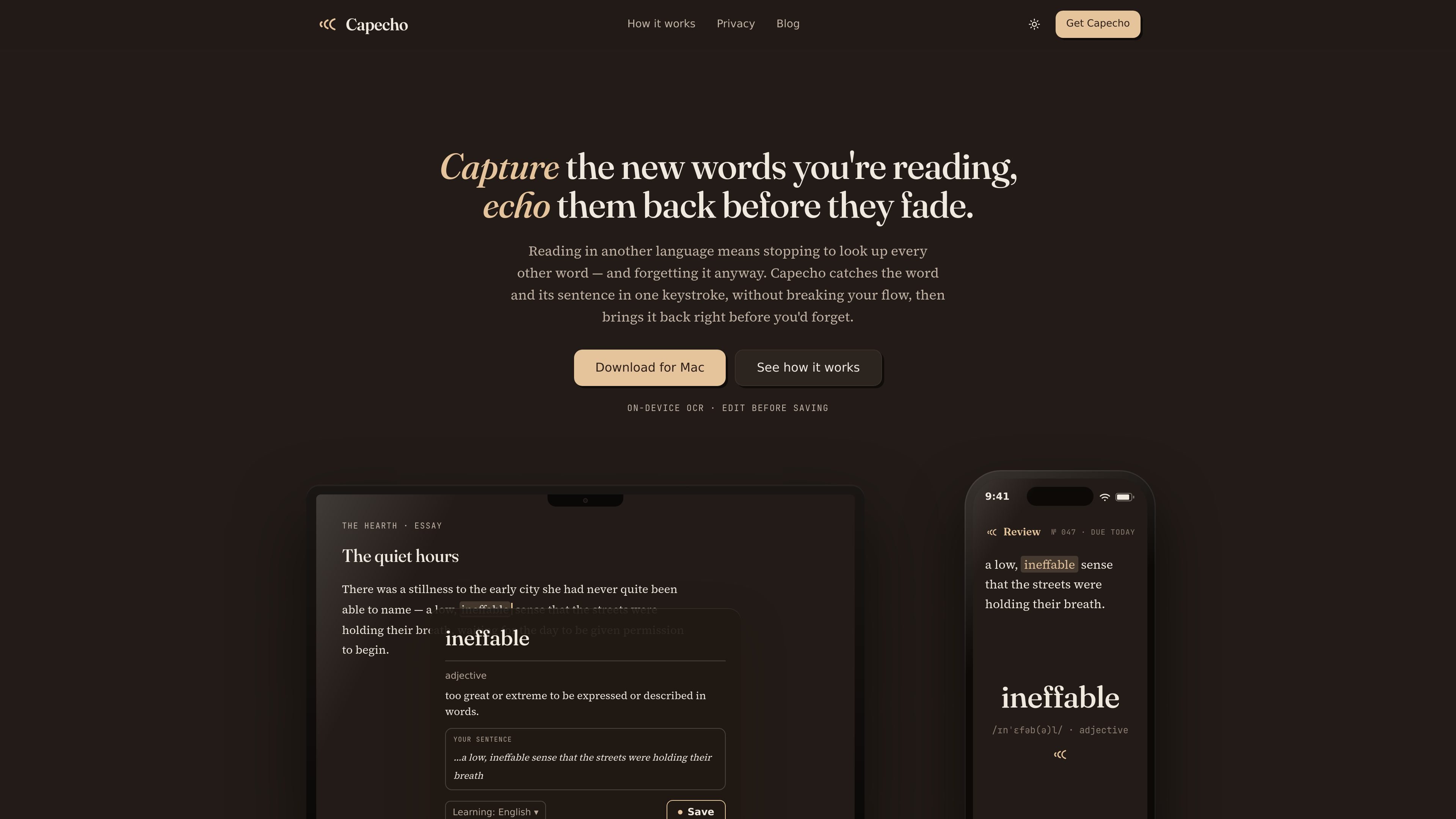
Capecho is a Mac app for capturing unfamiliar words in the context you first encountered them, then reviewing them with spaced repetition before they fade from memory. It combines screen text recognition, a built-in explanation flow, and review scheduling so you can move from reading to recall without building flashcards by hand.
The product is aimed at readers who work through articles, PDFs, subtitles, images, and other text they cannot always select. Capecho captures the word and its sentence with a shortcut, lets you edit what is saved, and keeps the vocabulary tied to the original context for later review. It is available now on Mac, with a phone review companion planned.
Press a shortcut on Mac and Capecho uses on-device OCR to read the word and surrounding sentence from articles, PDFs, subtitles, images, and other non-selectable text. You can also copy first and use the clipboard path.
A preview shows the captured word, learning language, and sentence before anything is saved. You can correct the word or sentence manually, which helps when OCR is partial or imperfect.
Capecho shows a concise meaning and part of speech in context, with senses and pronunciation available behind an expand. The detailed explanation is free for up to 10 in-context uses per day.
Saved words return as spaced-repetition cards built from the sentence you met them in. Review uses FSRS and the standard Forget, Hard, Good, and Easy ratings.
Capecho keeps vocabulary in one Word Book and supports export to Anki or CSV. That lets users keep their library in Capecho or move it elsewhere later.
The app runs capture on-device and supports offline capture and review. Cross-device review is available through a private account, while the phone companion is still coming.
Read a long article or essay on your Mac, capture a new word with its sentence, and review it later instead of opening a separate lookup workflow each time.
Work through PDFs, subtitles, images, or other text that cannot be selected and still save the vocabulary that appears on screen.
Study vocabulary over time with spaced-repetition reviews that bring back the exact sentence you first saw, rather than a standalone word list.
Keep a personal word book that you can sync across devices, then export to Anki or CSV if you want to continue elsewhere.
Yes. Capecho is available now as a direct download for Mac, and capture works on macOS today.
Capecho is built first for Mac because capture happens while you read on the desktop using a hotkey and on-device OCR. A phone review companion is coming, with mobile capture and app store versions planned later.
No. Capecho uses macOS on-device text recognition at your keypress and returns only the recognized text. The screen image never leaves your machine, and you can edit the captured word before saving.
The core loop is free. Pro costs $6 per month or $48 per year and removes the daily limit on in-context explanations.
Yes. Capecho can export to Anki or CSV, and it also supports review across devices through a private account.

LangPanda is a browser extension for learning languages from streaming video with instant subtitle lookup, flashcards, vocabulary tracking, and SRS for 36 languages.

Talkpal is an AI language learning app for web and mobile with speaking, listening, writing, pronunciation practice, guided courses, roleplays, and 130+ languages.

Lingofable is a story-based language learning app for reading at your level and reviewing new vocabulary in context. Spanish available; Android coming soon.

Yokoso is a Japanese-learning app for life in Japan, with practical daily language, adaptive lessons, and offline learning from real-world content.

GameGrad turns PDF study material into quiz questions inside arcade games for active recall. Free tier for one PDF; Pro adds more uploads, questions, and explanations.

recall is an AI flashcard app that turns reading and notes into study cards with Claude, ChatGPT, or another MCP client. One-time lifetime access with spaced repetition review.