

Capsule
Capsule is an AI video editor that converts After Effects into reusable templates, helping content & marketing teams produce on-brand videos faster.
What is Capsule?
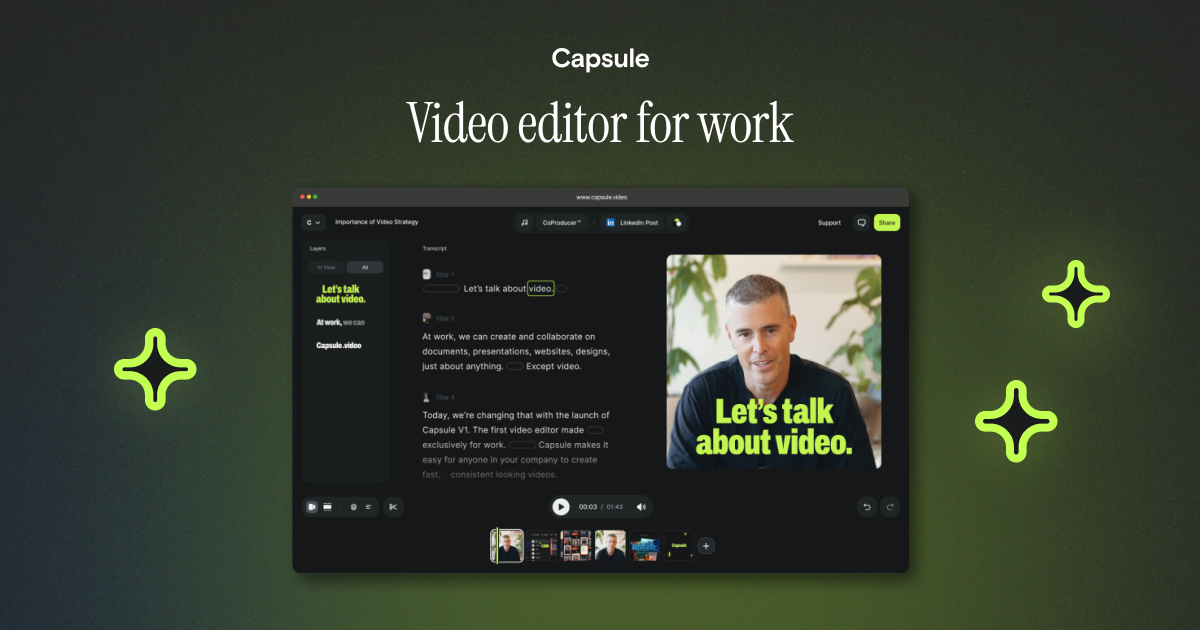
Capsule is an AI video editor designed for content and marketing teams. Its core purpose is to help teams produce branded videos faster and more consistently, including users who may not have creative design skills.
Capsule works by converting existing After Effects files into reusable templates, enabling teams to edit, generate, and replicate branded video variations without leaving the established motion system.
Key Features
- Converts After Effects files into easy-to-use templates, so non-creatives can work from existing motion designs.
- Template-based editing where After Effects files are “lined up” inside Capsule, supporting an intuitive editing workflow.
- Form-based video generation for creating new videos from audience and message inputs.
- One-to-many video replication that turns a single video into thousands of variants from a single motion template.
- Motion design systems built with your creative team, including motion engineering for consistent on-brand styling (for example, easing curves).
- Guided onboarding and ongoing enablement via a dedicated success manager, aimed at getting new users comfortable producing branded videos.
How to Use Capsule
- Start by bringing your existing After Effects assets into Capsule so they become editable, template-based components.
- Have your creative team and Capsule’s motion engineers define or refine a motion design system for brand-consistent output.
- For everyday production, use the editing workflow for updates, the form-based flow to generate new videos from inputs, or the replication workflow to produce multiple variants from a single template.
- Onboard team members with the help of a dedicated success manager, then expand usage with continued support for new designs, additional teams, or rebrands.
Use Cases
- Internal comms at scale: Create branded internal update videos using template editing and form-based generation, reducing reliance on specialized creative staff for routine variations.
- Sales and ABM (repeatable assets): Generate on-brand videos by filling out fields for audience and message, then reuse the same motion template for consistent targeting across accounts.
- Paid media creative iteration: Replicate one core video into many variants using a single motion template, keeping output aligned to a defined motion system.
- Customer education videos: Produce consistent instructional or explainer-style videos by starting from existing motion templates rather than rebuilding the visual structure each time.
- Organization-wide motion consistency: Standardize how videos are produced across multiple teams so outputs stay on brand even when different groups contribute to video creation.
FAQ
Does Capsule require creative design skills to create videos?
Capsule is positioned for users who may be non-creatives. It converts After Effects files into templates and supports editing “intuitively,” with onboarding guidance from a dedicated success manager.
What happens to my existing After Effects files?
Capsule converts your After Effects files into templates that can be edited and used for generation and replication workflows.
What kinds of video creation workflows does Capsule support?
The site describes three main workflows: editing videos from templates, generating videos from form inputs (audience and message), and replicating one video into many variants from a single motion template.
Is there support for building brand consistency?
Yes. Motion engineers work with your creative team to build custom motion design systems designed to keep videos on-brand, including details such as easing curves.
How does onboarding work for new users?
Capsule includes hands-on education led by a dedicated success manager, intended to help beginners get comfortable making branded videos.
Alternatives
- Template-based video creation platforms: These focus on assembling videos from templates for marketing or internal teams; the main difference is whether they support motion-template conversion and replication workflows from your existing After Effects assets.
- DIY editing in professional tools (e.g., timeline-based editors): General-purpose video editing lets you create highly customized work but typically requires more specialized skill and more manual effort to keep output consistent across teams.
- Motion graphics workflow using After Effects alone: Staying within After Effects supports highly controlled animation, but it may be more difficult to scale creation for non-creatives compared to template-driven editing and replication.
- Collaboration-centric video management tools: Some tools emphasize review and workflow management; compared with Capsule, they may not provide the same template conversion and form-based generation workflows for enterprise branded video production.
Alternatives

HeyGen
HeyGen Developers offers an API platform to generate, translate, and lipsync avatar videos with TTS models—built for scalable production workflows.

DeepMotion
DeepMotion is an AI motion capture and body-tracking platform to generate 3D animations from video (and text) in your web browser, via Animate 3D API.

艺映AI
艺映AI is a free AI video generation platform focused on transforming text and images into high-quality dynamic videos.

Captions.ai
Captions.ai is an online video editor and app with AI-powered editing, automatic captions, music, and AI avatars for faster video creation.

Revid AI
Revid AI is an AI video generator that turns story ideas into short videos for TikTok, Instagram & YouTube with scripts, voices, templates, and an editor.

exactly.ai
exactly.ai is an AI image generator and creative studio for teams to replicate brand visuals with signature images—on-brand variations, private style.