
AI and live chat in one workspace
ChatBeacon combines AI agents with live chat so customers can get an instant response first and then move to a person when needed.

ChatBeacon AIX AI and live chat software with conversation memory, workflow automation, and broad integrations. Answers first, then hands off to agents with context.
ChatBeacon AIX is an AI and live chat software platform that combines automated responses, live agent chat, customer memory, and workflow automation. It is designed for organizations that want AI to answer common questions, preserve conversation context, and route more complex issues to a person without starting over.
The product site describes cloud and on-premise deployment options, with plans for teams that need live chat, co-browse, screen share, SMS, SSO, and integrations. The main idea is to keep customer history attached to the account and move conversations between automation and human support with less repeated explanation.
ChatBeacon combines AI agents with live chat so customers can get an instant response first and then move to a person when needed.
Recall CRM keeps customer history, preferences, intent, and AI insight connected across interactions so agents can see context from prior chats and other supported channels.
The platform routes unresolved or sensitive issues to human agents and carries the transcript and context into the handoff.
Agents work from a dashboard with visitor cards, suggested replies, co-browse, and translation tools to manage conversations more efficiently.
ChatBeacon connects through Zapier, native integrations, and a REST API, with documented support for common CRM, helpdesk, commerce, messaging, and analytics tools.
The pricing page also offers modular add-ons such as Aria AI Workflow Assistant, CoBrowse & Screen Share, SMS Messaging, and Microsoft Entra ID SSO.
Support teams can let the AI answer routine questions first, then route unresolved issues to an agent with the full transcript attached so the customer does not need to repeat the problem.
Sales or revenue teams can qualify chats, create leads in connected systems, and send alerts to Slack or other tools through integrations and workflow automation.
Teams handling sensitive or time-critical issues can use AI escalation to flag urgent conversations and direct them to the right person or team quickly.
Agents can use co-browse, screen share, and live chat to help customers complete forms, troubleshoot pages, or finish checkout steps.
Organizations with complex internal systems can connect ChatBeacon to CRM, helpdesk, commerce, and analytics tools through native integrations, Zapier, or the REST API.
ChatBeacon AIX combines AI agents, live chat, Recall CRM, workflow automation, and handoff to human agents in one platform. The site also describes co-browse, screen share, video chat, and translation as part of the broader product suite.
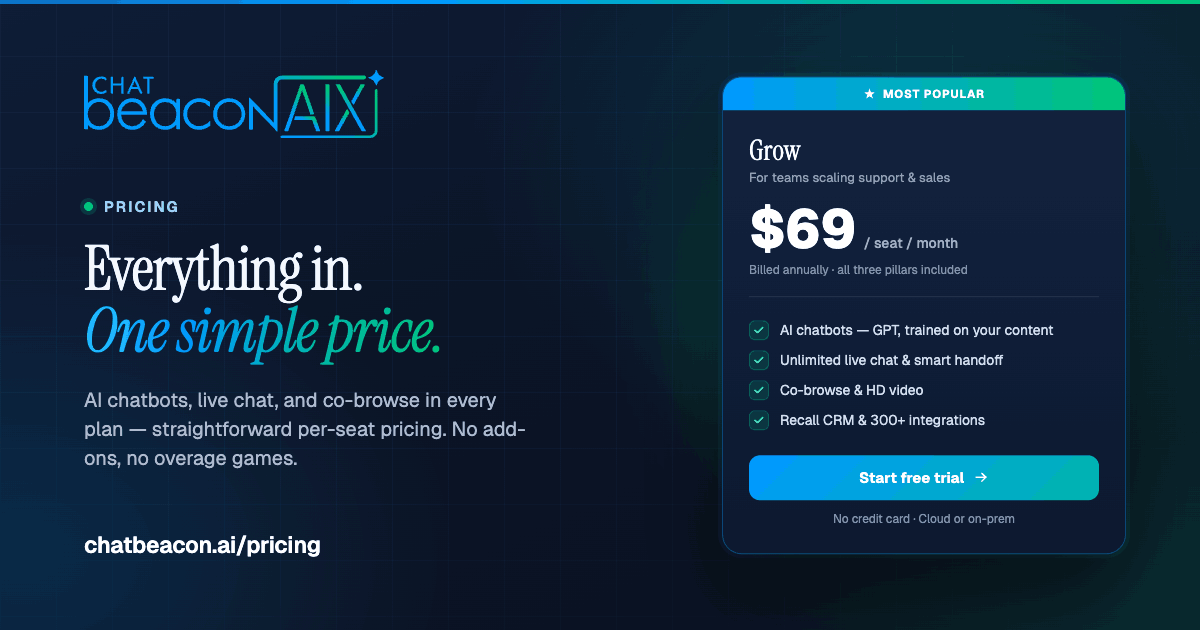
The pricing page says plans include a 14-day free trial, with Launch, Grow, and custom Enterprise options. It also offers add-ons such as Aria AI Workflow Assistant, CoBrowse & Screen Share, SMS Messaging, and Microsoft Entra ID SSO.
The integrations page says ChatBeacon connects through Zapier, native integrations, and a REST API. It lists support for tools such as Salesforce, HubSpot, Slack, Teams, Shopify, WooCommerce, Zendesk, and more.
ChatBeacon says it is built for organizations that want AI to answer first and hand off to live agents with context preserved. The home page highlights banking, mental health, education, e-commerce, credit unions, and insurance.
The site says ChatBeacon can be used in cloud or on-premise deployments, and the pricing page mentions a launch setup time of about 5 minutes for some plans. The exact setup depends on the plan and the workflow you choose.

Ably Chat is a chat API platform for custom realtime chat apps, with rooms, typing indicators, presence, reactions, message updates and usage-based pricing.

Falconer is an AI-powered company brain that keeps internal docs accurate, searchable, and up to date by syncing with GitHub, Slack, and Linear.

Claude Overlay is a Windows desktop overlay for Claude Code that reads your screen, so you can ask questions, inspect content, and request edits without leaving the app. Uses your existing Claude subscription via Claude CLI.

Grok is a free AI assistant developed by xAI, engineered to prioritize truth and objectivity while offering advanced capabilities like real-time information access and image generation.

Trigger.dev chat agent is a durable AI chat backend for stateful conversations that survive refreshes, crashes, and long-running turns with AI SDK useChat.

ClawEase is an AI business operator that captures requests across calls, email, SMS, WhatsApp, LINE, and web forms, then completes booking workflows in existing web systems.