
YouTube transcription and chat
Turn a YouTube video into a transcript you can search, summarize, and ask questions about instead of watching the full video again.

Claras is a YouTube transcription and AI chat tool to summarize videos, ask transcript questions, and export content. Free version available, no credit card required.
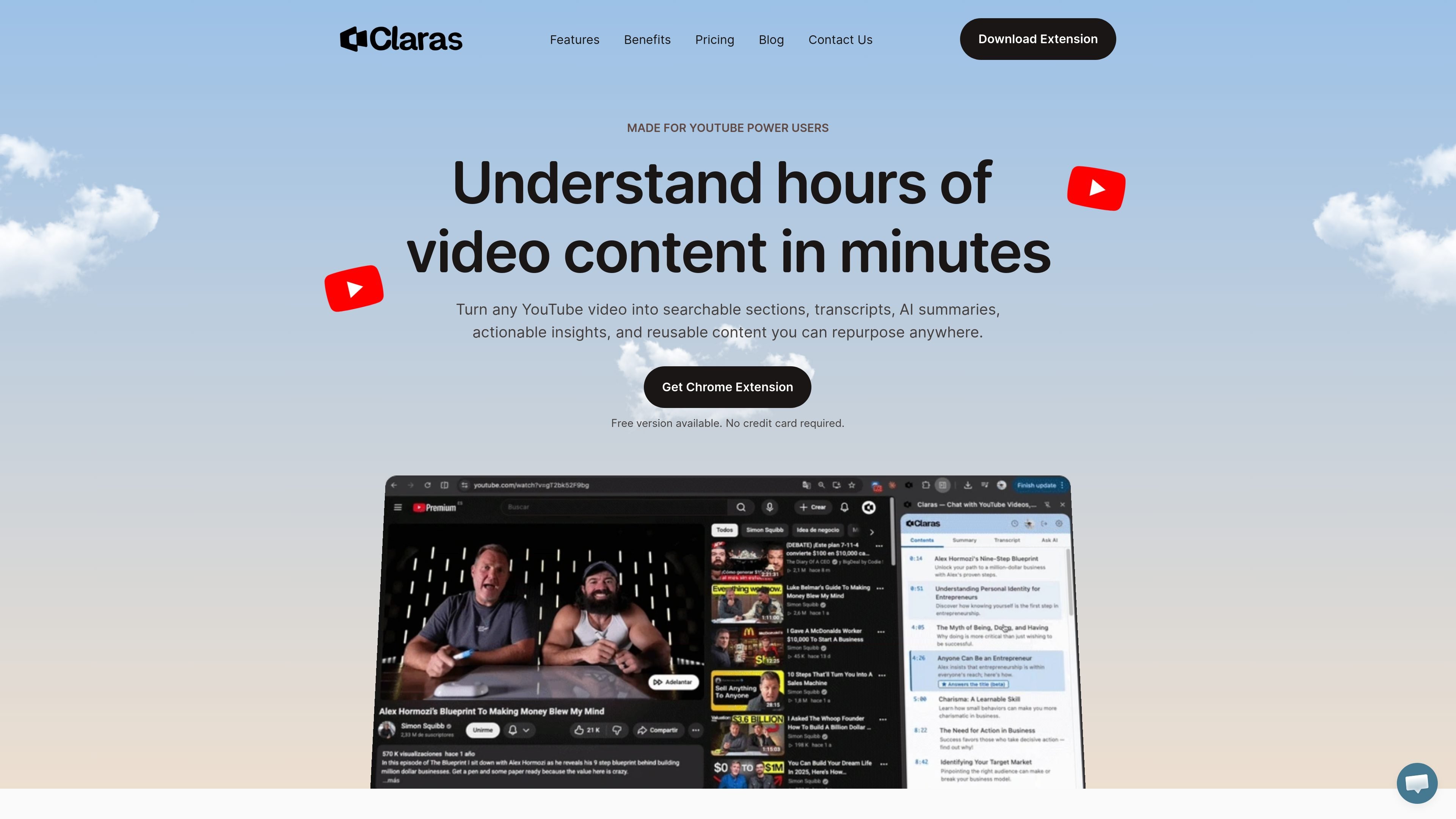
Claras is a YouTube transcription and AI chat tool built to help people turn videos into searchable text, summaries, and question-and-answer workflows. The homepage positions it for users who want to understand long videos, podcasts, and lectures without rewatching them end to end.
The product’s core workflow is straightforward: open a YouTube video, generate a transcript, review AI summaries or a table of contents, and ask questions against the transcript. Claras also emphasizes export options for downstream AI tools and note-taking workflows, plus a Chrome extension for browser-based use.
Turn a YouTube video into a transcript you can search, summarize, and ask questions about instead of watching the full video again.
Get short summaries and key points from a video so you can decide whether it is worth a full watch.
Jump to specific sections through generated chapters and timestamps, making long videos easier to scan.
Export full transcripts for use in tools like Claude, ChatGPT, Gemini, and NotebookLM, or into custom agents and knowledge bases.
Download transcripts in TXT, SRT, PDF, or VTT, with multilingual transcription support stated for 60+ languages.
Use the Chrome extension to access the workflow from the browser and save, highlight, and organize content as you watch.
A student, researcher, or learner can turn a lecture or tutorial into a transcript, then use summaries and questions to review the main ideas quickly.
A marketer, founder, or analyst can ask targeted questions about a podcast or interview instead of scrubbing through the whole recording for one detail.
A creator or writer can export transcripts and reuse them in note-taking apps, content drafting, or AI tools such as ChatGPT and Claude.
A viewer can jump between generated chapters and timestamps to revisit only the parts of a video that matter.
A team can save highlights and organize key moments in one place while reviewing content together.
Claras is designed to transcribe YouTube videos, summarize them, and let you ask questions about the transcript using AI.
The homepage says you can download the Chrome extension and start with a free version; the site also says no credit card is required.
The site says transcripts can be downloaded as TXT, SRT, PDF, or VTT.
The site says Claras transcribes in 60+ languages and mentions 98% accuracy, with multilingual support called out as a feature.
The homepage says Claras works with YouTube videos and is compatible with all YouTube videos, while one section says 99% of YouTube videos.

Pewbeam is a church presentation app that listens to sermons, detects Bible verse references in real time, and displays the matching passage on screen for smoother live services.

Hype is a web tool for finding trending YouTube topics by category, time range, and scoring mode. Spot emerging ideas and review source videos.

CAMB.AI Streams dubs live audio in real time for YouTube, Twitch, X and other platforms, using existing live workflows and no post-production.

Tavus is an AI video platform for real-time face-to-face agents, digital twins, and AI companions, with APIs and multilingual workflows for developers.

Sanota turns spoken memories and interviews into clear written stories for personal storytelling, family history and shared memories, with guided prompts and subscriptions.

VForms lets you place questionnaires inside YouTube videos, capturing feedback in context with timestamped, embeddable video forms.