

ClipTask
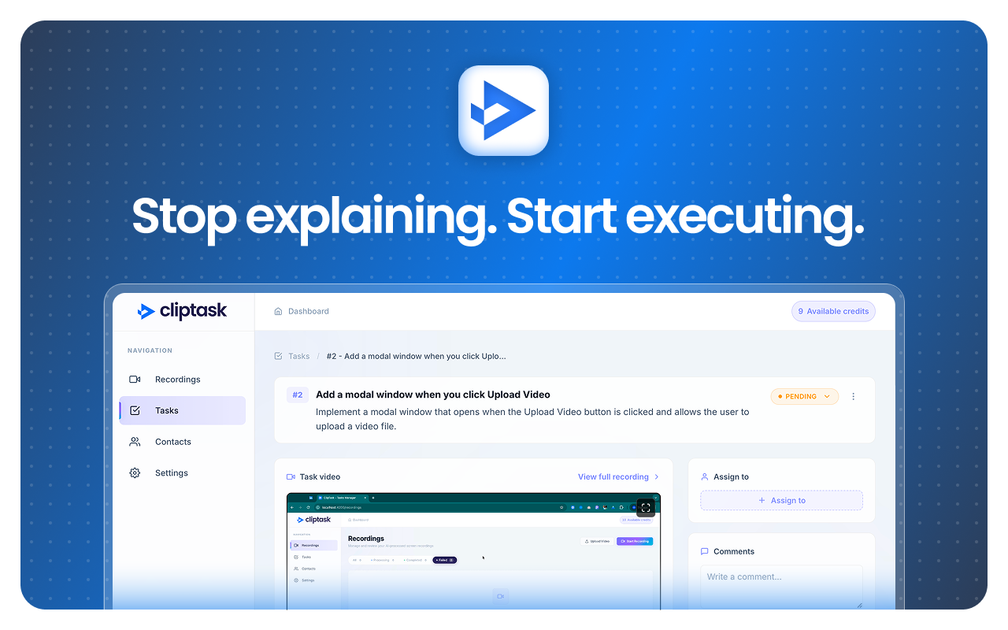
ClipTask turns screen recordings into tasks with AI. Record your screen, explain what you see, and generate task lists automatically.
What is ClipTask?
ClipTask turns screen recordings into tasks with AI. Record your screen, explain what you see, and generate task lists automatically.
It’s designed to help people capture what happened in a screen recording and translate it into a task list, reducing the manual effort of rewriting steps or action items from a video.
Key Features
- Screen recording to task output: Start with a screen recording, then generate tasks from what’s captured.
- Explain-what-you-see input: Provide context by explaining what you’re showing, so the AI can interpret the recording in context.
- Automated task conversion: Convert the recording plus explanation into a task structure without manually transcribing everything.
- Task-first workflow: Focuses on producing tasks directly from captured work rather than only generating summaries.
How to Use ClipTask
- Record your screen to capture the activity, process, or issue.
- Add an explanation describing what the recording shows.
- Use ClipTask to generate tasks automatically from the recording and your explanation.
- Review the produced tasks and use them as your next steps.
Use Cases
- Creating follow-up tasks after a walkthrough: Record a screen walkthrough during a meeting or support session, then turn it into tasks for the person who needs to complete the next steps.
- Documenting troubleshooting steps: Capture the steps you take while diagnosing a problem and generate a task list that reflects what should be done to resolve it.
- Translating “how-to” sessions into actions: Record training or coaching on a process, add context about the goal, and convert it into tasks that trainees can perform.
- Turning internal demos into execution items: After demonstrating a workflow on-screen, generate tasks that summarize what attendees should implement.
- Reducing manual rewrite work: When you already captured the work visually, use the tool to convert that recording into tasks instead of rewriting the steps from scratch.
FAQ
-
What does ClipTask convert screen recordings into? ClipTask turns screen recordings into tasks with AI.
-
Do I need to explain what I’m showing? The described workflow includes recording your screen and explaining what you see; the explanation is part of how tasks are generated.
-
Is ClipTask meant for general video editing? No—based on the provided description, its focus is converting screen recordings plus explanation into tasks.
-
What kinds of tasks can ClipTask generate? The page describes task generation from recordings and explanation, but it does not specify task formats or limits.
-
How do I get started? The page indicates the starting point is to record your screen, explain what you see, and then let AI turn it into tasks.
Alternatives
- AI video/screen summarization tools: Instead of generating tasks directly, these tools focus on summarizing what happened in a recording.
- Generic task and note capture tools with manual transcription: Tools like note-taking apps can capture steps, but you typically have to transcribe or rewrite actions yourself.
- Automated workflow tools for converting instructions into checklists: Some platforms focus on turning written instructions into action items; workflow may depend more on text than screen recordings.
- Screen recording tools with captioning or transcript features: These help you capture the recording and derive text, which you can then convert into tasks—typically with more manual steps than an AI task conversion tool.
Alternatives

Bezel
Mirror iPhone to your Mac with wireless AirPlay or USB, plus recording and screenshot tools with bezel and background.

Biji
Biji is a versatile platform designed to enhance productivity through innovative tools and features.

Codex Plugins
Use Codex Plugins to bundle skills, app integrations, and MCP servers into reusable workflows—extending Codex access to tools like Gmail, Drive, and Slack.

Struere
Struere is an AI-native operational system that replaces spreadsheet workflows with structured software—dashboards, alerts, and automations.

Tavus
Tavus builds AI systems for real-time, face-to-face interactions that can see, hear, and respond, with APIs for video agents, twins & companions.

OpenFlags
OpenFlags is an open source, self-hosted feature flag system with a control plane and typed SDKs for progressive delivery and safe rollouts.