

CodeGuide
CodeGuide generates spec-driven context for AI coding tools—turn an idea or GitHub repo into PRDs, tech specs, and wireframes.
What is CodeGuide?
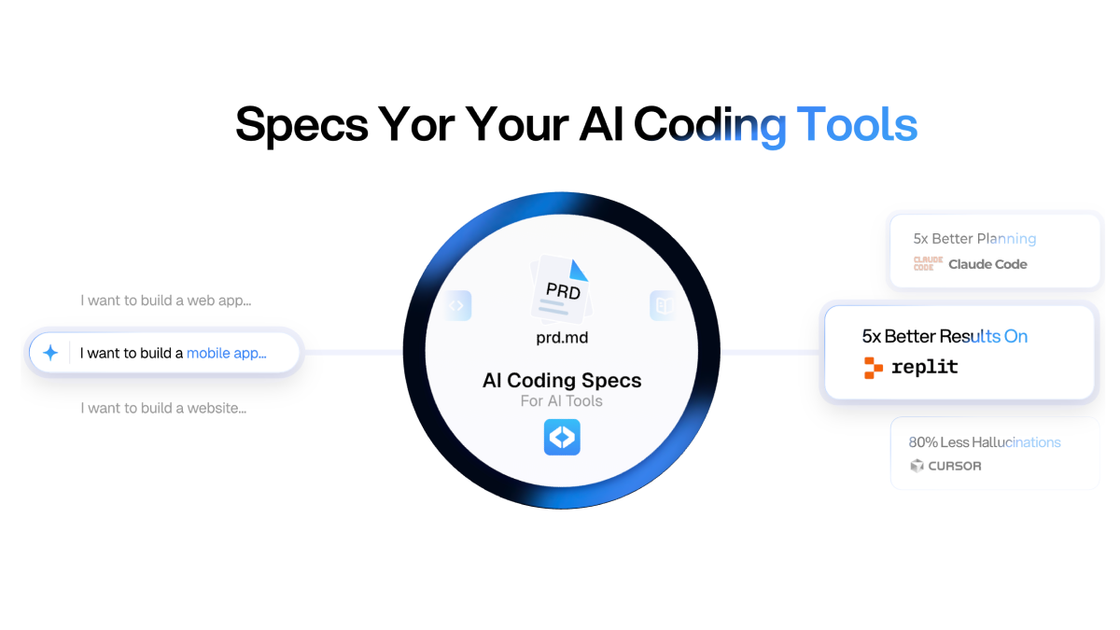
CodeGuide is a spec-driven context generator for AI coding tools. It helps turn an idea or an existing GitHub codebase into structured project documents—such as PRDs, technical specs, and wireframes—that AI models can reference while implementing software.
The core purpose is to reduce the “black box” problem in AI-assisted development by creating a project knowledge base with clearer context for planning and documentation, whether you’re starting from a description or extending a legacy repository.
Key Features
- Spec-driven documentation generation (plain-English input): Describe your project in plain English to generate a documentation kit, including PRDs, tech stack guidance, and wireframes.
- Existing GitHub codebase documentation: Feed existing GitHub projects to map the codebase so AI tools have clearer context about what the repository contains.
- AI documentation workflow (clarifying questions → plan → docs): Provide a project brief and answer open questions (e.g., notification behavior, onboarding, feature constraints) to shape the resulting docs.
- Software v2 autonomous coding agent: Use an agent that can analyze a codebase, plan documentation, and execute coding tasks “autonomously” for extended sessions.
- Unified interface for multiple CLI tools / model routing: Operate with a single interface while multiple AI models work in sync; a model router selects models for different parts of the workflow.
- Chrome extension for browser-based generation: Generate PRDs, tech specs, and documentation directly from your browser.
- On-screen UI editor: Edit on-screen and coordinate multiple agents in parallel for UI fixes or feature additions.
- Starter kits to reduce setup effort: Open-source boilerplates for AI coding models include common infrastructure such as authentication, database configuration, and Stripe payment configuration (as described for the templates).
How to Use CodeGuide
- Start with an idea or a repo: Either describe what you want to build in plain English, or point CodeGuide to an existing GitHub project.
- Answer project questions when prompted: Use the clarifying questions to specify product behavior and constraints.
- Generate the documentation kit: Produce the outputs you need for implementation, such as PRDs, tech specs, wireframes, and related planning artifacts.
- Use Software v2 for execution: If you’re moving into coding and implementation, run the autonomous agent to analyze the codebase and follow the planned documentation.
- Optionally use the Chrome extension: Generate PRDs/tech specs/documentation from within your browser workflow.
Use Cases
- Turn an app idea into implementation-ready specs: A developer describes an app concept (e.g., mobile app vs. website) and answers product behavior questions to obtain PRDs, tech specs, and wireframes.
- Document a legacy GitHub repository for AI development: When working with older code that’s hard to interpret, feed the repository to get mapped, AI-consumable context for subsequent coding tasks.
- Plan product requirements before using an AI coding assistant: Use generated specs as a structured input so an AI coding tool can implement features based on explicit requirements rather than ad-hoc prompts.
- Run autonomous coding work with an agent: Use Software v2 to coordinate codebase analysis, planning, and coding execution over a longer session with a unified interface.
- Improve or extend a UI iteratively: Use the on-screen editor to correct UI issues or add features while multiple agents work in parallel.
FAQ
Does CodeGuide generate documentation from a description, a repository, or both?
CodeGuide supports both: it can generate docs from a plain-English idea and it can generate documentation for existing GitHub codebases by mapping the repository for AI context.
What kinds of documents can CodeGuide produce?
The site describes PRDs, tech specs, and wireframes as key outputs, along with a broader “documentation kit” tied to your project brief.
What is Software v2?
Software v2 is described as an autonomous coding agent that can analyze codebases, plan documentation, and execute code, with a unified interface and multiple models in sync.
How does the product help with AI hallucinations?
The site frames the approach as creating a project knowledge base and structured specs/context that AI models can reference, aiming to reduce “guessing” caused by missing or unclear context.
Are there tools to use CodeGuide outside the main app?
Yes. The site mentions a Chrome extension for generating PRDs, tech specs, and documentation directly from a browser.
Alternatives
- Manual PRD/tech-spec writing plus AI coding assistant: Write documentation yourself (or with a general AI chat) and then provide it to a coding tool; differs by relying on user-authored specs rather than repository mapping and a structured generation workflow.
- General-purpose AI coding copilots: Tools that focus on code generation and refactoring may not provide the same end-to-end documentation kit (PRDs/tech specs/wireframes) or repository mapping described here.
- Documentation-first codebase analysis tools: Approaches centered on generating documentation from source code (without a spec/PRD workflow) can help understanding but may not produce the same planning artifacts tied to product requirements.
- Starter templates/boilerplates with separate planning: Using boilerplates can reduce setup time, but you’d still need another process to generate PRDs/tech specs and wireframes for AI coding workflows.
Alternatives

BookAI.chat
BookAI allows you to chat with your books using AI by simply providing the title and author.

skills-janitor
Audit, track usage, and compare your Claude Code skills with skills-janitor—nine focused slash commands and zero dependencies.

Lasso
Lasso is an AI-first PIM for ecommerce teams that enriches product attributes and descriptions, processes supplier data, and monitors competitors via app or API.

Struere
Struere is an AI-native operational system that replaces spreadsheet workflows with structured software—dashboards, alerts, and automations.

garden-md
Turn meeting transcripts into a structured, linked company wiki with local markdown and an HTML browser view. Sync from supported sources.

Falconer
Falconer is a self-updating knowledge platform for high-speed teams to write, share, and find reliable internal documentation and code context in one place.