

CometChat Skills
CometChat Skills is an AI coding agent skill that detects your framework, infers credentials, applies SSR-safe patterns, and scaffolds TypeScript chat UI fast.
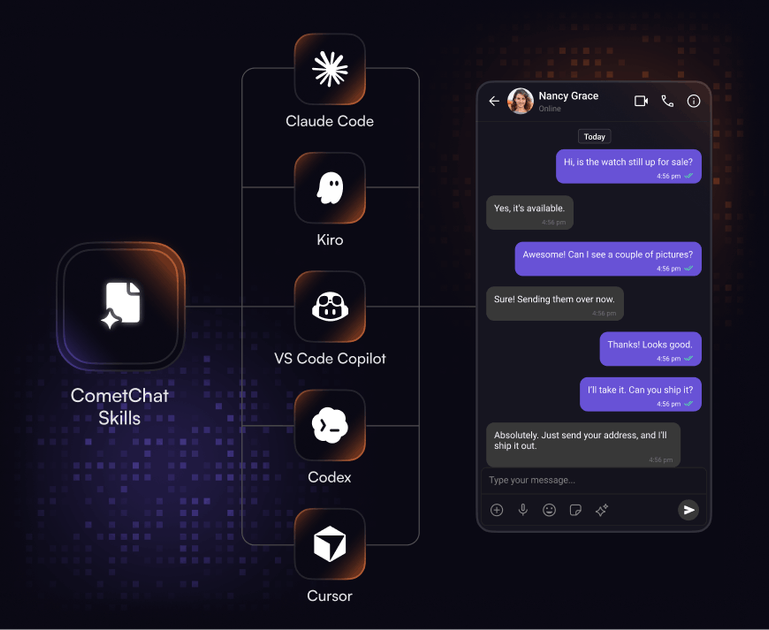
What is CometChat Skills?
CometChat Skills is an “agent skill” for AI coding agents that helps you integrate CometChat into your app’s UI with less manual setup. The goal is to get from a new project to a working chat interface by supplying a framework-specific skill file that your agent can use to install, configure, and scaffold the chat components.
The workflow is designed so the agent can detect your project setup, read credentials from your environment (or existing init calls), apply the correct SSR prevention pattern for your framework, and generate TypeScript-backed UI code with error handling.
Key Features
- Framework and router detection: The agent reads your project to identify your framework/router type/bundler and then applies the integration pattern that matches your setup.
- One skill file per framework: You start by adding the CometChat skills file to your project; the agent can install the right skill files for supported agents and proceed without requiring manual configuration steps.
- Zero-touch credential setup: The agent infers CometChat credentials from your
.envor existing init calls, reducing the need to re-enter values during setup. - Safe project patching: The skill is described as applying minimal patches to existing files, without touching auth, routing, or app logic beyond what’s needed for the chat UI integration.
- Production-oriented TypeScript output: Generated code includes TypeScript types, and initialization/login errors are surfaced in the UI rather than failing silently.
- Post-integration verification checklist: After setup, a checklist validates that credentials, SSR patterns, and component rendering are correctly wired.
How to Use CometChat Skills
- Install the skill file: Add the CometChat skills file into your project so your AI coding agent can use it.
- Run your agent to configure integration: Start the agent, and it will read your project, detect framework/router/bundler, infer CometChat credentials, and guide setup using the appropriate SSR approach.
- Customize the chat experience: Choose one of the provided chat layouts; the agent scaffolds the full integration, including TypeScript types and UI error handling.
The page notes the process can be done quickly (it references under 10 minutes) and that the skill adapts to your existing project setup.
Use Cases
- Add in-app chat to an existing web app using React or Next.js: Your agent can detect your React/Next routing and bundler setup, apply SSR-safe patterns, and scaffold the chat UI.
- Enable multi-conversation messaging for team or social apps: Use the “Conversation list + message view” layout to render a conversation list on the left and message thread on the right.
- Stand up a customer support or peer-to-peer chat: Use the “One-to-one chat” layout, which is a focused message window without a conversation list, suitable for two-party messaging.
- Provide a full messenger experience with grouped navigation: Use the “full messenger” layout described with tabbed navigation for Chats, Calls, Users, and Groups, including the conversation thread opening on the right.
- Integrate with an AI coding workflow across common coding agents: The skills are stated to work with Claude Code, Cursor, Kiro, VS Code Copilot, and Codex, using your selected agent’s workflow.
FAQ
-
Which frameworks does CometChat Skills support out of the box? The page lists support for React.js, Next.js, React Router, Astro, and more.
-
Does the agent require manual credential entry? The page states that credentials are inferred from
.envor from existing CometChat init calls before asking, aiming to remove back-and-forth. -
How does SSR compatibility work? The skill is described as applying the correct SSR prevention pattern based on the framework detected from your project.
-
What chat UIs can I scaffold? The page describes three pre-built chat layouts: conversation list + message view, one-to-one chat, and a full messenger experience with tabbed navigation.
-
Will the skill modify my app’s existing logic? It’s described as making minimal patches and not touching auth, routing, or app logic beyond what’s required for integration.
Alternatives
- Integrate CometChat manually by following the vendor’s documentation: This keeps full control over your implementation but typically requires more manual wiring of SSR handling, credentials, and UI components.
- Use an AI coding agent to scaffold the chat UI without a specialized “skills” file: You may get similar results, but the workflow may be more error-prone because framework detection, credential inference, and SSR patterns aren’t guided by the packaged skill.
- Use a chat UI component approach (custom UI + CometChat APIs): Instead of a pre-scaffolded layout, you build your own React/Next components and connect them to CometChat, trading speed for design flexibility.
Alternatives

AakarDev AI
AakarDev AI is a powerful platform that simplifies the development of AI applications with seamless vector database integration, enabling rapid deployment and scalability.

Arduino VENTUNO Q
Arduino VENTUNO Q is an edge AI computer for robotics, combining AI inference hardware and a microcontroller for deterministic control. Arduino App Lab-ready.

Devin
Devin is an AI coding agent that helps software teams complete code migrations and large refactoring by running subtasks in parallel.

OpenUI
OpenUI is the open standard for generative UI, helping AI apps respond with structured user interfaces built from registered components.

Codex Plugins
Use Codex Plugins to bundle skills, app integrations, and MCP servers into reusable workflows—extending Codex access to tools like Gmail, Drive, and Slack.

Ably Chat
Ably Chat is a chat API and SDKs for building custom realtime chat apps, with reactions, presence, and message edit/delete.