
Event tracking
Track custom events such as slot loads, article views, and scroll depth so profile timelines reflect real behavior instead of only static attributes.

Croct user profiles track events, attributes and identity across anonymous and identified visitors, helping analyze journeys, filter audiences, and export data.
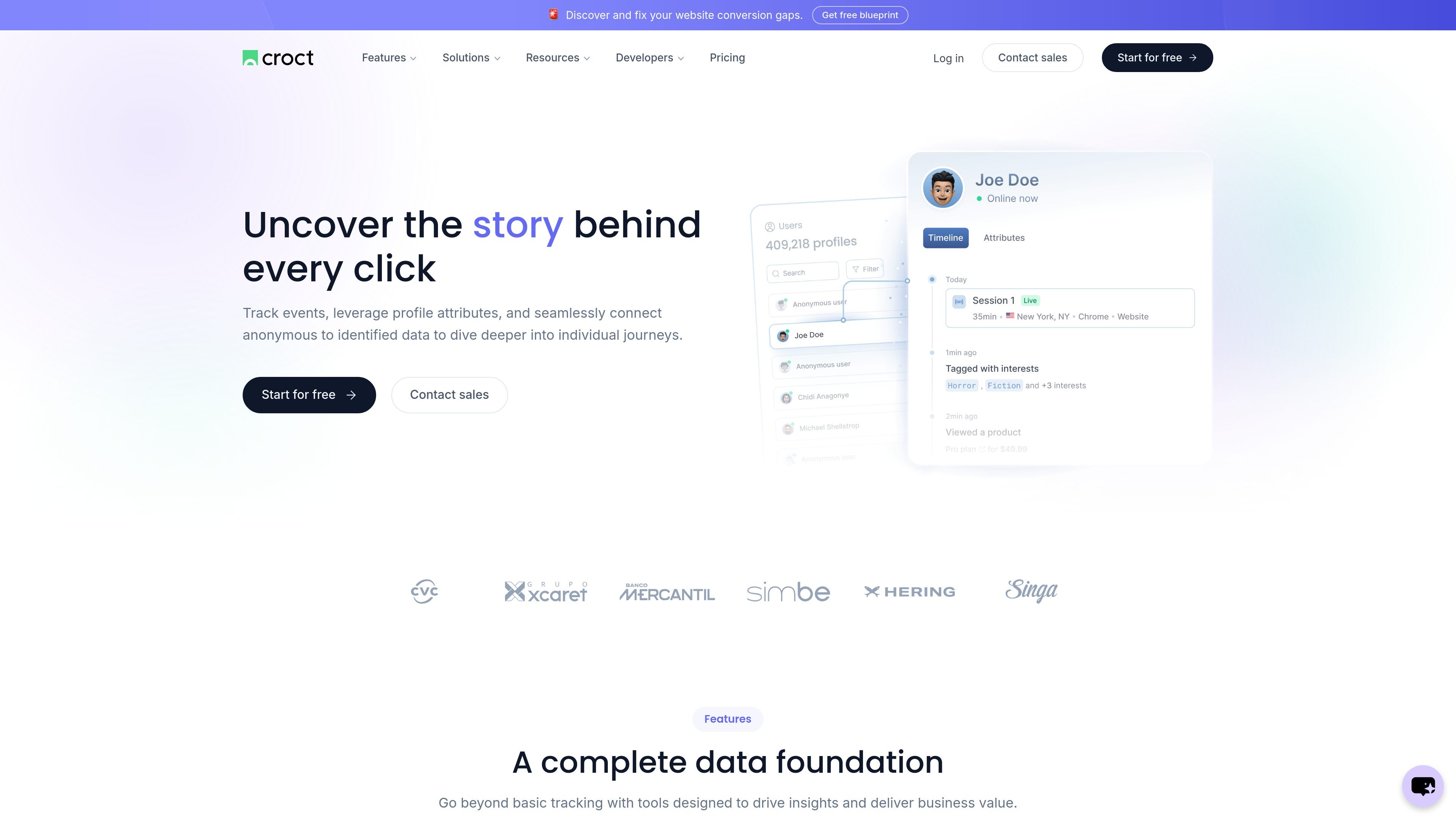
Croct’s user profiles page describes a profile and journey layer for tracking individual visitors across events, session activity, and profile attributes. It is built to connect anonymous behavior with identified users so teams can understand how a person moves through a site or application over time.
The page highlights real-time profiling, live sessions, filters, data retention controls, privacy rules, and export options. The result is a profile-centric workflow for turning visitor activity into segments, analysis, personalization, and experimentation use cases within Croct.
Track custom events such as slot loads, article views, and scroll depth so profile timelines reflect real behavior instead of only static attributes.
Connect anonymous browsing data to identified users so earlier activity can be linked with later sessions and more complete journeys can be analyzed.
Use live sessions to identify visitors who are currently active in your applications, which helps with accurate tracking and debugging.
Filter visitors with traits, events, session data, and more to find the cohorts you want without building every query from scratch.
Retain data for as long as needed instead of relying on a rigid one-size-fits-all storage policy.
Export user profiles, sessions, and events so the data can be used in other channels and touchpoints.
Track clicks, loads, scroll depth, and other events so product or growth teams can inspect a visitor’s path in context rather than as isolated actions.
Use live sessions and visitor filters when debugging behavior in a production environment or validating whether tracking is capturing the right data.
Combine profile attributes with identity resolution to build audiences that can later support segmentation, personalization, or experimentation workflows.
Retain only the data you need and export profiles or events when another system needs the same visitor history.
Croct’s user profiles combine tracked events, profile attributes, and identity resolution so anonymous and identified activity can be connected into a single visitor view.
The page says you can bring in your own first-party data from a CRM or CDP to enrich profiles, but it does not list specific connectors or supported vendors.
Profile attributes include visitor traits and session data alongside events; the page does not publish a fixed attribute schema.
The timeline view shows a user’s journey through events and activity over time, including live sessions and in-progress browsing when available.
Yes. The page explicitly mentions live sessions, which let you identify visitors currently active in your applications, and it also asks whether live events can appear in the timeline as the visitor browses.

PromptScout tracks how ChatGPT, Gemini, Google AI Overviews, and Perplexity mention your brand or competitors, with source analysis and website audits.

SaveMRR is a Stripe retention tool for SaaS teams to scan churn and MRR leaks, then automate recovery with dunning, cancel-save offers, win-back emails, and onboarding nudges.

Hype is a web tool for finding trending YouTube topics by category, time range, and scoring mode. Spot emerging ideas and review source videos.

DailyPlay.ai is a behavioral growth platform using AI site scans and micro-games to boost engagement and conversions across web, mobile, and more.

Sleek Analytics is a privacy-friendly web analytics tool with real-time visitor tracking, Core Web Vitals, and revenue attribution.

Struere turns spreadsheet data into structured operational software with dashboards, alerts, and automations for teams replacing manual spreadsheet workflows.