
Live driving status
Shows real-time speed, gear, and battery information so the driver can check essential vehicle status at a glance.
Dashla is a phone-based dashboard app for Tesla owners that shows driving status, navigation, map and tire pressure in one view—no vehicle mods or extra transmitter.
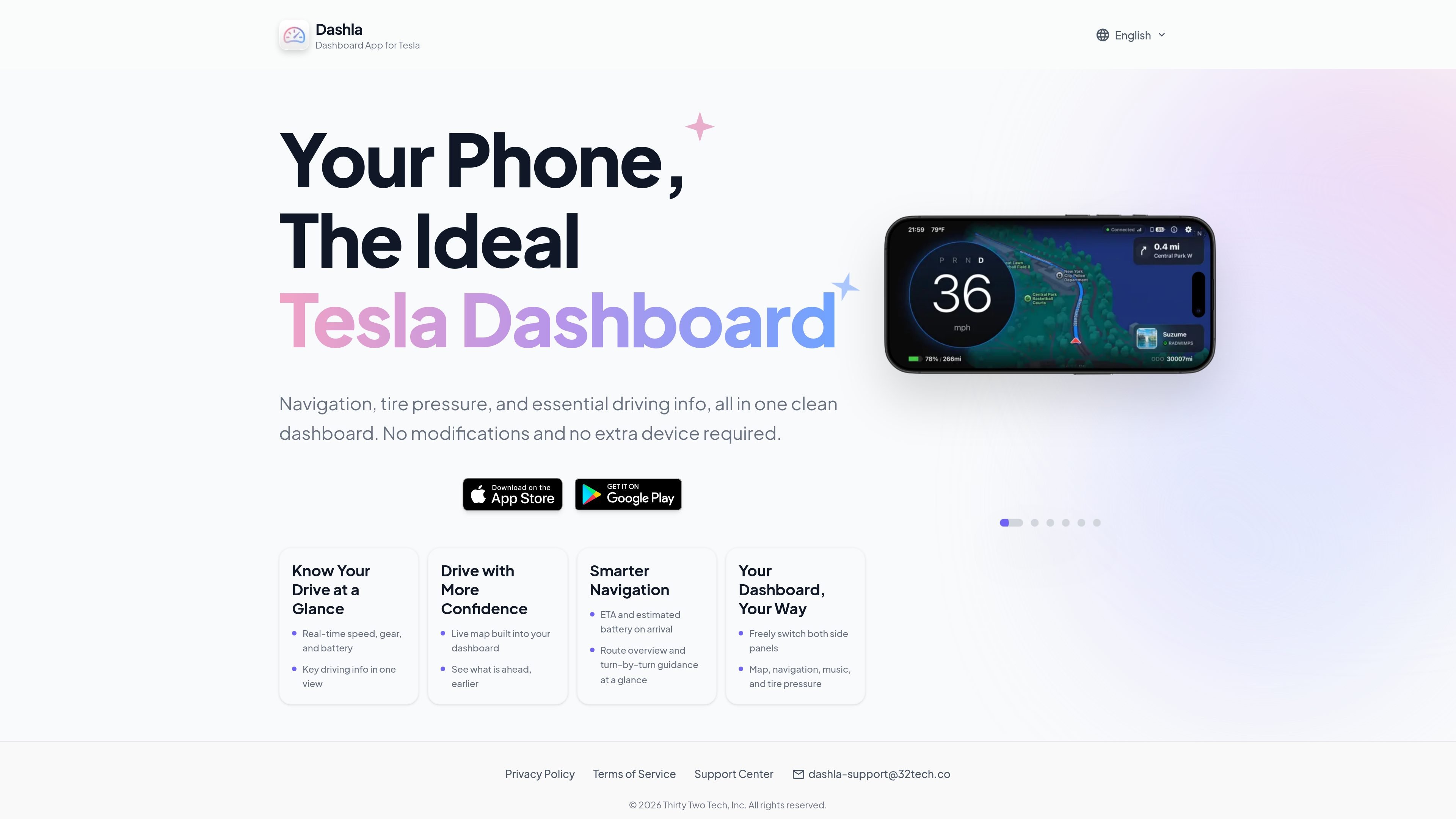
Dashla is a dashboard app for Tesla owners that combines driving status, navigation, map views, and tire pressure into a single phone-based dashboard. It is positioned as an easier way to keep essential vehicle information visible while driving.
The product focuses on keeping the most relevant driving details in one screen: real-time speed, gear, battery, route guidance, estimated battery on arrival, and tire pressure. The site also emphasizes that it works without vehicle modifications or an extra device.
Shows real-time speed, gear, and battery information so the driver can check essential vehicle status at a glance.
Includes a live map inside the dashboard to help drivers see what is ahead without leaving the main view.
Provides route overview, turn-by-turn guidance, ETA, and estimated battery on arrival for navigation context.
Surfaces tire pressure alongside other driving data so important vehicle metrics stay in one place.
Lets users switch the side panels between map, navigation, music, and tire pressure to tailor the layout.
Runs as a phone-based dashboard and does not require modifications or an extra transmitter.
Use Dashla as an in-car dashboard when you want speed, gear, battery, and tire pressure in one view instead of checking separate screens.
Use the built-in map and navigation details when you want route guidance, ETA, and estimated battery on arrival presented together.
Use the flexible side panels to prioritize map, navigation, music, or tire pressure depending on the part of the trip.
Use Dashla when you want a Tesla-focused dashboard without vehicle modifications or additional hardware.
Dashla is presented as a Tesla dashboard app that brings driving information into one phone-based interface. The source does not describe a separate installation flow or hardware setup beyond noting that no modifications or extra device are required.
The page shows a dashboard built around core driving information, navigation, map, music, and tire pressure. It does not list model-specific fitment details or exact compatibility by vehicle generation.
Dashla surfaces real-time speed, gear, battery, navigation guidance, estimated battery on arrival, and tire pressure in a single view. The source does not describe export options or background syncing behavior.
The page states that no modifications and no extra device are required. It does not provide pricing details or plan tiers because the pricing page returned a 404.

Sour Mango is a free iOS and Android travel app for digital nomads with AI trip planning, visa tracking, translation, currency conversion, and community features.

MeetPoint compares live flight prices from multiple origins to find the cheapest place for a group to meet, with filters for budget, stops, and flight duration.

Flown: Live Flights & Trips logs flights into a private map, passport and travel stats, with Pro live flight status and trip-planning tools.

ClawApp is a MacOS desktop app for using OpenClaw bots with no setup or technical knowledge required. Natural-language workflows for email, notes, travel, code, and chat coordination.

Sunny Days Ahead is a free travel discovery web app for finding sunny destinations month by month with historical weather data, climate insights, and side-by-side comparisons.

StayThere is a direct-booking search engine for vacation rentals and stays. Compare live availability across sources, then book on the host’s site.