
Morning brief and overnight triage
Dirac reads email overnight and prepares a morning brief so you can start with the messages that need a decision instead of scanning the whole inbox.

Dirac is an AI email assistant for Gmail that prepares a morning brief, prioritizes important threads, and drafts replies in your voice.
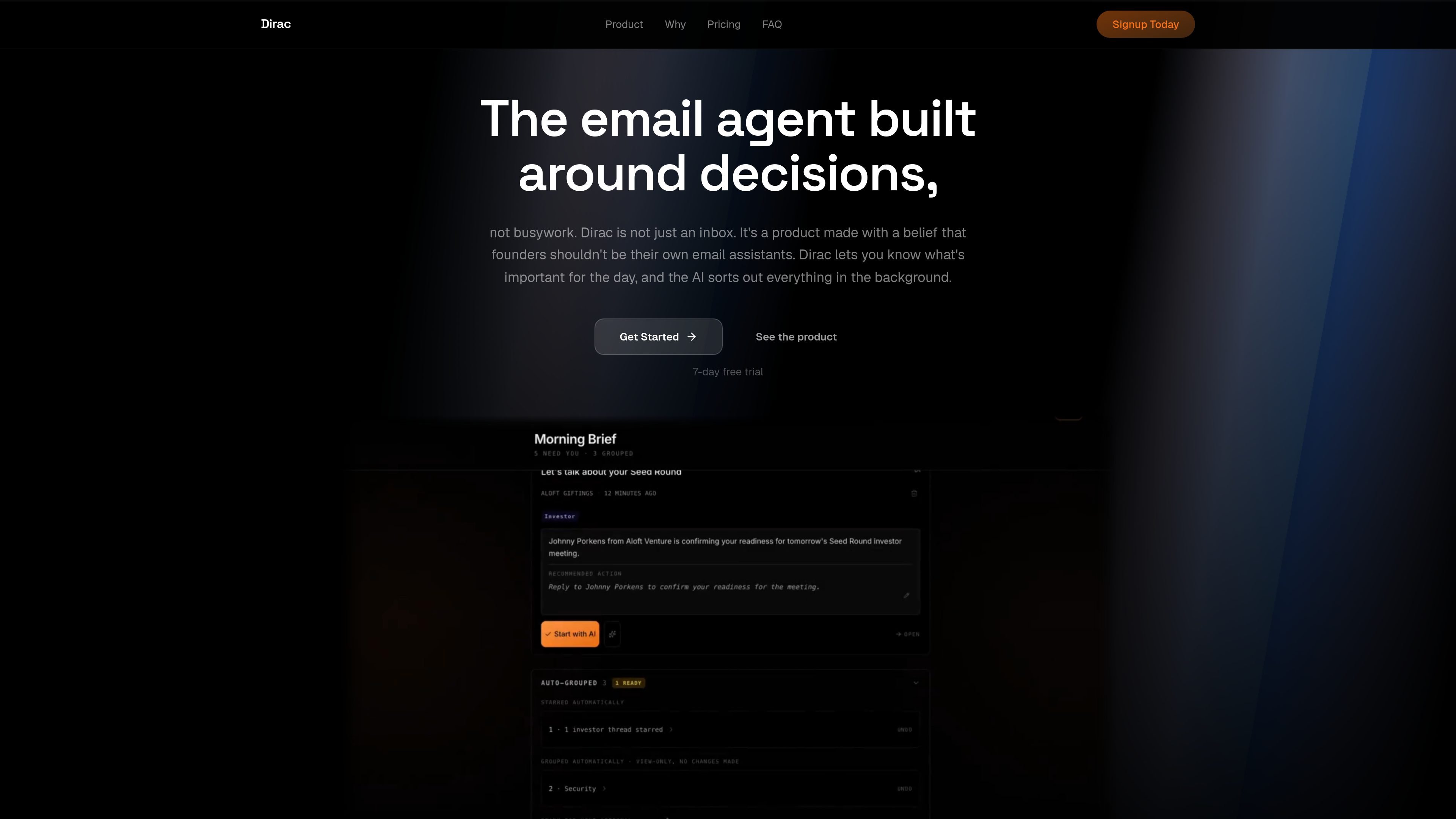
Dirac is an AI email product for founders and other busy professionals who want to start the day with a concise view of what matters. Instead of acting as a faster inbox, it reads email in the background, prepares a morning brief, and drafts replies before you open your laptop.
According to the site, Dirac connects to Gmail in minutes and works behind the inbox you already use. It surfaces messages that need your judgment, prepares action items, and lets you review and send replies that are written in your voice.
Dirac reads email overnight and prepares a morning brief so you can start with the messages that need a decision instead of scanning the whole inbox.
The product highlights threads that need your judgment and separates them from mail that can be filed or handled without input.
Dirac drafts replies based on your sent mail, aiming to match your tone so responses are ready to review and send.
You can tell Dirac what to do in plain English, such as archiving newsletters or starring investor emails, and it prepares the action for one-tap approval.
The homepage says Dirac connects to Gmail in minutes and sits behind the inbox you already use, rather than replacing it with a new client.
The site says your mail stays private by default, nothing sends without your approval, and the product does not sell data or train public models on your inbox.
A founder can open a morning brief, see the few threads that require judgment, and handle the rest after the product has already sorted and drafted in the background.
When a reply needs to sound like the sender, Dirac can draft a response based on sent mail so the user can review and send it with one tap.
A user can issue a plain-English instruction such as archiving older newsletters or starring investor messages, then approve the prepared action.
For people who lose time to repeat email housekeeping, Dirac centralizes summaries, priorities, and draft responses so the first inbox pass becomes shorter and more focused.
Teams or solo operators who already use Gmail can adopt Dirac without learning a new inbox model, since it sits behind the existing email workflow.
Dirac processes your email to generate summaries, priorities, and drafts, then asks for your approval before anything is sent.
The pricing page positions Dirac as a Gmail-connected product, and the homepage says it connects to Gmail in minutes.
Dirac reads sent mail to match your tone and drafts replies in your voice rather than using generic templates.
The homepage describes a morning brief that surfaces what needs attention, along with ready-to-send replies and action items.
The source does not list supported desktop or mobile apps, team controls, or additional integrations beyond Gmail.

Goldfish is an AI memory app for macOS that helps you reply, write, summarize, and continue with context already on your Mac. It stores memory locally and writes in your tone.

ArtDeck is a visual reference board app for iPhone, iPad, and Mac. Collect mixed references on one canvas and study them with ToolBox lenses. Offline, optional iCloud sync, one-time purchase.

Biji is a versatile platform designed to enhance productivity through innovative tools and features.

Malyatko is a baby tracker for feeding, sleep, growth, teething, and milestones. Use it on iPhone, Apple Watch, and widgets offline, with iCloud sharing.

Liam is an AI copilot for inbox management, email replies, prioritizing messages, and scheduling meetings. Free for individuals; custom pricing for teams and enterprise.

Redline is a budgeting tool for Claude Code that paces sessions by time, tokens, cost, or plan percentage, helping them end with a usable result.