
Health-meter menu-bar icon
A three-bar menu-bar glyph summarizes the services you watch into one color state: green, amber, or red.

Downbar is a macOS menu-bar app that monitors public status pages and alerts you when services degrade or recover, so you can track vendors without open dashboards.
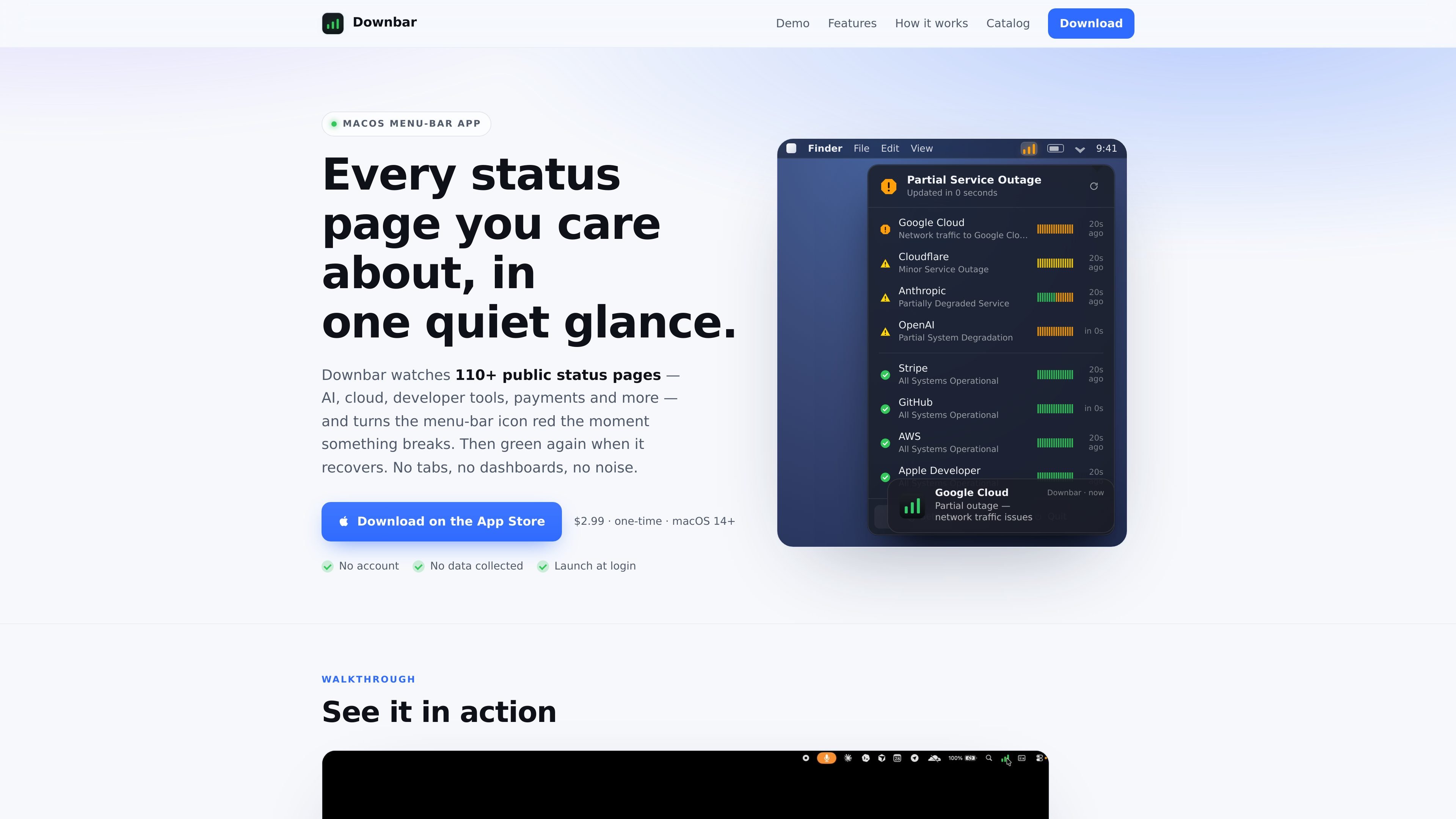
Downbar is a macOS menu-bar app for watching public status pages without keeping a browser tab open. It monitors 110+ services and changes the menu-bar icon from green to amber or red when a watched service changes state, then returns to green when it recovers.
The product is aimed at people who want a quick read on the services they depend on, including AI platforms, cloud providers, developer tools, payments, and other vendors. It supports curated feeds plus custom Statuspage, Instatus, and website URLs, and it runs locally on your Mac with no account required.
A three-bar menu-bar glyph summarizes the services you watch into one color state: green, amber, or red.
Downbar sends native notifications when a service degrades and again when it recovers, with debouncing to reduce repeated alerts.
The catalog includes more than 110 services across 14 categories, and you can also paste a Statuspage, Instatus, or website URL that is not listed.
Downbar distinguishes between a local connectivity problem and a service outage so you do not confuse lost Wi-Fi with a real incident.
You can mute individual services and forward the same up/down alerts to Slack, Discord, or another endpoint via webhook.
The app says it keeps everything on your Mac: no account, no telemetry, and no backend for app data.
Keep an eye on major infrastructure and SaaS vendors such as cloud, AI, and developer tools from one place, instead of manually checking multiple status pages.
Watch a service during an incident and get notified when it first degrades and when it comes back, without leaving the menu bar.
Use the custom URL option when a provider is not in the catalog, including Statuspage, Instatus, or a standard website status page.
Mute a noisy service while still keeping the rest of your watch list active, which is useful when one provider posts frequent updates.
Send the same status updates into Slack, Discord, or another webhook endpoint if you want alerts to flow into a workflow outside the Mac app.
Downbar is a macOS menu-bar app. The site says it is available on the App Store for macOS 14 Sonoma or later.
Downbar does not require an account. The privacy policy also says the app collects no analytics, telemetry, crash reports, advertising data, or user accounts.
The site says Downbar watches 110+ public status pages, and that you can also paste any Statuspage, Instatus, or plain website URL to monitor it.
The pricing page lists Downbar at $2.99 as a one-time App Store purchase.
The site does not describe multi-user or team features. It appears to be designed for a single Mac, with monitoring and notifications handled locally on that device.

ClawTick is an AI agent automation platform for scheduling jobs from the CLI, dashboard, or REST API. Built for developers and teams using LangChain, CrewAI, webhooks, or custom workflows with monitoring, alerts, and logs.

OpenFlags is an open-source, self-hosted feature flag platform for JavaScript teams, with local evaluation, targeted rollouts, and controlled launches.

Rectify is an all-in-one SaaS operations platform with session replay, monitoring, support, code scanning, roadmaps, and changelogs for product teams.

DrDroid is an AI SRE agent for incident investigation that connects cloud, code and telemetry to build a stack-wide knowledge graph for faster root-cause analysis.
PingPulse monitors AI agent workflows with real-time handoff tracking, workflow visualization, and configurable alerts for failures, stalls, and out-of-order execution.

PromptScout tracks how ChatGPT, Gemini, Google AI Overviews, and Perplexity mention your brand or competitors, with source analysis and website audits.