
Context-aware key mapping
Three physical keys change behavior based on the app in focus, so the same hardware can handle meetings, coding, and custom workflows without constant remapping.
Dune is a three-button, context-aware keypad for macOS that automates meetings, developer workflows, and custom shortcuts. It connects by USB-C and can be configured with macros, scripts, a marketplace of community workflows, and Claude-assisted setup.
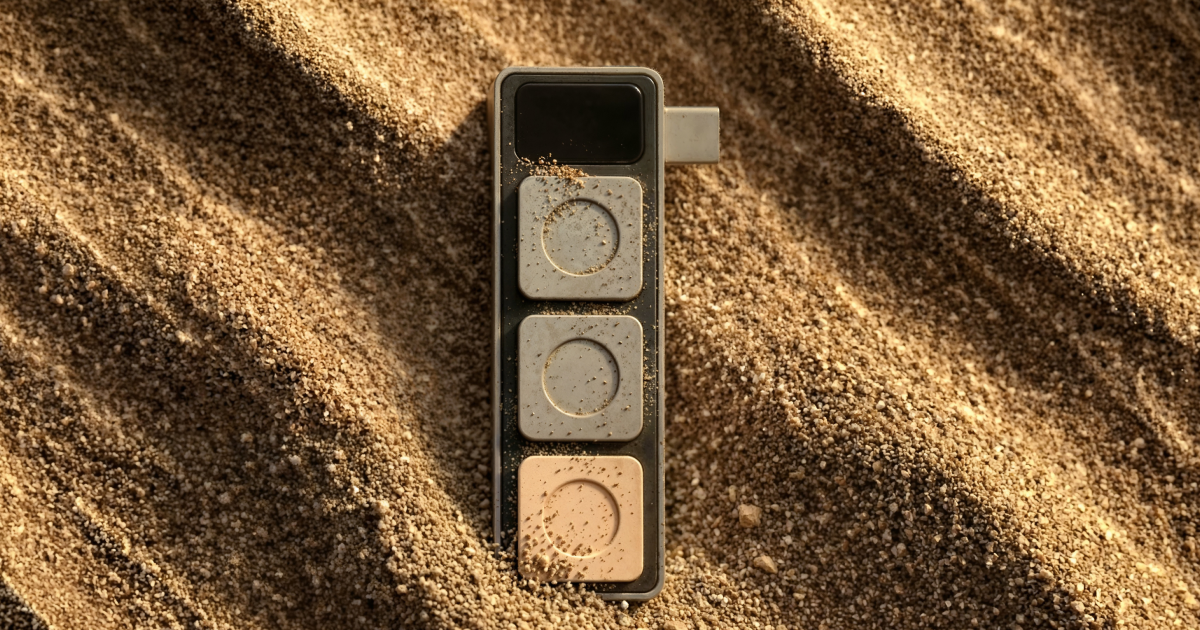
Dune is a three-button, context-aware keypad for macOS. It is designed to automate common meeting actions, speed up developer workflows, and let users trigger macros, scripts, and custom agents without leaving the keyboard flow.
The product combines hardware buttons with software that changes what each key does based on the app in focus. The site highlights meeting controls, dev-tool actions, a marketplace for community scripts, and a Claude-assisted setup flow for customizing the device.
Three physical keys change behavior based on the app in focus, so the same hardware can handle meetings, coding, and custom workflows without constant remapping.
When Dune detects a calendar event or meeting app, it can surface the meeting link, join the call with one key, and send a running-late email with another.
The keys can be assigned to mic and camera toggles, and one press can bring the active meeting window to the front even when you are deep in other tabs.
Dune detects tools such as GitHub, VS Code, and Claude and maps its buttons to the actions you reach for most in those environments.
The keypad supports customizable macros, opening URLs, and running custom scripts, with default shortcuts enabled for tools such as Notion, Figma, and Excel.
A Dune Marketplace lets people install community-built scripts, and Claude can be used to change scripts, add shortcuts, or walk through the current setup.
Use the keypad to join scheduled calls, send a late notice, and control microphone or camera state without hunting through meeting windows.
Use app-aware shortcuts in GitHub, VS Code, or Claude to trigger the actions you use most while coding or reviewing work.
Use macros, URLs, and scripts to build repeatable shortcuts for tools such as Notion, Figma, and Excel.
Install community scripts from the marketplace when you want to borrow workflows other users have already built and adapt them to your setup.
Use Claude to adjust scripts, add shortcuts, or explain your current configuration when you want to change the device without manually editing everything.
Dune is a programmable three-button keypad for macOS that changes its actions based on the app you are using. The site describes it as a context-aware keypad for meetings, dev workflows, and custom macros.
The homepage shows Dune working with calendar-based meeting actions, mic and camera toggles, dev tools like GitHub, VS Code, and Claude, plus customizable macros, URLs, and scripts. The order page also notes that setup can be customized through a conversation with Claude.
The site states that Dune is compatible with macOS only and connects via USB-C. It also lists USB-C power with no battery required.
The order page shows a hardware product with batch-based availability. Batch 1 is sold out, Early Bird Batch 2 ships in 4 weeks, and the product page says shipping is also in 4 weeks for the current early bird batch.
The homepage says Dune works with meeting tools, dev tools, and customizable agents, and that it updates its functions based on the app in focus. It also mentions that Openclaw use cases are for reference and are not pre-installed in Dune.

Liam is an AI copilot for managing inboxes, writing replies, prioritizing email, and scheduling meetings. It is offered free for individuals, with custom pricing for teams and enterprise.

Goldfish is an AI memory app for macOS that helps you reply, write, summarize, and continue with context already on your Mac. It stores memory locally and writes in your tone.

Biji is a versatile platform designed to enhance productivity through innovative tools and features.

Gemma AI is a phone call reminder app that calls you with scheduled reminders instead of push notifications, with Google Calendar sync and natural voice interaction.

Tactiq is an AI note taker for Google Meet, Zoom, and Microsoft Teams that transcribes meetings live and turns them into summaries, action items, and follow-up outputs. It is built around a Chrome extension and supports team workflows through sharing and integrations.

garden-md is an open-source Node.js CLI that turns meeting transcripts into a local company wiki, linking entities and preserving the original text.