

Edgee Team
Edgee Team gives engineering leaders visibility into AI coding agents—track tokens and cost per repo and PR, manage seats, and auto-fallback OSS models.
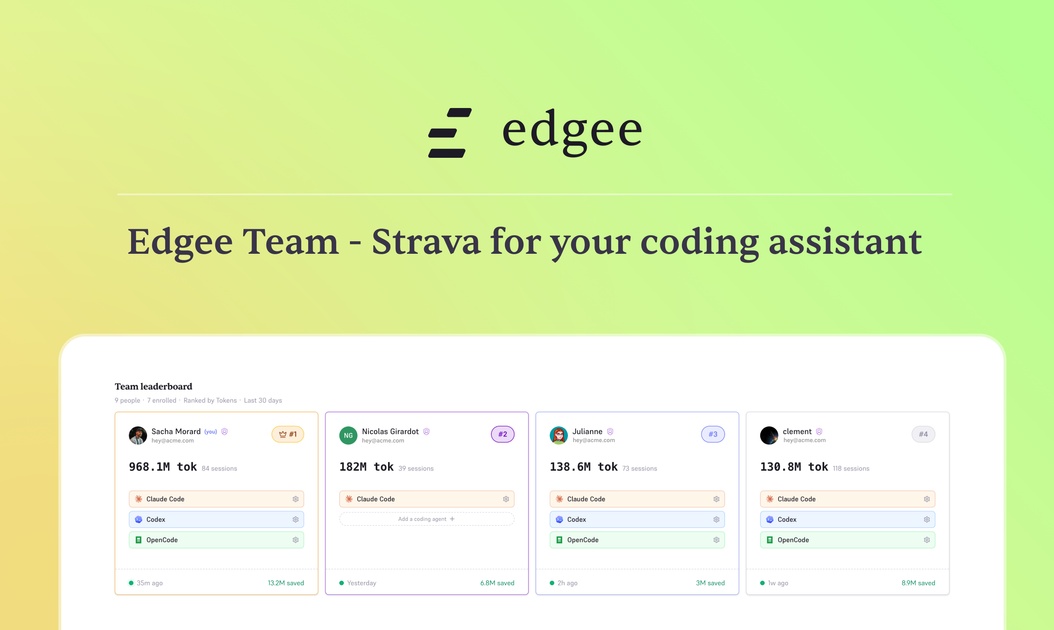
What is Edgee Team?
Edgee Team is a team-focused observability and management layer for AI coding agents (including Claude Code, Codex, and OpenCode). It helps engineering leaders and admins see how their team uses AI coding across repositories and PRs, including token usage and related costs.
The product also supports staying unblocked during usage limits or outages by automatically routing requests to OSS model fallbacks. Edgee Team is designed to connect usage attribution to the code produced by your team’s AI workflow.
Key Features
- Token visibility across teams, repos, and PRs: Track tokens consumed per repo and per pull request, so spend and usage can be attributed to the work being shipped.
- Team management (seats, roles, and caps): Invite developers, assign roles (admin, member, read-only), set per-seat spending caps, and receive alerts at defined thresholds.
- Automatic OSS model fallback (beta): When a primary provider hits a weekly limit or rate limit, or when an outage occurs, the system routes requests through a configurable fallback chain (primary → secondary → tertiary).
- GitHub integration with attribution: Connect GitHub orgs via OAuth and attribute token consumption to the code produced (including by session), with the ability to view token usage per repo/PR/branch/file.
- Exports and integrations for reporting: Export usage data as CSV, and use webhooks or a REST API for downstream analytics tools.
How to Use Edgee Team
- Start with setup and onboarding: Create a Team workspace and invite team members. The page notes that onboarding for a team of 20 can be done in under 30 minutes.
- Connect GitHub: Connect your GitHub org(s) via OAuth to enable repository and PR attribution.
- Run AI coding as usual: Developers run
edgee launch claudeas part of their normal workflow. - Monitor and manage usage: Use the Team dashboard to observe tokens and cost over time, set monthly/seat caps and alerts, and view which sessions and top contributors are driving usage.
Use Cases
- Engineering leadership tracking AI coding costs: Monitor total token usage and cost trends over the last 30 days (and compare vs prior periods) to understand whether experimental work is driving spend.
- Budgeting by repository or PR: Identify which repos or PRs consume the most tokens and view compressed token savings, helping teams evaluate where AI usage is highest.
- Role-based access for finance and leadership: Give read-only access to non-developers (e.g., finance or leadership) so they can track spending and usage without managing team configuration.
- Preventing interruptions during rate limits: When a developer hits a weekly token limit mid-sprint or a provider encounters a rate limit/outage, Edgee Team routes requests to an OSS fallback so coding can continue.
- Reporting to BI tools and internal systems: Export usage as CSV or send data via webhook/REST API to connect token/cost reporting into existing dashboards.
FAQ
-
Does Edgee Team replace developers’ local workflow? The page states that developers can run
edgee launch claudeas usual, implying the workflow stays similar while the product handles compression/routing/attribution. -
Which AI coding assistants are supported? The page specifically references visibility for Claude Code, Codex, and OpenCode.
-
How does OSS fallback work? OSS fallback is described as a beta feature that routes requests through a configurable fallback chain (primary → secondary → tertiary). Fallback usage is tracked separately in the dashboard.
-
What data does Edgee Team store? The page states that Team management stores metadata only—token counts, timestamps, repo names, and compression ratios—while prompts transit the edge but are never persisted.
-
How can teams export or integrate usage data? Usage can be exported as CSV, and the page also mentions webhooks and a REST API for reporting integrations.
Alternatives
- General cloud cost management/finops tooling: These tools can track cloud spend but may not provide token-level attribution per repo/PR and session for AI coding workflows.
- Internal scripts or ad-hoc token logging: Teams could log tokens and costs themselves, but this usually requires more engineering effort to map usage to repos/PRs and manage seats/limits.
- AI provider dashboards alone: Using only Anthropic/OpenAI dashboards can show provider-side usage, but it won’t necessarily attribute spend to the code produced across your GitHub workflow or manage team seats and caps in one place.
- Other AI observability platforms for developers: Similar tools typically focus on monitoring AI requests and performance, but may not include team seat management, per-seat caps, and automatic OSS fallback as described here.
Alternatives

Rectify
Rectify is an all-in-one operations platform for SaaS, combining monitoring, analytics, support, roadmaps, changelogs, and agent management—via conversation.

Sleek Analytics
Lightweight, privacy-friendly analytics with real-time visitor tracking—see where visitors come from, what they view, and how long they stay.

OpenFlags
OpenFlags is an open source, self-hosted feature flag system with a control plane and typed SDKs for progressive delivery and safe rollouts.

skills-janitor
Audit, track usage, and compare your Claude Code skills with skills-janitor—nine focused slash commands and zero dependencies.

SaveMRR
SaveMRR scans Stripe billing data to find SaaS MRR leaks and help recover failed payments, save cancellations, and win back churn—60-sec Free Revenue Scan.

Struere
Struere is an AI-native operational system that replaces spreadsheet workflows with structured software—dashboards, alerts, and automations.