
AI-assisted estimate drafting
Describe the job in plain language and Estimatic AI builds most of the estimate for you from that prompt, using your cost book and live pricing inputs.

Estimatic AI is Contractor+ estimating software for contractors that drafts bids from your cost book, live supplier pricing, and local labor rates. It supports uploaded job context, editable proposals, and eSign inside the Contractor+ workflow.
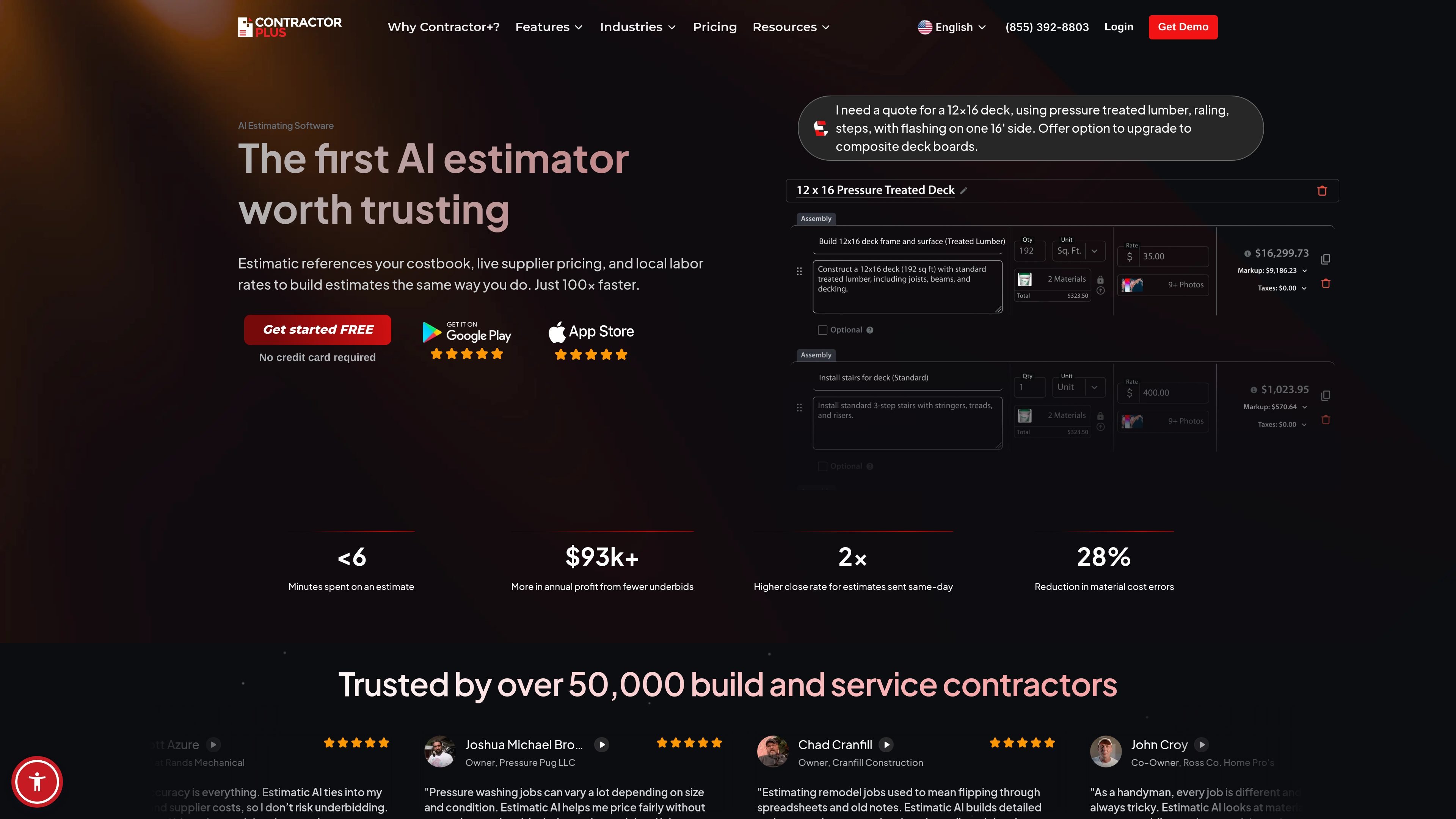
Estimatic AI is Contractor+'s estimating workflow for contractors who want to build bids faster without giving up control over the final numbers. It uses your cost book, live supplier pricing, and local labor rates to draft estimates, then lets you review and edit the result before sending it to the client.
The product is positioned as part of the broader Contractor+ operating system, so estimates connect with CRM, service requests, scheduling, invoicing, and other business records. The source also shows support for uploaded photos, blueprints, drawings, saved templates, and optional package-style quoting, which makes it useful for both simple bids and more detailed proposals.
Describe the job in plain language and Estimatic AI builds most of the estimate for you from that prompt, using your cost book and live pricing inputs.
Pulls from real-time supplier pricing and a labor rate index based on approved estimates and BLS data, so estimates are tied to current cost inputs rather than static templates.
Accepts photos, blueprints, drawings, and competing quotes as supporting material when building the estimate.
Shows its work so you can review line items, adjust margins or materials, add markup, and approve the final estimate yourself.
Sends estimates as client-ready proposals and supports eSign without requiring a separate tool, according to the source pages.
Uses saved templates, optional line items, and Good/Better/Best style quoting to present multiple package options.
Create a client-ready estimate from a short job description, then refine the line items before sending it out the same day.
Upload jobsite photos, drawings, or blueprints to give the estimate more context when the project scope is not fully simple or standardized.
Present Good/Better/Best options and optional add-ons so customers can choose a scope that fits their budget.
Move from estimate to signed job in one flow by attaching scope and terms, collecting eSign, and then continuing into scheduling.
Use saved templates and existing cost books to keep estimates aligned with the company’s usual format and internal pricing approach.
Estimatic is built into Contractor+, so estimates connect to the same CRM, service requests, job schedule, and invoicing tools instead of living in a separate app.
Yes. The source says you can upload photos, blueprints, drawings, and even a competing quote when creating an estimate.
Yes. Estimatic can use saved templates and your cost book, and the source says the final output can match your usual estimate format.
The source says pricing comes from vendors such as Lowe's, Home Depot, Menards, Ace Hardware, Ferguson Home, and ABC Supply, along with a proprietary labor rate index based on approved estimates and BLS data.
Contractor+ pricing shows Estimatic AI included with the PRO plan at 10 credits monthly and included in PRO TEAM with unlimited use.

Timebook is a time tracking, invoicing, and bookkeeping app for freelancers and single-member LLCs. Track hours, send invoices, and keep books in one place.

Finchum is a personal finance planning tool that aggregates accounts and forecasts future balances for users in the US and Canada. It supports secure sync without sharing bank passwords, with OAuth where available and file-based imports as a fallback.

Goldfish is an AI memory app for macOS that helps you reply, write, summarize, and continue with context already on your Mac. It stores memory locally and writes in your tone.

Biji is a versatile platform designed to enhance productivity through innovative tools and features.

Dirac is an AI email assistant for Gmail that prepares a morning brief, prioritizes important threads, and drafts replies in your voice.

Carbon Voice is an asynchronous voice messaging app for teams and individuals, with transcripts, AI catch-up, and cross-device access. It helps people and agents communicate without needing a live call.