

Expect
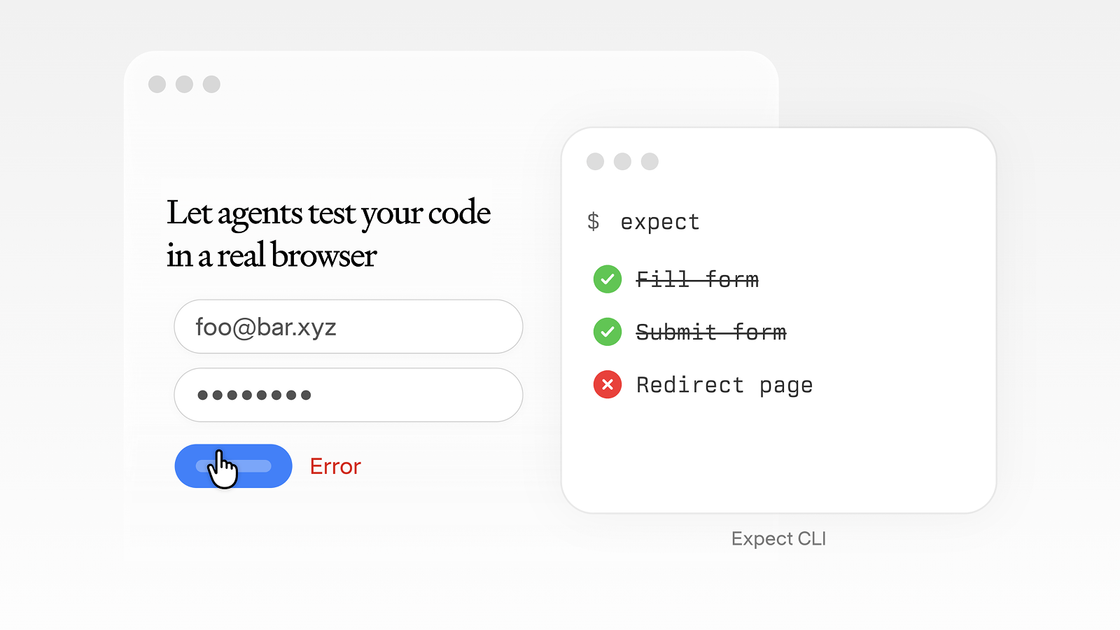
Expect lets agents test your code in a real browser by scanning unstaged changes or branch diffs, generating a test plan, and running it live.
What is Expect?
Expect is a developer tool that lets agents test your code in a real browser. It analyzes your current work (for example, unstaged changes or a branch diff), generates a test plan, and runs that plan against a live browser.
The core purpose is to turn code changes into an actionable set of browser-based tests, executed from the command line, so you can validate behavior as you work.
Key Features
- One-command test planning from code changes: Scans your unstaged changes or a branch diff to determine what to test, reducing the effort to manually write a test plan.
- Agent-generated test plan: Produces a test plan based on the detected changes, providing a structured starting point for browser execution.
- Runs against a live browser: Executes the generated plan in a real browser environment rather than only using static checks.
- Command-line initialization and usage: Includes an
initworkflow available via theexpect-clipackage. - Skill-based extensibility: Supports adding skills (for example, adding a skill via an
npx skills add … --skill expectcommand), indicating it can be extended with additional capabilities.
How to Use Expect
- Install and initialize: Run
npx -y expect-cli@latest initto set up Expect. - Add a skill (if needed): Add the relevant skill using
npx skills add https://github.com/millionco/expect --skill expect. - Run the one-command flow: Use the tool’s primary command to scan your unstaged changes or a branch diff, generate a test plan, and execute it against a live browser.
Use Cases
- Validate a small set of local changes: When you have unstaged changes, run Expect to scan what changed, generate a test plan, and execute it in a real browser.
- Test a feature branch before review: For a branch diff, run Expect to produce a browser-based test plan from the differences in the branch.
- Automate browser testing workflows: Use Expect to reduce manual test planning by letting the agent generate a plan and then run it in a live browser.
- Extend capabilities with skills: If you want Expect to support additional behavior via its skill mechanism, add skills using the provided CLI commands.
FAQ
How does Expect decide what tests to run?
Expect scans either unstaged changes or a branch diff, then generates a test plan based on that change set.
Does Expect run tests in a real browser?
Yes. The described workflow runs the generated test plan against a live browser.
How do I get started?
You can start with npx -y expect-cli@latest init, then add a skill using the npx skills add ... --skill expect command shown in the site content.
Can I use Expect with different code states (unstaged vs branch diffs)?
The page specifically mentions scanning unstaged changes or a branch diff as inputs to the one-command flow.
What are “skills” in Expect?
Skills appear to be addable components via CLI (using an npx skills add ... --skill ... command). The page content demonstrates adding a skill from a GitHub URL.
Alternatives
- Browser-based end-to-end testing frameworks (E2E): Tools that run tests in real browsers typically require you to author and maintain test scripts directly, whereas Expect focuses on generating a test plan from code diffs.
- Static analysis and linting tools: These can catch issues without running in a browser. Expect’s approach specifically targets browser execution of an agent-generated plan.
- Change-focused CI test automation: Solutions that decide what to test based on changed files can be similar in workflow, but may not generate and execute the same style of browser-based test plan.
- Agentic QA/testing tools: Category-level alternatives may also use agents to plan and execute tasks, but the distinguishing factor in Expect is the explicit “real browser” execution step tied to code diffs.
Alternatives

Codex Plugins
Use Codex Plugins to bundle skills, app integrations, and MCP servers into reusable workflows—extending Codex access to tools like Gmail, Drive, and Slack.

ClawTick
ClawTick is a CLI-first AI agent automation platform for scheduling webhook tasks on cron with monitoring, alerts, retries, and execution logs.

Falconer
Falconer is a self-updating knowledge platform for high-speed teams to write, share, and find reliable internal documentation and code context in one place.

OpenFlags
OpenFlags is an open source, self-hosted feature flag system with a control plane and typed SDKs for progressive delivery and safe rollouts.

AakarDev AI
AakarDev AI is a powerful platform that simplifies the development of AI applications with seamless vector database integration, enabling rapid deployment and scalability.

Whirr
Whirr is a quiet macOS menu bar app that mirrors Claude Code agent activity to your Mac’s notch—so you can glance without watching the screen.