
FM spectrum interface
Browse a displayed FM-style spectrum spanning 88.0 to 108.0 FM, with stations shown at individual frequencies.

Foundr Radio is a browser-based internet radio platform to discover FM-style stations, listen live, and broadcast from a customizable web studio.
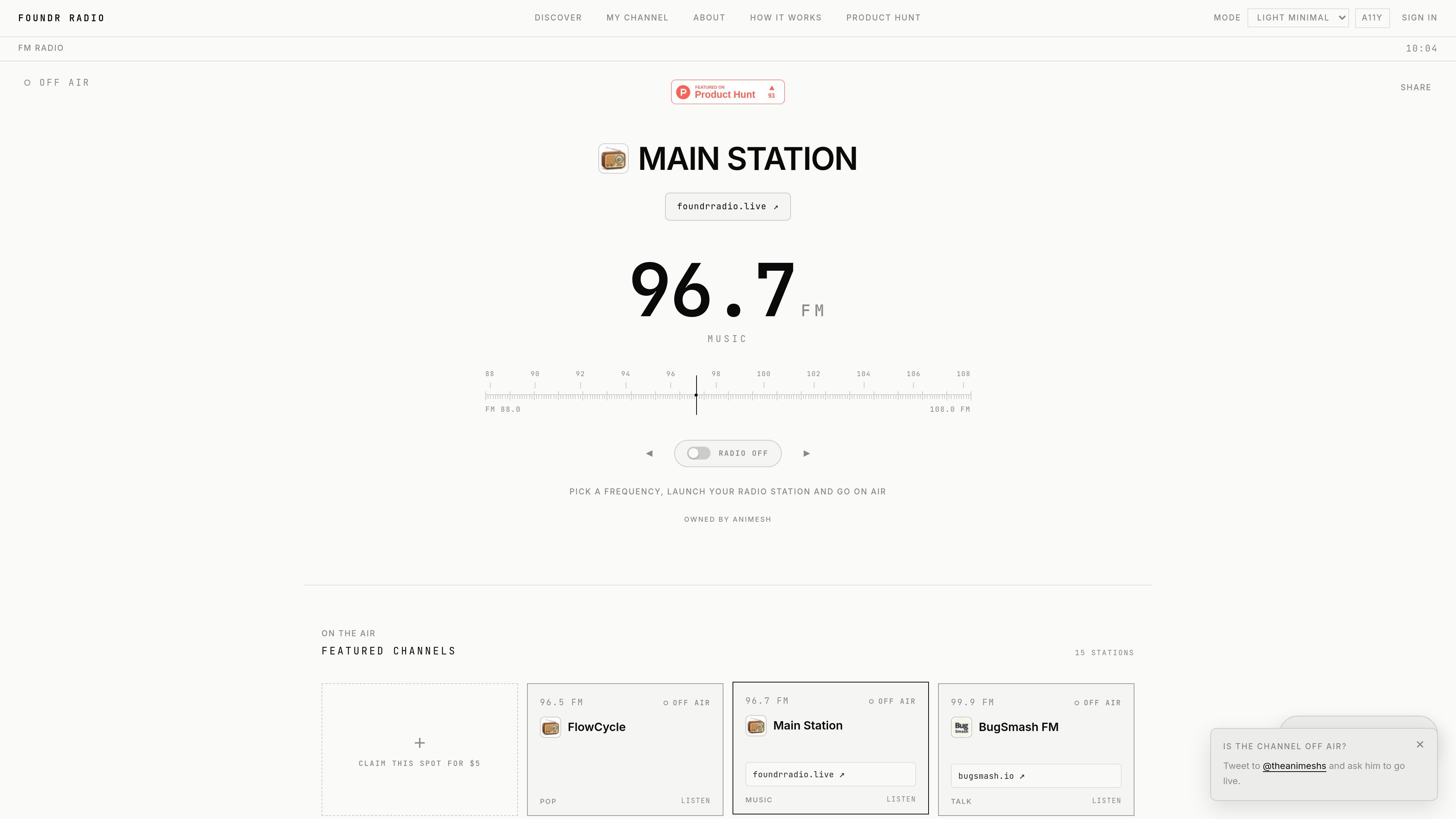
Foundr Radio is a browser-based internet radio platform built around a shared FM-style spectrum. It lets visitors browse stations, tune in to available broadcasts, and view channels arranged across frequencies from 88.0 to 108.0 FM.
For station owners, the documented workflow is to create an account, customize a public channel, open the Studio, choose a microphone or PC audio source, and start broadcasting. The site also provides a buy flow for selecting available frequencies, although the supplied pages do not state the price or terms for claiming one.
Browse a displayed FM-style spectrum spanning 88.0 to 108.0 FM, with stations shown at individual frequencies.
Explore listed stations through category filters including Music, Talk, News, Comedy, Sports, Experimental, and Other.
Listen to stations from the spectrum and discovery views when they are available to tune in.
Customize a public channel with a station name and other station details before broadcasting.
Use a microphone or PC audio from a MacBook or laptop as the documented broadcast source.
Start and stop the live workflow from the browser studio, with the station changing between OFF-AIR and ON-AIR states.
Create a branded public channel, configure a live input, and broadcast a music or other audio stream from a computer.
Browse the spectrum or use content categories to find stations and tune into available programming without setting up a station.
Claim an available frequency and establish a distinct station presence within the shared spectrum. The site’s supplied content does not document the purchase terms.
Use the channel page and live studio to present a focused program such as talk, news, comedy, sports, or experimental audio, matching the categories exposed in discovery.
Create an account, open My Channel, select Edit, and enter the station name and other public channel details.
From My Channel, open Studio, select Setup Studio, choose the microphone or PC audio input, and select Start Broadcasting. The station changes from OFF-AIR to ON-AIR.
The source shows a frequency spectrum from 88.0 to 108.0 FM. The buy page lists available and taken frequencies, but it does not provide purchase prices or explain the terms of claiming one.
Yes. Visitors can browse the spectrum, filter stations by categories such as Music, Talk, News, Comedy, Sports, Experimental, and Other, and listen to listed stations when available.
The documented broadcast inputs are a microphone and PC audio from a MacBook or laptop. The available source material does not specify other audio inputs, integrations, recording, or team features.

MacSpoof is a macOS MAC address changer that lets you change or randomize your Wi‑Fi MAC to reconnect and limit device logging on public Wi‑Fi.

DemoTV is an audience-ranked station for discovering and comparing independent product demos. Submit videos, embed approved demos, collect inquiries or commission production and labelled promotion.

Ship It: Idle Dev Tycoon is an iPhone idle simulation game about building apps, managing a software studio, and selling it for lasting progression benefits.

NomNak is a free iPhone app for discovering restaurants through friends’ recommendations, with saved spots, a food passport and city search.

CAPTA is a mobile GPS waypoint app for saving, organizing, and revisiting locations offline, with camera capture, optional sync, and GPX export.

Ctrl+Shift+3 is a calm, text-first community platform with chronological feeds, profiles, RSS, and private Clicks for smaller communities.