

Jupitrr VideoOS
Jupitrr VideoOS is an all-in-one video operating system for businesses—research, scripting, AI editing and publishing with Jupitrr Agent & Cut.
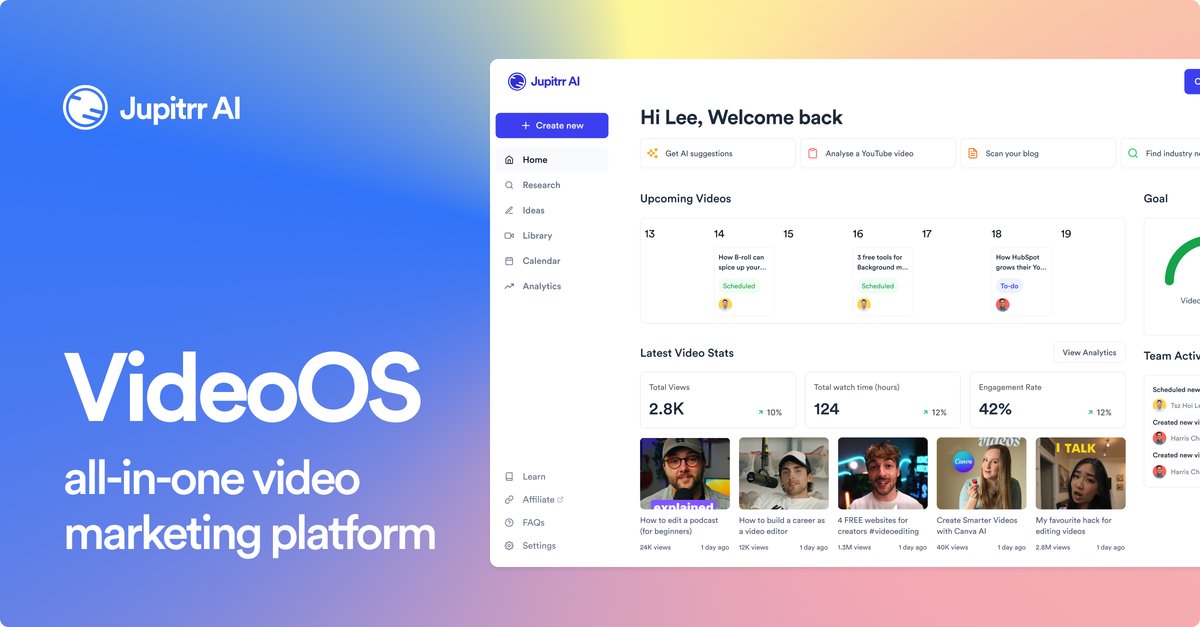
What is Jupitrr VideoOS?
Jupitrr VideoOS is an all-in-one video “operating system” for businesses that focuses on the day-to-day workflow of producing videos. It brings together research, scripting, editing, and publishing so teams can move from idea to posted video in a single place.
The platform is powered by three components: Jupitrr Agent, Jupitrr Cut, and the Jupitrr AI Video Editor. Together, these tools support the full lifecycle of creating videos—planning through production and publishing.
Key Features
- End-to-end video workflow (plan → script → edit → publish): The product consolidates multiple steps of video production so you can manage a repeatable daily publishing process.
- Research support for video topics: Jupitrr VideoOS includes research as part of its core workflow, helping you start video creation with information-gathering.
- Scripting capabilities: The platform supports scripting as a dedicated step, converting planning and research into draft video scripts.
- Editing via Jupitrr AI Video Editor: Editing is handled within the AI video editor component, keeping production work in the same environment as planning and scripting.
- Video production support through Jupitrr Agent and Jupitrr Cut: These components power the system, providing tool coverage across the overall pipeline (from assisting tasks to enabling cut/edit operations).
How to Use Jupitrr VideoOS
A typical workflow starts by using the system to research and plan what you want to publish. Next, you move into scripting to draft the video based on that research. After the script is in place, you use the Jupitrr AI Video Editor to edit the video within the platform, leveraging Jupitrr Cut for cut/edit-related operations as part of the production step. Finally, you publish the resulting video through the same system.
To get started, begin with a daily production routine: choose a topic, research it in the product, produce a script, edit using the built-in tools, and then publish.
Use Cases
- Daily video publishing for a marketing team: Plan and script content ideas, edit videos, and publish them on a recurring schedule without switching between separate tools.
- Content production for small businesses: Use the research-to-publishing workflow to create consistent video output while keeping tasks centralized for a lean team.
- Script-first video creation: Start with topic research, generate or draft a script, then move directly into editing so the final cut aligns with the written plan.
- Editing and revision cycles in one environment: When changes are needed, continue work through the AI video editor and cut/edit steps rather than restarting the pipeline in other software.
- Operational video workflows for teams: Coordinate production steps—research, scripting, editing, and publishing—under one “operating system” approach.
FAQ
-
What does “VideoOS” mean in Jupitrr VideoOS? The site describes it as an all-in-one video operating system that consolidates research, scripting, editing, and publishing into a single workflow.
-
Which parts of the video creation process are included? The product supports research, script creation, editing, and publishing.
-
What powers the platform? The site states that Jupitrr VideoOS is powered by Jupitrr Agent, Jupitrr Cut, and the Jupitrr AI Video Editor.
-
Is Jupitrr VideoOS intended for businesses? Yes. The meta description and page positioning specifically reference “businesses” as the target audience.
Alternatives
- All-in-one video production suites: Alternatives in this category focus on combining planning, editing, and publishing in one system, reducing tool switching compared with separate research/script/edit/publish tools.
- Traditional video editors with separate scheduling/publishing tools: Many workflows split editing from publishing and content planning; this can offer more manual control but may require more steps across different applications.
- AI-assisted content creation platforms: Some products emphasize AI-driven scripting and editing, but may not cover the full end-to-end pipeline (research through publishing) as directly.
- Video scripting tools plus editors: For teams that already have an established editing workflow, using a dedicated scripting tool and pairing it with a separate editor can replicate parts of the “script → edit” flow without using a single platform for every step.
Alternatives

VIDEOAI.ME
VIDEOAI.ME is an AI video generator to create studio-quality, publish-ready videos with realistic AI actors and voiceovers from text or a selfie.

HeyGen
HeyGen Developers offers an API platform to generate, translate, and lipsync avatar videos with TTS models—built for scalable production workflows.

DeepMotion
DeepMotion is an AI motion capture and body-tracking platform to generate 3D animations from video (and text) in your web browser, via Animate 3D API.

艺映AI
艺映AI is a free AI video generation platform focused on transforming text and images into high-quality dynamic videos.

Captions.ai
Captions.ai is an online video editor and app with AI-powered editing, automatic captions, music, and AI avatars for faster video creation.

Revid AI
Revid AI is an AI video generator that turns story ideas into short videos for TikTok, Instagram & YouTube with scripts, voices, templates, and an editor.