
Structured JSON extraction
Pass a URL and a JSON schema to receive output that matches the structure you asked for, such as product names, prices, sizes, or job listings.

Tabstack is a web data and browser automation API for extracting structured data, running live-web research, and completing browser tasks from a single call. It helps developers ship extraction, research, and automation features without building browser infrastructure or orchestration themselves.
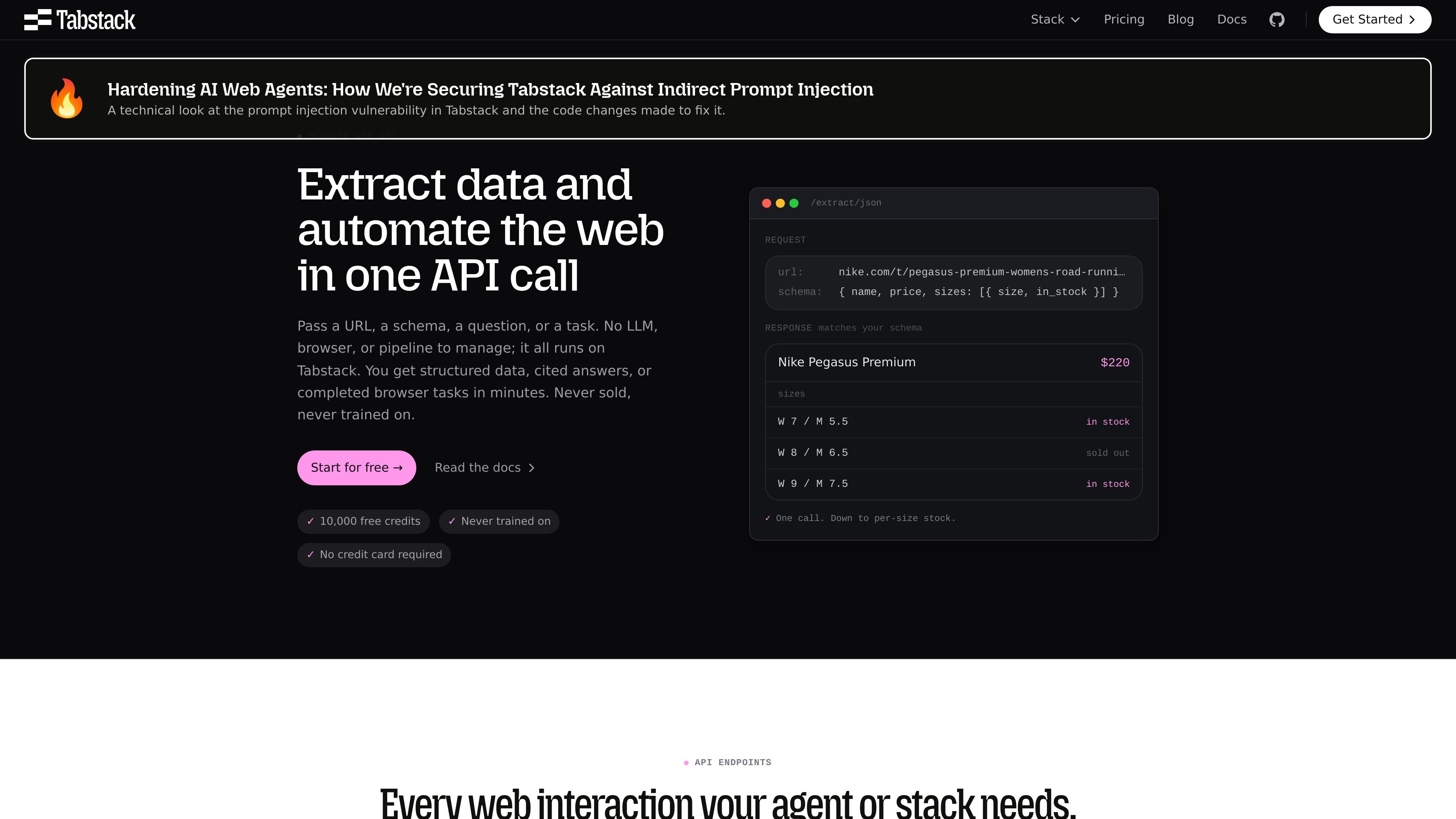
Tabstack is a web data and browser automation API platform for extracting structured data, running live-web research, and completing browser tasks from a single call. It is positioned as a managed web API that removes the need to build and maintain your own LLM orchestration, browser infrastructure, or scraping pipeline.
The site presents three main workflows: extracting schema-matched JSON or Markdown from a URL, running a research agent that returns cited answers, and automating multi-step browser tasks on live pages. The common pattern is to provide a URL, a schema, a question, or a task, and receive a structured result back from Tabstack.
Pass a URL and a JSON schema to receive output that matches the structure you asked for, such as product names, prices, sizes, or job listings.
Request clean Markdown from a page so articles, docs, and product pages can be reused in downstream workflows without maintaining a scraper.
Ask a question and get back a synthesized answer with inline citations and source URLs for each claim.
Describe a web task in plain language and Tabstack navigates, clicks, fills forms, and completes multi-step flows on live sites.
Results can stream over SSE for research flows, which lets users watch the answer come together instead of waiting for a single final response.
The site shows TypeScript SDK examples and also references Python SDK, MCP, and CLI support for using the APIs from agent or application code.
Build a pipeline that turns a URL into structured records, such as product attributes, job listings, or competitor data, without writing your own scraper logic.
Ship an in-product research feature that answers customer questions with sourced claims, citations, and source URLs instead of a plain summary.
Automate bookings, checkouts, and other multi-step site workflows where a browser is required and no API is available.
Convert articles, docs, and product pages into clean Markdown for knowledge bases or RAG systems that need readable source text.
Use one managed service for extraction and research jobs that otherwise would require separate crawling, parsing, orchestration, and browser automation layers.
Tabstack is designed for web data extraction, web research, and browser automation. You can pass a URL, a schema, a question, or a task and get structured output back from the same platform.
The source pages show TypeScript SDK examples and mention Python SDK, MCP, and CLI support. The site also says you can add it to an agent in about 30 seconds.
Tabstack returns schema-matched JSON for extraction, cited answers for research, and completed browser tasks for automation. The research flow also streams results over SSE.
The pricing page shows a free trial with 10,000 credits for new accounts and an Individual plan at $0 per month with pay-as-you-go usage at $0.35 per 1k credits.
The source material does not list language or platform coverage beyond the SDK and CLI references, so those details should be confirmed in the documentation before planning a production integration.

Codex Plugins bundle reusable skills, app integrations, and MCP servers into workflows you can install in the Codex app or use from Codex CLI.

Wallie is an open-source AI streamer that watches your screen, hears chat, and delivers live commentary in a configurable persona. Runs locally with your own keys.

AakarDev AI helps teams manage AI provider access, project-level setups, logs, and analytics from one dashboard. It supports BYOK workflows and lists providers including OpenAI, Google Gemini, Anthropic, Groq, Mistral AI, and Perplexity AI.

Whirr is a quiet macOS menu bar app that mirrors Claude Code activity to your notch. It helps Mac users glance at agent progress without keeping a terminal window open.

AgentMail is an email inbox API for AI agents to create, send, receive, and search messages via REST APIs and SDKs. Built for threaded workflows, verification, support, scheduling, and approvals.

Arduino VENTUNO Q is an edge AI computer for AI and robotics applications. It combines AI inference and deterministic control on a single board and is designed to work with Arduino App Lab.