
Font-based letter shaping
Choose a font to determine the typographic style of the generated letterforms.
Letterbox is a web-based typography tool for creating stylized letterforms from text. Pick a font and colors in the browser.
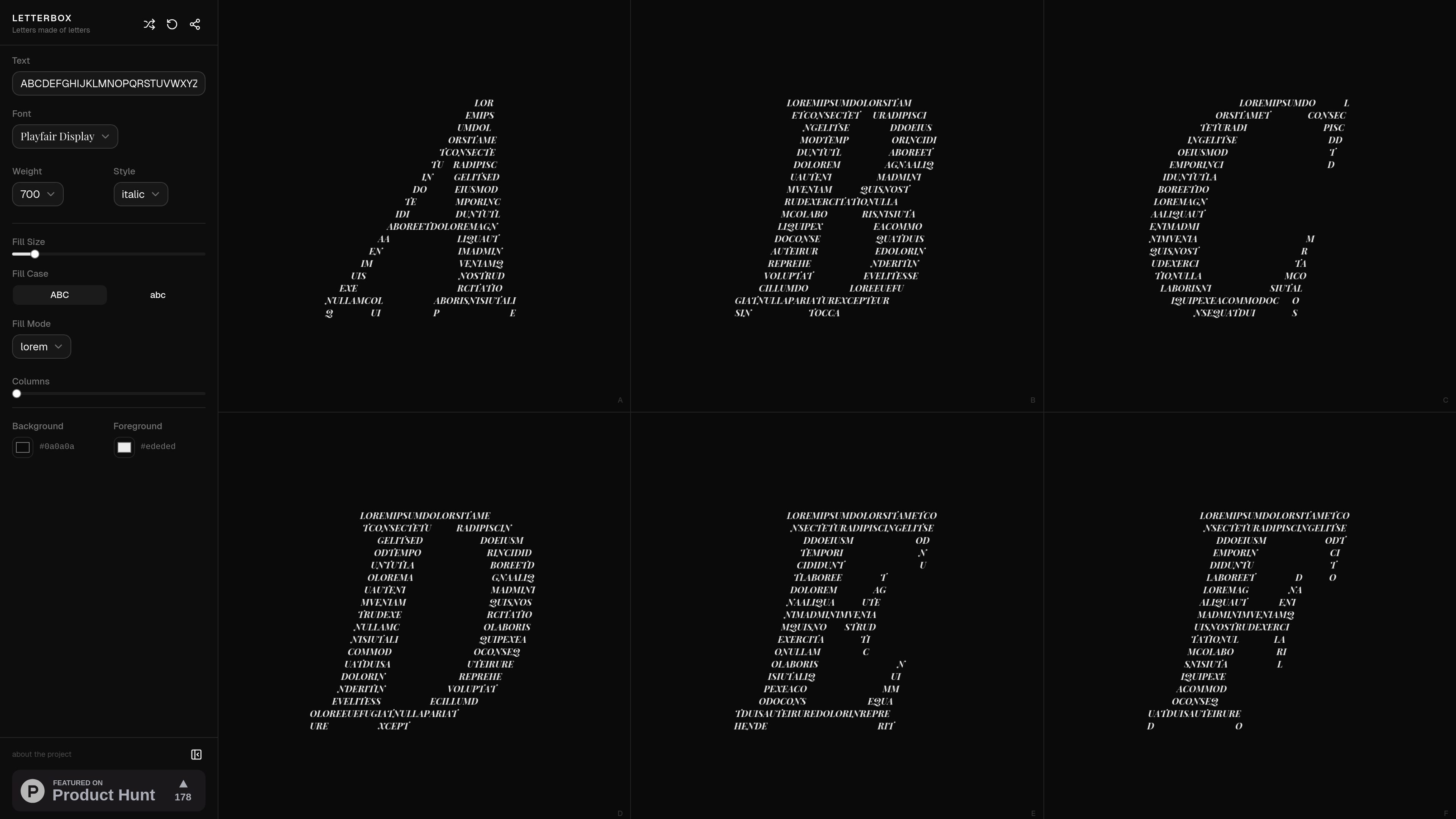
Letterbox is a web-based typography tool that turns text into letters made of letters. The homepage frames the product around a simple creation flow: pick a font, choose colors, and watch type come alive.
The source material points to a design-oriented product rather than a general editor. Its purpose appears to be generating stylized letterform artwork from text inputs, with the main interaction happening directly on the site.
Choose a font to determine the typographic style of the generated letterforms.
Select colors as part of the creation workflow, suggesting visual customization is built into the experience.
Transforms text into letter-shaped artwork rather than ordinary static type, based on the site’s tagline.
The homepage indicates an interactive creation flow with a loading state, implying the result is produced on the site itself.
The product page presents the experience as focused on a single creative task, with no extra workflow clutter shown in the collected text.
Use Letterbox when you want to turn a short phrase or word into a typographic visual instead of plain text.
Use the font and color controls to explore alternate looks for the same lettering idea during design iteration.
Use the browser-based workflow for quick on-site generation when you need a lightweight creative tool rather than a full design suite.
Use it for a focused lettering task when the goal is presentation of type itself, not a broader layout or document workflow.
The site identifies Letterbox as a tool for creating letters made of letters, with a workflow centered on picking a font and choosing colors. The homepage text does not show a full setup guide or export details.
The collected pages do not show supported export formats, file types, or delivery options, so the output format is not clear from the source.
The homepage does not provide enough evidence to confirm whether Letterbox is designed for solo use, collaboration, or team workflows.
The pricing URL returns a 404 in the collected source, so pricing, plans, and trial details are not available from the pages provided.

PixelDrive is a bulk image generation API for on-brand images from one template via browser editor, REST API, CSV batch, or MCP.

Napkin AI turns text into editable visuals for presentations, documents, and shareable content. Text-first generation, collaboration, and export to PPT, PNG, SVG, or PDF.

Refero MCP for AI agents connects an MCP-compatible agent to Refero’s curated library of web and iOS product interfaces and user flows. It helps agents research real design patterns before generating UI, with access included in the Refero Pro plan.

Frames helps you create launch posters and social media marketing graphics fast with premium device frames and templates for Instagram, Twitter, and Product Hunt. Free to start.

GPTIMG2 AI is a web-based image generator built on OpenAI’s GPT Image 2 model, with prompt-driven creation, reference edits, readable text, and higher-res outputs.

TapNow is a web-based AI visual creation platform for businesses, creators, and teams with image and video generation, editing, planning, and collaboration tools.