

Masko for Claude Code
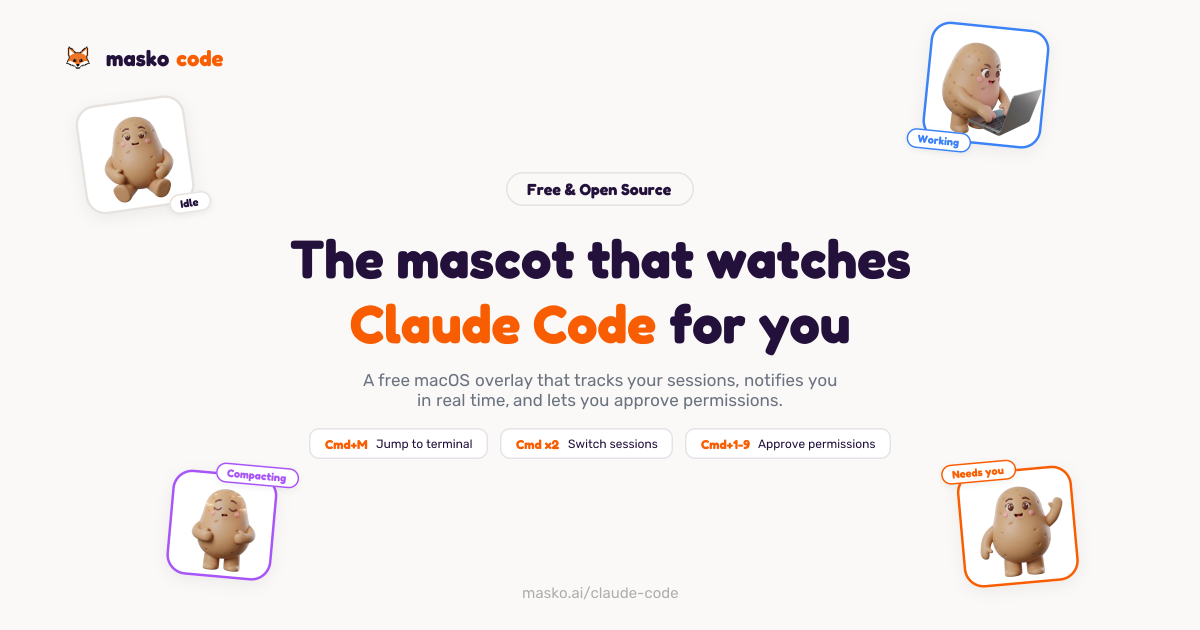
Masko for Claude Code is a free open-source macOS overlay with animated mascot, real-time permission prompts, and approve actions via keyboard.
What is Masko for Claude Code?
Masko for Claude Code is a free, open-source macOS desktop companion that displays an animated mascot overlay alongside Claude Code sessions. It tracks session activity in real time, surfaces when Claude needs permission or attention, and lets you approve or deny actions without switching away from your coding workflow.
The app runs as a lightweight overlay window and provides an observability dashboard for each Claude session—showing session status, an activity feed, and permission prompts—while keeping everything local through Claude Code’s hook system.
Key Features
- macOS overlay mascot for Claude Code: A mascot floats on top of other windows and updates based on the current session state (e.g., idle, working, attention).
- Real-time permission handling: When Claude asks to run a command, the overlay provides an allow/deny flow from the keyboard rather than using a mouse switch.
- Notification dashboard: A dashboard shows session snapshots (e.g., running/awaiting input/compacting), a color-coded event feed, and session summaries.
- Subagent tracking: Monitors child agents in real time so you can see what’s happening beyond the main session.
- Keyboard-first session controls: Includes shortcuts to switch between sessions, jump to the terminal tab running Claude Code, and confirm permission actions.
- Local-first behavior: The app uses Claude Code’s hook system to receive event metadata (tool names and session status) but does not read your code; it runs locally without sending code to a server.
How to Use Masko for Claude Code
- Download and install on macOS: Install the app via the provided macOS DMG; the app lives in your menu bar rather than cluttering the Dock.
- Grant accessibility once: On first launch, the app installs Claude Code hooks automatically and will require the accessibility permission for the overlay.
- Start Claude Code: Open a terminal and run Claude Code normally so the app can observe sessions.
- Interact from the overlay: When prompted (e.g., Claude wants to run a command or asks a question), use the keyboard shortcuts to approve/deny and focus the correct terminal tab.
- Choose a mascot: Use one of the six included mascots by default, or load custom mascots from masko.ai into the desktop app.
Use Cases
- Approve Claude Code commands without context switching: When Claude requests permission to run something (e.g., a build command), the overlay presents allow/deny actions so you can confirm quickly from the keyboard.
- Follow what Claude is doing across multiple sessions: With a session switcher and a session-focused terminal jump, you can manage multiple Claude sessions and move to the exact terminal tab tied to each session.
- Review session activity and tool calls: Use the notification dashboard to inspect ordered events (tool calls and completions) and understand what changed in a session over time.
- Handle “waiting for input” moments: When a session indicates it is awaiting input, the dashboard and notifications help you identify that state and respond promptly.
- Track agent activity that depends on subagents: If your workflow triggers child agents, subagent tracking shows those activities in real time so you can follow the full execution path.
FAQ
Is Masko for Claude Code free? Yes. The desktop companion is free and open source, and it is MIT-licensed.
Does Masko require a server or API keys? No. The provided information states there are no config files, no server, and no API keys, with everything running locally.
What does Masko collect, and does it read my code? Masko uses Claude Code’s hook system and receives event metadata such as tool names and session status. It does not read your code.
How do the mascots work? The app includes six mascots by default. You can also design or bring custom mascots from masko.ai and load them into the desktop app.
Can Masko help me jump to the right terminal? Yes. The overlay provides a shortcut to instantly focus the terminal tab running Claude Code, and it supports terminals and editors mentioned on the page (e.g., iTerm2, Terminal.app, VS Code, Ghostty).
Alternatives
- Terminal/editor-native approaches (no overlay): Rely on Claude Code’s prompts inside your terminal or IDE, responding in-place. This differs by requiring you to switch attention rather than using an always-on overlay and dashboard.
- General macOS notification/automation tools: Use notification routing or keyboard automation to highlight prompts and actions. This is more generic and may not provide Claude Code–specific session observability or mascot-based state.
- Other developer productivity overlays: Look for tools that provide session tracking and quick navigation for developer workflows. These typically focus on code navigation or chat history rather than Claude Code permission prompts and session event feeds.
- CLI-only workflow with manual permission checks: Operate Claude Code from the command line and manually review commands before running them. This offers maximum simplicity but lacks real-time dashboard visibility and one-click/keyboard approval from the overlay.
Alternatives

Yorph AI
Yorph AI is an agentic data platform combining no-code ease with code-first control and scalability for on-demand modern data work.

LobeHub
LobeHub is an open-source platform designed for building, deploying, and collaborating with AI agent teammates, functioning as a universal LLM Web UI.

Claude Opus 4.5
Introducing the best model in the world for coding, agents, computer use, and enterprise workflows.

Tavus
Tavus builds AI systems for real-time, face-to-face interactions that can see, hear, and respond, with APIs for video agents, twins & companions.

HiringPartner.ai
HiringPartner.ai is an autonomous recruiting platform with AI agents that source, screen, call, and interview candidates 24/7, reducing time-to-hire from weeks to as little as 48 hours.

AakarDev AI
AakarDev AI is a powerful platform that simplifies the development of AI applications with seamless vector database integration, enabling rapid deployment and scalability.