

MealJar
MealJar helps you plan meals quickly, keep family recipes in one searchable library, and generate organized grocery lists to reduce food waste.
What is MealJar?
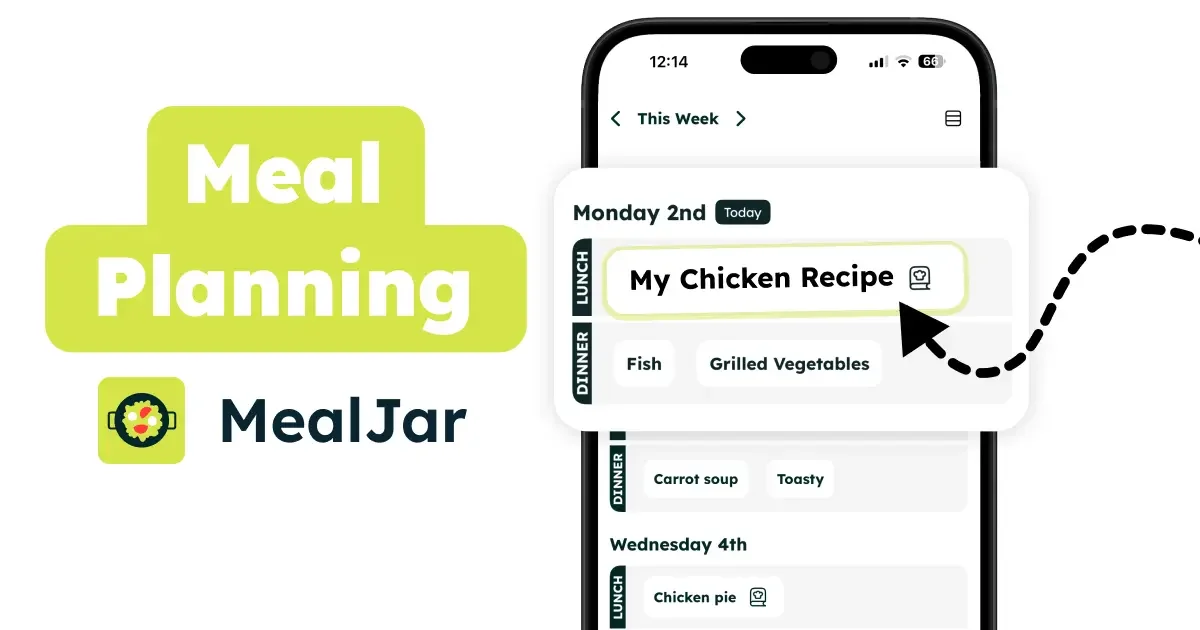
MealJar is a meal-planning and recipe-organization app designed to help you decide what to cook with less effort, keep family recipes in one place, and reduce food waste. The product centers on planning your meals quickly and generating an organized grocery list based on what you’ve chosen.
MealJar also supports family recipe sharing and collaborative meal planning, allowing multiple people to view the meal plan, access recipes, and update the shopping list. The app includes reminders to help you maintain a weekly planning habit and is designed to keep your data synced for family access and backup.
Key Features
- Smart meal planner with a weekly, at-a-glance view: lets you see your whole week’s meal plan and choose one recipe per meal slot.
- Recipe library (“See all your recipes”): keeps recipes searchable and organized in one place to reduce scattered notes and repeated decisions.
- Add recipes and meal names: you can add recipes from the app flow and also write meals (for example, assigning a recurring theme like “Monday is curry-day”).
- Grocery list generation: creates organized shopping lists automatically based on what’s planned.
- Recipe import from multiple sources: add recipes to your recipe keeper from photo, website, PDF, social media, or video.
- Family sharing and collaborative updates: invite family members to view the meal plan, recipes, and update the shopping list.
- Offline support for family sync and backup: the product states it works offline, with internet required to sync data with family and backup.
- Weekly meal plan reminders: provides a reminder to meal plan on a weekly cadence.
How to Use MealJar
- Create or open your MealJar account and view your recipe library.
- Add recipes to your recipe keeper (including importing from supported sources like websites, PDFs, photos, or other listed formats).
- Build your weekly meal plan by selecting one recipe per meal slot (or writing quick meal names for recurring patterns).
- Review the generated grocery list and update it as needed.
- Invite family members if you want them to view the plan and contribute to the shopping list.
- Turn on or use the weekly meal plan reminder to maintain a routine.
Use Cases
- Busy households planning the week in under a minute: select recipes for each meal slot to reduce daily “what’s for dinner?” decisions and avoid last-minute takeout or processed meals.
- People trying to cut grocery waste: plan meals first, generate a grocery list from the plan, and reduce the chance of buying items you later don’t use.
- Families organizing shared recipes: keep family recipes in a searchable library instead of scattered documents, and allow family members to view the recipes and the meal plan.
- Home cooks who document recipes from different sources: import recipes from websites, PDFs, photos, social media, or video to build a centralized collection.
- Individuals who prefer recurring meal themes: use quick meal names (e.g., designating a specific day for a recurring dish) alongside selected recipes.
FAQ
Can I share the meal plan and recipes with my family?
Yes. MealJar includes family sharing so family members can view the meal plan and recipes and update the shopping list.
Does MealJar work without an internet connection?
The product states it works offline, with internet required to sync your data with family and for backup.
What does MealJar generate for me?
MealJar generates an organized grocery list based on the meals you choose for your plan.
How do I add recipes to my library?
You can add recipes directly in the app, and you can also import recipes from a tap using supported source types listed on the site (photo, website, PDF, social media, video).
Does MealJar include reminders?
Yes. It provides weekly meal plan reminders.
Alternatives
- Spreadsheet-based meal planners with a shared grocery list: suitable if you only need a basic calendar and shopping list, but it typically lacks an integrated recipe library and recipe import.
- Dedicated recipe management apps (local libraries): helpful for organizing recipes in one place, but you may still need a separate tool for weekly meal planning and grocery list generation.
- Generic grocery-list apps: useful for tracking items, but they don’t inherently support a weekly meal plan tied to selected recipes or family meal-planning workflows.
- Note-taking apps with templates for meal planning: can work for households that want flexibility, though they usually require more manual organization to keep recipes searchable and linked to a meal plan.
Alternatives

Lasso
Lasso is an AI-first PIM for ecommerce teams that enriches product attributes and descriptions, processes supplier data, and monitors competitors via app or API.

Struere
Struere is an AI-native operational system that replaces spreadsheet workflows with structured software—dashboards, alerts, and automations.

garden-md
Turn meeting transcripts into a structured, linked company wiki with local markdown and an HTML browser view. Sync from supported sources.

Falconer
Falconer is a self-updating knowledge platform for high-speed teams to write, share, and find reliable internal documentation and code context in one place.

BookAI.chat
BookAI allows you to chat with your books using AI by simply providing the title and author.

skills-janitor
Audit, track usage, and compare your Claude Code skills with skills-janitor—nine focused slash commands and zero dependencies.