

MindStudio
MindStudio is an AI agent building platform with a visual no-code builder. Create, deploy, use templates, integrations, and multiple AI models.
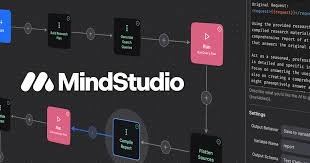
What is MindStudio?
MindStudio is an AI agent building platform with a visual no-code builder. Create, deploy, use templates, integrations, and multiple AI models.
The platform includes a visual builder, templates, and a model/integration ecosystem intended to help users move from idea to deployed agents quickly. MindStudio also introduces an “AI Media Workbench” for professional AI video and image production.
Key Features
- No-code visual agent builder: Build agents using a visual interface designed for users without programming experience.
- Extensibility with code (when needed): You can add code to extend or customize agents beyond the visual builder.
- Templates for business and personal use cases: Start from more than 100 templates to create agents faster.
- Pre-built integrations and task automation: Access 1,000+ pre-built integrations and support for automating tasks across workflows.
- Model ecosystem: Support for 200+ AI models to power agents with different capabilities.
- AI Media Workbench: A separate capability for producing AI video and images with a more “professional” workflow, described as reducing the learning curve.
How to Use MindStudio
- Choose a template (or start building from scratch) for the agent you want.
- Use the visual builder to configure the agent’s steps and connect required services through pre-built integrations.
- Select the AI model(s) the agent will use, and adjust settings as needed.
- If your use case requires customization beyond the UI, extend the agent with code.
- Deploy the agent for day-to-day use, such as running recurring tasks or generating outputs for teams.
Use Cases
- Content operations for a marketing or editorial team: Create agents that ingest content and support writing workflows, aiming to reduce manual steps.
- Local news or reporting workflows: Deploy agents that handle recurring multi-step tasks to help reporters spend less time on manual work.
- Enterprise automation for internal teams: Build agents that perform actions across multiple steps rather than simple “trigger-and-run” workflows.
- AI-assisted creative and media production: Use MindStudio’s AI Media Workbench to generate AI images and videos in a professional production workflow.
- Rapid proof-of-concept for client demos: Build multiple agents quickly for a proof-of-concept, then refine based on feedback.
FAQ
-
Do I need to know how to code to build agents in MindStudio? The site describes MindStudio as no-coding required, with optional extensibility using code when you need it.
-
How do templates work in MindStudio? MindStudio offers over 100 templates for business and personal use cases to help you start building without creating everything from scratch.
-
What kinds of systems can MindStudio connect to? The platform lists 1,000+ pre-built integrations, intended to support connecting agents to existing tools and services.
-
What AI models are supported? MindStudio states it provides access to 200+ AI models.
-
Is MindStudio only for agents? In addition to agent building, the site introduces “MindStudio AI Media Workbench” for professional AI video and image production.
Alternatives
- Workflow automation platforms (e.g., trigger-based automation tools): These focus on automating workflows and can be simpler for single-step tasks, but may not emphasize reasoning and multi-step agent behavior.
- Visual automation/workflow builders: Tools in the automation category can help assemble processes quickly; agent-specific capabilities may vary depending on how they handle multi-step actions.
- Agent/collaboration frameworks (agent-focused toolsets): These may provide more developer-centric approaches to orchestrating agent logic, compared with MindStudio’s primarily visual, no-code builder.
- AI media creation tools: Dedicated image/video generation tools can be used for media outputs, while MindStudio positions its AI Media Workbench alongside agent-building workflows.
Alternatives

AakarDev AI
AakarDev AI is a powerful platform that simplifies the development of AI applications with seamless vector database integration, enabling rapid deployment and scalability.

Arduino VENTUNO Q
Arduino VENTUNO Q is an edge AI computer for robotics, combining AI inference hardware and a microcontroller for deterministic control. Arduino App Lab-ready.

Devin
Devin is an AI coding agent that helps software teams complete code migrations and large refactoring by running subtasks in parallel.

OpenUI
OpenUI is the open standard for generative UI, helping AI apps respond with structured user interfaces built from registered components.

FigPrompt
FigPrompt is an AI Figma plugin builder that generates production-ready plugin logic from your description—no code, in seconds.

Codex Plugins
Use Codex Plugins to bundle skills, app integrations, and MCP servers into reusable workflows—extending Codex access to tools like Gmail, Drive, and Slack.