

Mirr
Mirr (formerly Mirra) is an AI marketing partner that plans, creates, distributes, and manages multi-channel content plus comments, DMs, and analytics.
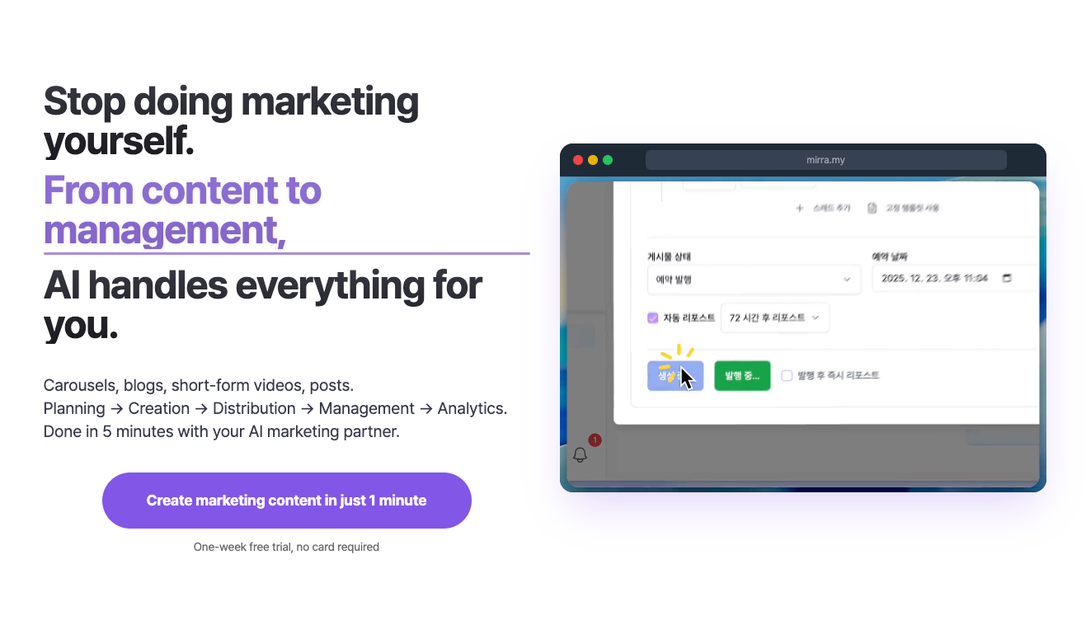
What is Mirr?
Mirr (formerly Mirra) is an AI marketing partner that helps create and manage multi-channel content. It plans content, generates assets in different formats (carousels, blogs, short-form videos, and social posts), distributes them to connected platforms, and handles ongoing management tasks like replying to comments and DMs.
The core purpose is to reduce the time and manual work involved in marketing—turning an initial input (e.g., an idea or expertise) into platform-ready content and then managing the follow-through, including an analytics view based on what your audience engages with.
Key Features
- Brand learning for tone and voice: Learns a user’s tone, vocabulary, and audience so generated posts match how the brand already communicates.
- Persona Technology: Supports persona-related workflows including “persona copy” (clone style of benchmark accounts), “persona analysis” (analyze posts to capture style), “persona design” (generate a brand concept), and “persona templates” (apply expert styles).
- Multi-format content generation: Produces carousels, blog articles (2,000+ words, described as SEO-optimized), social posts (tone-matched captions per platform), and short-form videos with storyboard, images, narration, and background music.
- Content automation and publishing via Autopilot: Plans → creates → distributes content, then supports publishing on a recurring schedule.
- Comment and DM management: Automatically handles simple greetings, flags important sales inquiries, and replies to comments.
- Performance analytics and AI insights: Provides an intuitive dashboard and AI-powered questions based on your data (e.g., what drove revenue, which channels gained followers).
- Unified scheduling and approval workflow: Uses a calendar for scheduling and a workflow that routes generated posts to approval before publishing; supports multiple team/brand workspaces and team invites (as described).
How to Use Mirr
- Create content inputs: Provide an input such as a URL, an idea, or shared expertise.
- Connect accounts: Link the platforms you want to publish to (the site mentions Instagram, TikTok, Threads, X, Facebook, LinkedIn, and also blog/YouTube in scheduling context).
- Generate multi-format content: Use Mirr to turn one input into multiple content formats optimized for each platform.
- Set up publishing: Enable Autopilot/scheduling so content can be created and prepared for posting; review items in the approval workflow.
- Approve and manage: Approve posts when ready, then let Mirr handle comment/DM management and monitor analytics on what performs.
Use Cases
- Busy founders who need consistent posting: Turn a weekly idea or expertise into carousels, blog articles, and short-form video drafts, with scheduled publishing and an approval step to keep output consistent.
- Marketers managing multiple social platforms: Use platform-optimized captions and multi-channel distribution to reduce the effort of writing differently for each network (e.g., Instagram vs. Threads vs. LinkedIn).
- Teams that want review-before-posting: Generate content for a brand, route it to a shared approval workflow, and manage schedule, publishing, and ongoing comment/DM responses from one place.
- Creators aiming to match a specific style: Use Persona Technology to benchmark accounts you want to learn from and generate content that follows a style, then refine by using the tool over time.
- Users who want to understand what drives results: Ask questions about performance (e.g., which content type performed best this month or what topics got real reactions) and review revenue/channel growth signals in the dashboard.
FAQ
- Does Mirr create content for multiple formats? Yes. The site describes generation of carousels, blog articles, social posts, and short-form videos (with storyboard, images, narration, and BGM).
- How does Mirr avoid generic AI-sounding posts? It learns your brand voice (tone, vocabulary, and audience) so posts are generated to sound like you, and this accuracy improves with continued use.
- Can I review posts before they go live? The workflow described includes a post approval step before publishing.
- What kinds of engagement does Mirr handle? It manages comments and DMs: it replies to comments, handles simple greetings automatically, and flags important sales inquiries for the user.
- Can I get insights from my performance data? Yes. The site describes AI-powered questions over your data and a dashboard to see what drove revenue and which channels gained followers.
Alternatives
- General-purpose AI content generators (e.g., chat-based tools): Useful for drafting copy or scripts, but they don’t bundle end-to-end marketing workflow like planning, multi-format generation, publishing, comment/DM management, and analytics in one system.
- Social media management platforms: Tools that schedule posts and organize engagement can cover distribution and calendars, but may require separate creation tools for carousels, blog posts, and video storyboards.
- Design-first tools for carousels (e.g., presentation/graphic design apps): Good for producing visuals but typically focus on design rather than AI-driven planning, platform-optimized captions, publishing, and engagement management.
- SEO content writing workflows (editor + research + CMS publishing): A more manual approach to blogs and optimization, compared with Mirr’s described “one input → SEO-ready blog” generation and analytics loop.
Alternatives

SaveMRR
SaveMRR scans Stripe billing data to find SaaS MRR leaks and help recover failed payments, save cancellations, and win back churn—60-sec Free Revenue Scan.

Sleek Analytics
Lightweight, privacy-friendly analytics with real-time visitor tracking—see where visitors come from, what they view, and how long they stay.

Struere
Struere is an AI-native operational system that replaces spreadsheet workflows with structured software—dashboards, alerts, and automations.

PXZ AI
An All-In-One AI Platform that combines tools for image, video, voice, writing, and chat to enhance creativity and collaboration.

Slidesgo
Discover free Google Slides themes and PowerPoint templates on Slidesgo. Download and customize online to create presentations.

ClayHog
ClayHog tracks AI Search Visibility & GEO—see what ChatGPT, Gemini, Perplexity, Claude, and Google AI Overviews say about your brand, incl. citations and sentiment.