
Template library
Browse a large library of presentation templates designed for Google Slides and PowerPoint, with categories and trending searches to help you find a starting point quickly.

Slidesgo is a presentation template platform for Google Slides, PowerPoint and Canva workflows, with free and Premium templates plus AI-assisted creation.
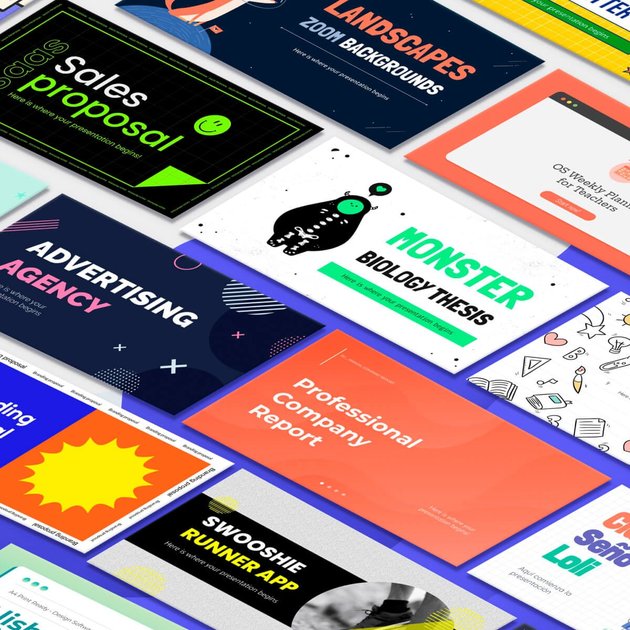
Slidesgo is a presentation template platform for Google Slides, PowerPoint, and selected Canva workflows. Its homepage presents free themes and templates across a wide range of topics, while the pricing page shows a Premium plan for users who need unlimited downloads, AI presentation generation, and broader access to the library.
The service is built for people who want ready-made slide decks they can edit and present without starting from scratch. It supports both individual use and team-oriented subscriptions, and it also includes education-focused content such as Slidesclass lessons and teacher-verified materials.
Browse a large library of presentation templates designed for Google Slides and PowerPoint, with categories and trending searches to help you find a starting point quickly.
Download templates for Google Slides or PowerPoint, and in some cases open them directly in Canva for online editing.
Use the built-in AI presentation maker to generate presentations and access AI-assisted template workflows from the site.
Save templates as favorites after registering so you can return to them later from your account.
Choose from free downloads or Premium access, with Premium removing download limits and ads while unlocking the full library.
Use Slidesclass content and teacher-verified lessons that are included with Premium and available in multiple languages.
Start a presentation from a themed template instead of building slides manually, then adapt the design to your topic in Google Slides or PowerPoint.
Use Canva editing workflows when you want to work online with a template rather than downloading and editing in desktop software.
Generate a starting deck with the AI presentation maker when you need a quick draft or want to reduce setup time.
Build classroom materials and ready-to-teach lessons using Slidesclass and other education-focused templates that are included in Premium.
Manage presentation work across multiple users with Premium team access when a shared account or organization needs more than one contributor.
Yes. The pricing page says users can register for free and start downloading three free templates per month, or upgrade to Premium for unlimited downloads.
Yes. The pricing page says Premium users can invite and manage team members, and it supports up to 1,000 users on a subscription with custom offers for educational institutions.
Yes. The pricing page states that Premium includes downloads for PowerPoint and Google Slides templates, and the site also offers presentation templates for editing with Canva.
Yes, for generated AI presentations and downloaded templates. The pricing page says users need to create an account and be logged in to use the AI presentation maker and to download templates.

MagicSlides is an AI presentation generator that turns text, topics, documents, URLs, and videos into slide decks. Google Slides by default, with PowerPoint export and multilingual AI editing.

An All-In-One AI Platform that combines tools for image, video, voice, writing, and chat to enhance creativity and collaboration.

Wysera is an AI business platform with PostWyse for content and OpsWyse for CRM and revenue workflows, powered by shared Wyse AI and approval-first automation.

Grok is a free AI assistant developed by xAI, engineered to prioritize truth and objectivity while offering advanced capabilities like real-time information access and image generation.

Creativly is a web-based AI creative studio for fast visual concepts, mockups, and stylized images from short inputs.

AI Song Maker is a web-based AI music generator that turns text or lyrics into songs, with vocal removal, track extension, and section replacement.