

MOGE
MOGE is a curated AI tools directory with real-time updates, nearly 200 categories, and about 10,000 tools. Browse by category across workflows.
What is MOGE?
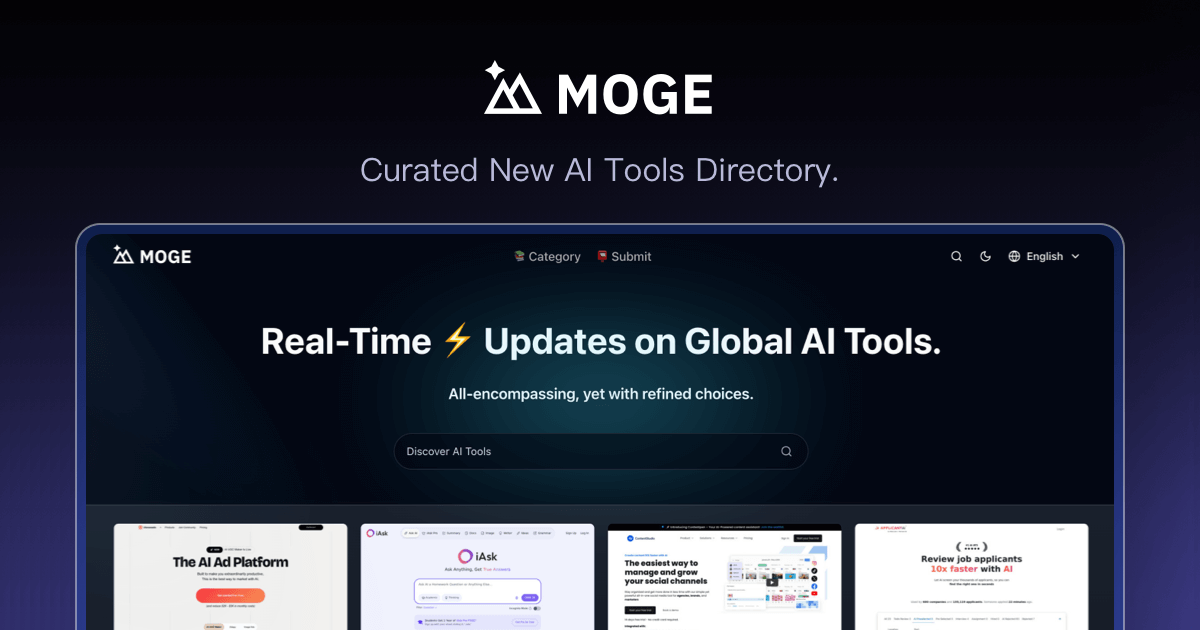
MOGE is a curated directory for discovering AI tools. It provides a structured way to browse a large set of AI products across many categories, with emphasis on real-time updates.
The site is presented as “all-encompassing, yet with refined choices,” positioning it as a place to find tools by category—ranging from recruiting and analytics to LLMs, agent development, content creation, and voice features.
Key Features
- Curated directory of AI tools: Browse tools by category rather than a generic search-only list.
- Real-time updates on global AI tools: The directory emphasizes current availability and changes.
- Large coverage of categories: The page references nearly 200 AI categories.
- Large tool library: The page references about 10,000 AI tools.
- Category-led discovery across workflows: Examples shown include AI recruiting, no-code/low-code builders, agent platforms, speech tools, analytics, observability for AI agents, and content/document generators.
How to Use MOGE
- Open MOGE to browse AI tool categories.
- Select a category relevant to your work (for example: recruiting, analytics, agent development, speech, or content).
- Review the listed tools within that category to compare what each tool does.
- Click through to the individual tool pages (as implied by the directory format) to evaluate fit for your specific use case.
Use Cases
- Recruiting teams evaluating AI for candidate management: Review tools such as Spott, described as an ATS/CRM platform for recruiting firms that combines candidate management, job matching, and pipeline analytics.
- Building internal automations without heavy development: Explore no-code/low-code platforms like Budibase (building internal tools, AI agents, automations, and business apps).
- Developing LLM and agent capabilities: Compare tools across categories like LLM suites (e.g., Xiaomi MiMo, described as a full-stack agent model suite), AI developer tools, and agent platforms.
- Voice and speech workflows: Look for text-to-speech, voice cloning, voice transformation, speech recognition, and voice changing tools, such as FineVoice and related examples shown on the page.
- Operationalizing AI agents in production: Use categories that cover observability/evaluation and gateway capabilities for engineering teams, such as Respan (monitoring, logging, tracing, debugging, and improving AI agents).
FAQ
-
Is MOGE an AI tool itself or a directory? MOGE is presented as a curated directory where users discover and browse AI tools by category.
-
What does “curated” mean in MOGE? The page describes the directory as “all-encompassing, yet with refined choices,” indicating selective presentation rather than an unfiltered list, but it does not specify a selection methodology.
-
How many tools and categories does MOGE include? The page states nearly 200 AI categories and about 10,000 AI tools.
-
Does MOGE update listings regularly? Yes—the page explicitly mentions “Real-Time updates on global AI tools.”
-
Can I use MOGE to find tools for specific AI tasks (speech, SEO, agents)? Yes. The page shows category examples across speech, AI SEO, agent development, analytics, and content generation.
Alternatives
- General AI tool search sites: Instead of curated, category-focused browsing, these platforms typically rely more on keyword search and may present less refinement.
- Category-based “marketplaces” for SaaS/AI products: These organize products by business function (e.g., analytics, CRM, design) but may not provide the same breadth of AI-tool-specific categories.
- Curated lists and newsletters of AI tools: These can be focused and editorial, but may update less frequently than a real-time directory.
- Builder-focused platforms (no-code/low-code): If your goal is implementation rather than discovery, using an integrated builder can reduce the need to compare tools across a directory.
Alternatives

Tavus
Tavus builds AI systems for real-time, face-to-face interactions that can see, hear, and respond, with APIs for video agents, twins & companions.

HiringPartner.ai
HiringPartner.ai is an autonomous recruiting platform with AI agents that source, screen, call, and interview candidates 24/7, reducing time-to-hire from weeks to as little as 48 hours.

AgentMail
AgentMail is an email inbox API for AI agents to create, send, receive, and search email via REST for two-way agent conversations.

Yorph AI
Yorph AI is an agentic data platform combining no-code ease with code-first control and scalability for on-demand modern data work.

Replymer
Replymer is an AI reply agent that monitors X and Reddit, scores mentions for relevance, and drafts context-aware replies that can mention your product.

LobeHub
LobeHub is an open-source platform designed for building, deploying, and collaborating with AI agent teammates, functioning as a universal LLM Web UI.