

Monocle
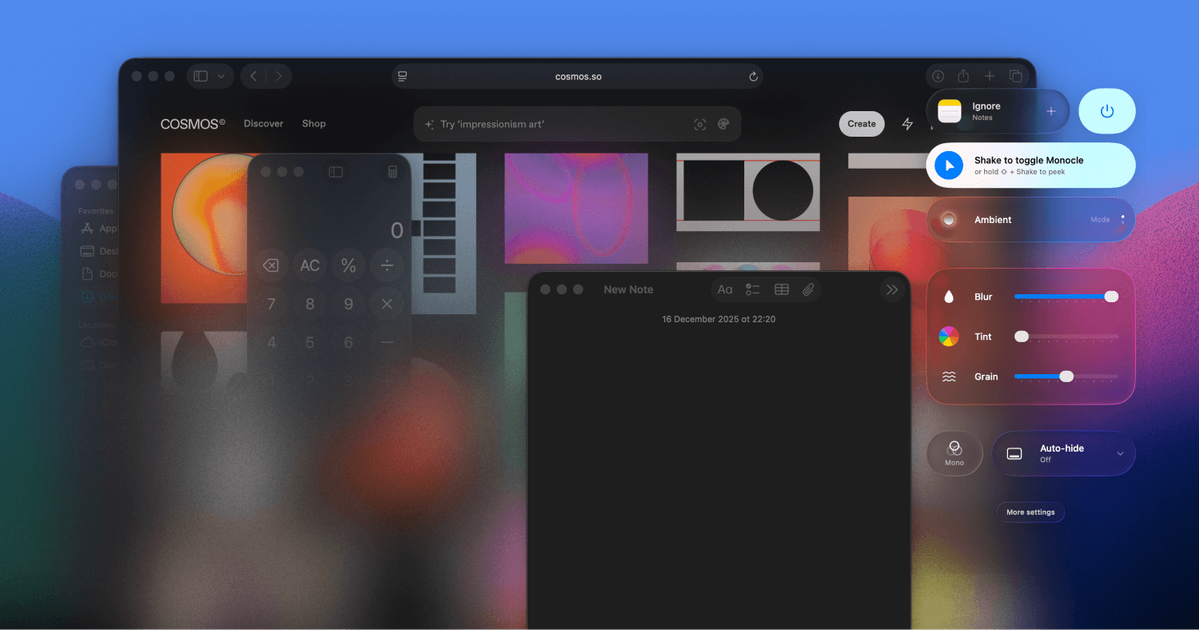
Monocle dims or blurs everything except your active window on macOS, helping you focus fast with a cursor wiggle or shake gesture.
What is Monocle?
Monocle is a macOS utility that reduces on-screen visual clutter by dimming or blurring everything except the active window. Its purpose is to help users focus on the task in front of them without closing apps or changing the state of their workspace.
The product is positioned as a screen-level distraction reduction tool: when activated, the current window stays readable while the surrounding tabs, apps, and windows fade into the background. The page describes it as a lightweight experience that feels native to Mac, with activation triggered by a cursor wiggle or shake gesture.
Key Features
- Blurs or dims inactive windows so the active window remains visually dominant, helping reduce distraction without rearranging your workspace.
- Leaves apps and windows open rather than closing or hiding them, so users can return to their full setup exactly as it was.
- Supports a cursor wiggle or shake gesture to activate the effect, making it quick to toggle while working.
- Designed for macOS and described as feeling like it came with the Mac, suggesting a native-style workflow and visual treatment.
- Includes app group and Stage Manager compatibility, indicating it can work alongside common macOS window organization setups.
- Offers a free trial and a paid license model with single-seat and three-seat options, plus free updates.
How to Use Monocle
Install Monocle on a Mac, then open the app when you want to reduce visual clutter. Once activated, it dims or blurs everything except the window you are currently using, and you can bring the effect on by wiggling the cursor or using the supported shake gesture.
A typical workflow is to leave all your apps and tabs open, turn on Monocle when you need to write, browse, or think, and then return to normal viewing when you are done. Because nothing is closed or moved, it is suited to short focus sessions as well as longer work blocks.
Use Cases
- Writing in a cluttered browser session: keep research tabs open in the background while focusing on a single draft window.
- Coding or debugging: highlight the editor or terminal you are actively using while muting surrounding windows and side apps.
- Reading and note-taking: reduce visual competition from other apps so one document or note window is easier to follow.
- Working with Stage Manager or grouped apps: use Monocle as an additional focus layer on top of an existing macOS window organization setup.
- Switching into short concentration sprints: quickly activate the effect when you need a temporary distraction-free view without changing your desktop layout.
FAQ
Does Monocle close or hide my apps? No. The page says nothing closes and nothing changes; the product only dims or blurs the surrounding windows.
How do I activate it? The page mentions a cursor wiggle and a shake gesture as activation methods.
Is Monocle only for macOS? Yes. The product is presented as Monocle for macOS.
Does it work with Stage Manager? The page mentions Stage Manager compatibility, along with app groups.
Is there a trial or one-time purchase? The page lists a 7-day free trial and single-seat or three-seat pricing with “pay once” and free updates.
Alternatives
- macOS built-in window management and app organization features: useful if you only need basic window arrangement, but they do not specifically blur or dim inactive content.
- Focus or distraction-blocking apps: these typically restrict access to apps or websites rather than changing the visual emphasis of the current window.
- Full-screen mode in apps: can reduce distraction by isolating one app, but it is more restrictive than Monocle because it changes workspace context.
- Manual window hiding or desktop cleanup workflows: can achieve a cleaner screen, but they require more setup and do not provide the same quick focus overlay behavior.
Alternatives

Biji
Biji is a versatile platform designed to enhance productivity through innovative tools and features.

Decision Jar
Create virtual jars of options with Decision Jar—shake your phone to pick instantly, use AI suggestions, and view decision logs over time.

Planndu: Daily Task Planner
Planndu is an intuitive productivity application designed to help users organize tasks, manage projects, build routines, and enhance focus using tools like AI generation and a built-in Pomodoro timer.

Carbon Voice
Carbon Voice is an asynchronous voice messaging app for teams with people and AI agents, plus transcribed updates, voice or text replies, and desktop, mobile, watch, and widget access.
MealTime
MealTime is your personal, offline-first recipe companion designed to help you save, organize, plan meals, and generate smart grocery lists, all while keeping your data private.

Clawcard
Clawcard: AI agents get a real inbox, phone number & virtual credit card for OpenClaw. Secure, autonomous agent operations.