

Mootion
Mootion is an AI-native platform that turns prompts, scripts, audio, and more into finished, story-driven videos with visuals and sound.
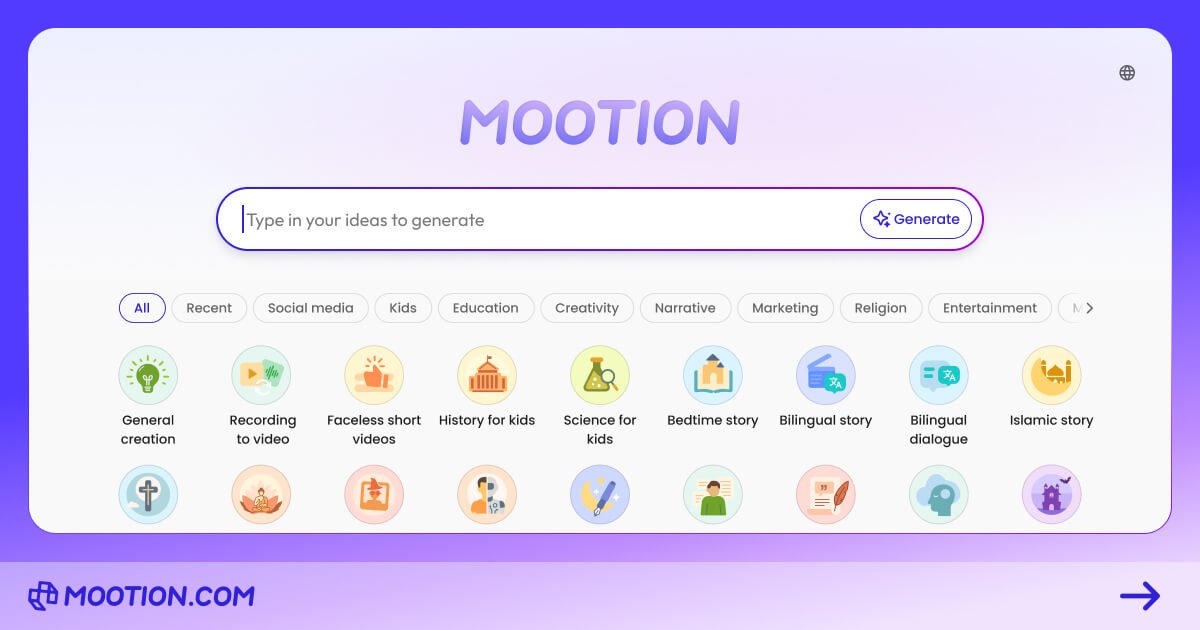
What is Mootion?
Mootion is an AI-native content creation platform that turns prompts and other inputs into finished videos. The product is positioned as an end-to-end creative hub for making story-driven visuals, including cinematic images, sound, and video output.
Its core purpose is to help people generate video workflows without manually handling every step—moving from story structure and pacing to visuals and audio in one process.
Key Features
- One-prompt video generation: AI plans the story end to end, producing a complete video from structure/pacing through visuals and sound.
- Create from multiple input types: you can start with prompts, scripts, audio, video, files, or links, which Mootion converts into finished videos.
- Smart templates for real workflows: templates shaped by use cases such as marketing, social, education, and more to help you start faster.
- Audio that drives emotion: voice, music, and effects are included to help shape the rhythm, emotion, and impact of the final video.
- Story export for editing: videos can be downloaded, and you can optionally download the whole story—including scripts, images, and video clips—as a .zip for third-party editing and compositing.
How to Use Mootion
- Create an account or access Mootion and choose a template (when applicable) for your target workflow (e.g., marketing, social, or education).
- Provide your input—such as a prompt, script, audio, or other supported source (prompts, scripts, audio, video, files, or links).
- Generate the video and review the output.
- Download the result from the platform; if you need to refine it elsewhere, download the optional “whole story” package (.zip) for third-party editing.
Use Cases
- Social media creators turning ideas into short videos: generate a video intended for mainstream social platforms where you want both visuals and accompanying audio elements.
- Educators and classrooms creating interactive learning content: use Mootion to help students produce story-based video content for class activities.
- Marketing teams producing ad creatives: generate AI Ads using a workflow that starts from prompts and templates and outputs a ready-to-use video.
- Audio-first creators repurposing content: transform an existing audio recording into a video with visuals and sound designed to match the tone.
- Storyboard-style planning and iteration: create cinematic, storyboard-like visuals and iterate by regenerating frames as needed during the production flow.
FAQ
Is Mootion free to use? Mootion is a paid product for creating and downloading videos; you’ll need a paid plan. (See mootion.com/pricing for available options.)
What types of videos can I create? Mootion can generate videos on many topics. The site suggests categories such as Parenting & Education, Motivation & Inspiration, Philosophy & Religion, and various entertainment and business-related themes.
Can I download videos created with Mootion? Yes. You can download videos directly from the platform, and optionally download the whole story (scripts, images, and video clips) as a .zip file for third-party editing/compositing.
What inputs can I use to generate a video? Mootion supports prompts, scripts, audio, video, files, or links as starting inputs.
How does Mootion handle video and audio together? The platform generates visuals and sound components (voice, music, and effects) as part of producing the final video output, coordinated to create rhythm and impact.
Alternatives
- Text-to-video generation tools: alternatives in the same category where you provide prompts or scripts and receive video output, typically focused on generating visuals from text.
- Video editing suites with AI-assisted features: tools that may help with editing and effects, but usually do not provide the same end-to-end “story to finished video” generation workflow.
- AI-assisted storyboard and animation tools: alternatives geared toward planning and producing animation frames or sequences, which may require more manual assembly to reach a final video.
- Audio-to-video / media repurposing tools: solutions focused specifically on converting audio into video formats, often with different degrees of control over story structure and templates.
Alternatives

VIDEOAI.ME
VIDEOAI.ME is an AI video generator to create studio-quality, publish-ready videos with realistic AI actors and voiceovers from text or a selfie.

Topview AI
TopView is an AI Video Agent that transforms images into high-converting user-generated content (UGC) videos instantly, enhancing e-commerce and business growth.

Virvid
Virvid is an AI shorts generator that creates faceless TikTok, Instagram Reels, and YouTube Shorts from a topic—then helps you edit, add voice/captions/music, and optionally autopost daily.

HeyGen
HeyGen Developers offers an API platform to generate, translate, and lipsync avatar videos with TTS models—built for scalable production workflows.

DeepMotion
DeepMotion is an AI motion capture and body-tracking platform to generate 3D animations from video (and text) in your web browser, via Animate 3D API.

艺映AI
艺映AI is a free AI video generation platform focused on transforming text and images into high-quality dynamic videos.