
AI script generation
Generate short-form video scripts from a topic or prompt, with examples and formats tailored to TikTok, Instagram Reels, YouTube Shorts, tutorials, stories, rankings, and UGC-style content.

Virvid is an AI shorts generator for faceless TikTok, Instagram Reels, and YouTube Shorts, with manual creation and automated daily posting.
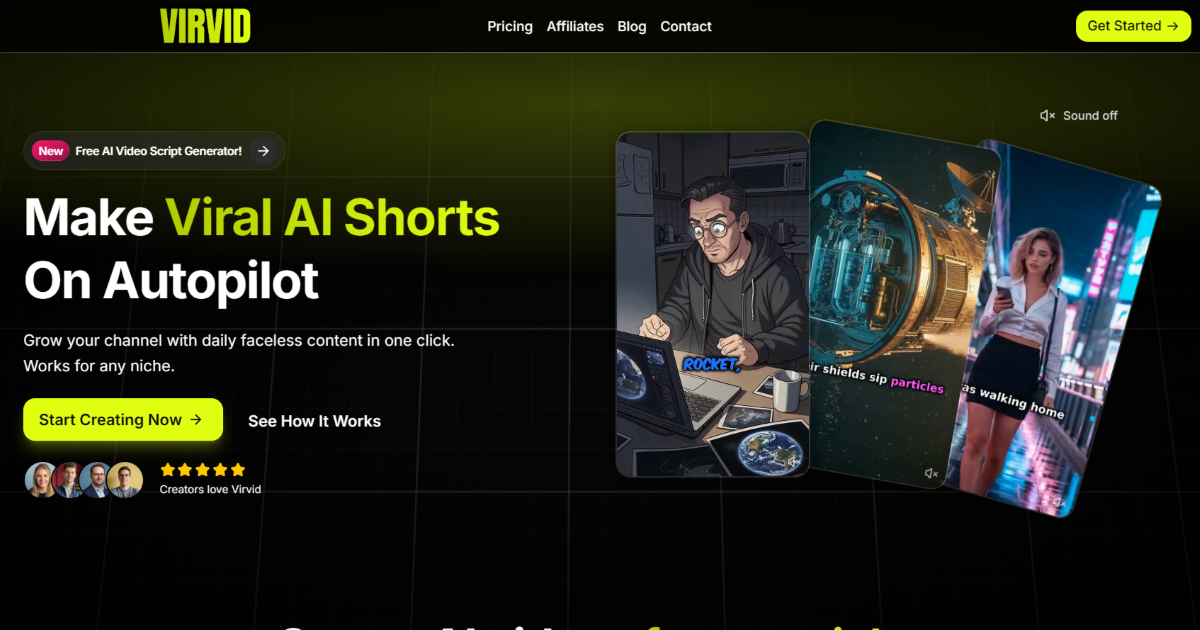
Virvid is an AI shorts generator for creating faceless short-form videos for TikTok, Instagram Reels, and YouTube Shorts. The product is positioned around turning a topic into a script, visuals, voice, and finished video with minimal manual editing.
The site presents two main ways to use it: generate a video manually from a prompt, or set up an automated daily series that posts content on connected accounts. The workflow is designed for creators, entrepreneurs, and marketers who want to produce short-form content regularly without camera work or a traditional editing process.
Generate short-form video scripts from a topic or prompt, with examples and formats tailored to TikTok, Instagram Reels, YouTube Shorts, tutorials, stories, rankings, and UGC-style content.
Create automated daily series that generate and post shorts after you connect your TikTok, Instagram, and YouTube accounts and configure your niche and preferences once.
Use AI visuals, including consistent character generation and image-to-video style output, to turn a script into faceless video content.
Add captions, effects, transitions, sound effects, and music in the built-in editor to prepare a short for posting.
Choose from 80+ voice avatars in 20+ languages, or use your own voice, to match different formats and audiences.
Export without a watermark and render in unlimited HD exports, with the pricing page also listing fast 2-minute processing.
A creator can enter a topic, select a style and voice, and generate a short-form video quickly when they need content without building a script and edit from scratch.
A marketer can set up automated daily content for a niche and have Virvid generate and post shorts to connected social accounts on a recurring basis.
A channel owner can adapt the same idea into TikTok, Instagram Reel, or YouTube Shorts script formats using the platform-specific generators on the tools page.
A team or solo creator can make a video more publication-ready by adding captions, effects, transitions, voiceovers, and music inside the built-in editor before posting.
A beginner who does not want to handle camera work or traditional editing can use the product to produce faceless videos with predefined workflows and templates.
Virvid is an AI shorts generator for creating faceless videos for TikTok, Instagram Reels, and YouTube Shorts. The site says it can generate scripts, visuals, voiceovers, captions, effects, and music, and it also supports automated posting for connected accounts.
The homepage describes two main workflows: manual creation, where you enter a topic, pick a style and voice, and generate a video in under 2 minutes; and automated series, where you connect TikTok, Instagram, and YouTube accounts, set your niche and preferences, and let the system generate and post content daily.
Yes. The pricing page says all plans include unlimited HD exports, and the homepage says you can add effects, captions, and music in the editor. The source does not describe advanced editing beyond those capabilities.
The pricing page lists monthly plans with billing options shown as billed monthly or billed yearly, and it notes that yearly billing includes two months free. The source also states cancel anytime for monthly billing.
The source supports TikTok, Instagram, and YouTube for creation and automated posting. The FAQ and homepage both mention these platforms, but the site text does not provide deeper integration details such as publishing limits or setup requirements.

DANCING CATS App turns cat photos into dancing kitty clips. Simple, focused, and easy to use for playful pet-image edits.

VIDEOAI.ME is an AI video generator for spokesperson videos, ads, explainers, and social content from a script without filming.

Video Effects SDK adds real-time webcam effects like background blur, replacement or removal, denoising, framing, beautification, and color grading for live video apps.

DeepMotion is a web-based AI motion capture and 3D animation platform with Animate 3D for video-to-animation and SayMotion for text-to-animation.

PicCopilot is an AI content platform for e-commerce that turns product photos into marketing visuals, model shots, videos, and social content with free and paid plans.

Krev AI is an ecommerce platform with role-based AI employees for market research, creative production, ad planning, and social publishing for brands.