

Motn
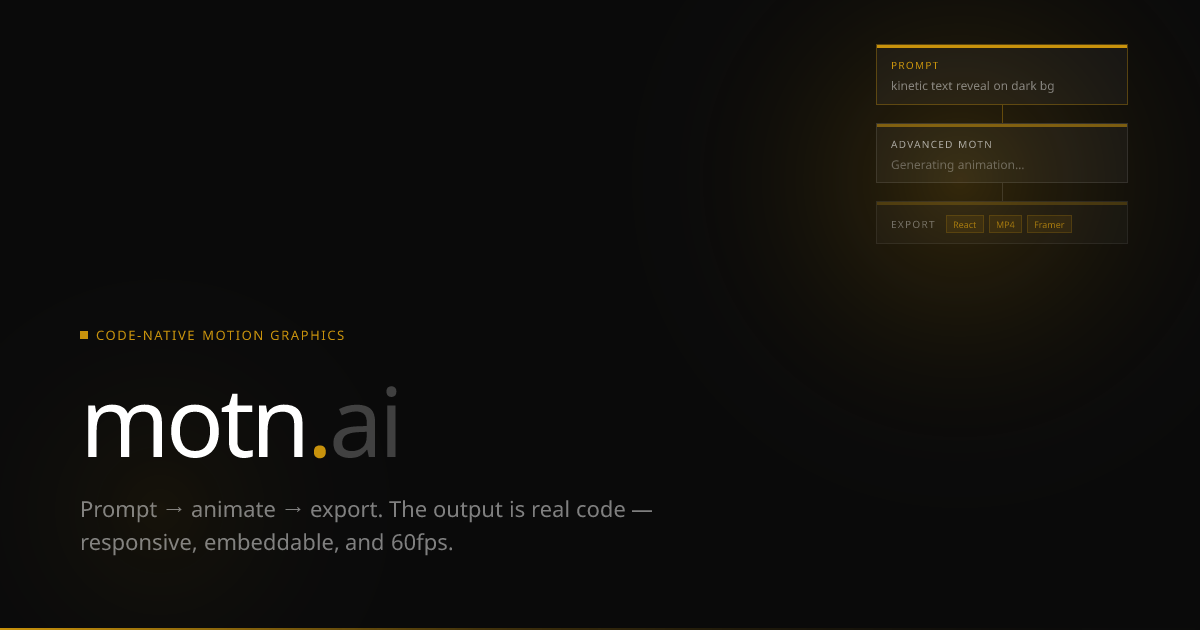
Motn is an AI motion graphics platform that turns prompts into production-ready React-component animations—export to HTML, React, Framer, or 60fps MP4.
What is Motn?
Motn is an AI motion graphics platform that generates production-ready motion graphics as code. Instead of building an animation on a traditional timeline, you describe what you want and Motn generates animations you can edit, iterate, and export.
The platform supports creating and combining images, video, and text, then wiring them together on an “infinite canvas” built from AI nodes. The result is an animation that exists as a real React component that you can tweak and reuse.
Key Features
- Prompt-to-motion-graphics generation (code-first output): Describe an animation and Motn generates motion graphics as code so you can directly work with the result.
- Infinite canvas of AI nodes: Create and connect generated elements (images, video, and text) using a node-based canvas workflow.
- React component animations: Each animation is delivered as a React component that can be tweaked and iterated.
- Multi-format generation: Generate images, video, and text using AI models, then integrate them into a single animation workflow.
- Brand identity extraction from a URL: Extract brand identity from any URL to inform the generated assets and animation style.
- Export to multiple formats: Export as standalone HTML, React
.tsx, a Framer component, or a 60fps MP4. - Template remixing and publishing: Remix community templates or publish your own templates.
How to Use Motn
- Sign up and start a free session to access token-based generation.
- Describe the motion graphic you want (including what should appear, and the intended style).
- Generate assets (images, video, and/or text) and connect them on the node-based infinite canvas.
- Refine by editing the React component output to iterate on the animation.
- Export to the target format you need (standalone HTML, React
.tsx, Framer component, or 60fps MP4).
Use Cases
- Marketing or product video production: Generate an animated sequence from a text description, then export to MP4 for distribution.
- Interactive web animations for developers: Use the React component output to embed motion graphics directly into a React-based interface.
- Brand-consistent creative iteration: Provide a brand URL so the platform can extract brand identity, then generate animations aligned with that identity.
- Design prototyping without timeline editing: Build a motion concept by connecting AI-generated elements on an infinite canvas rather than using a traditional timeline editor.
- Reuse and collaboration via templates: Remix existing community templates to start from working motion patterns and publish new variations.
FAQ
- What does Motn generate—videos or code? Motn generates motion graphics as production-ready code, with animations delivered as React components you can tweak and export.
- Do I need a timeline editor to create animations? The platform is positioned around a node-based infinite canvas and does not require a timeline editor.
- What can I generate inside Motn? The platform can generate images, video, and text, which you can wire together into a single animation.
- What export formats are available? Exports include standalone HTML, React
.tsx, a Framer component, and a 60fps MP4. - Can Motn use brand information from my website? The platform supports extracting brand identity from a URL.
Alternatives
- No-code animation and motion design tools: These focus on visual editing and timelines; compared with Motn, they typically don’t provide React-component code output as the primary artifact.
- Code-based animation frameworks/workflows (e.g., React motion ecosystems): These are developer-first and provide code control, but you may need to generate assets and animation logic yourself rather than using prompt-to-animation.
- Video-focused AI generation tools: These emphasize producing finished video outputs; they may not provide the same component-based workflow for integrating motion into React or Framer projects.
- Template-driven creative platforms: These can help you start quickly from presets, but may be less oriented toward exporting production-ready React code and component-level iteration.
Alternatives

Prompty Town
Prompty Town is a tiny internet city of links—buy a tile, attach your link, prompt it with text/content, and let others browse.

VIDEOAI.ME
VIDEOAI.ME is an AI video generator to create studio-quality, publish-ready videos with realistic AI actors and voiceovers from text or a selfie.
Creativly
Creativly is a browser-based creative tool that helps you create without writing prompts—generate creative outputs fast with a simple workflow.

HeyGen
HeyGen Developers offers an API platform to generate, translate, and lipsync avatar videos with TTS models—built for scalable production workflows.

MakerLoft
MakerLoft is an AI app builder for non-developers that connects to your GitHub repo to generate working apps with auth, payments, files, jobs.

Rork
Rork creates complete, production-ready mobile apps from your description with AI and Expo (React Native)—from idea to working app fast.