
Multiple data models in one engine
NodeDB is described as combining relational, vector, graph, document, columnar, and scientific array data in a single Rust-based engine.
NodeDB is a universal database engine combining relational, vector, graph, document, columnar and scientific array data in one Rust binary with PostgreSQL client compatibility.
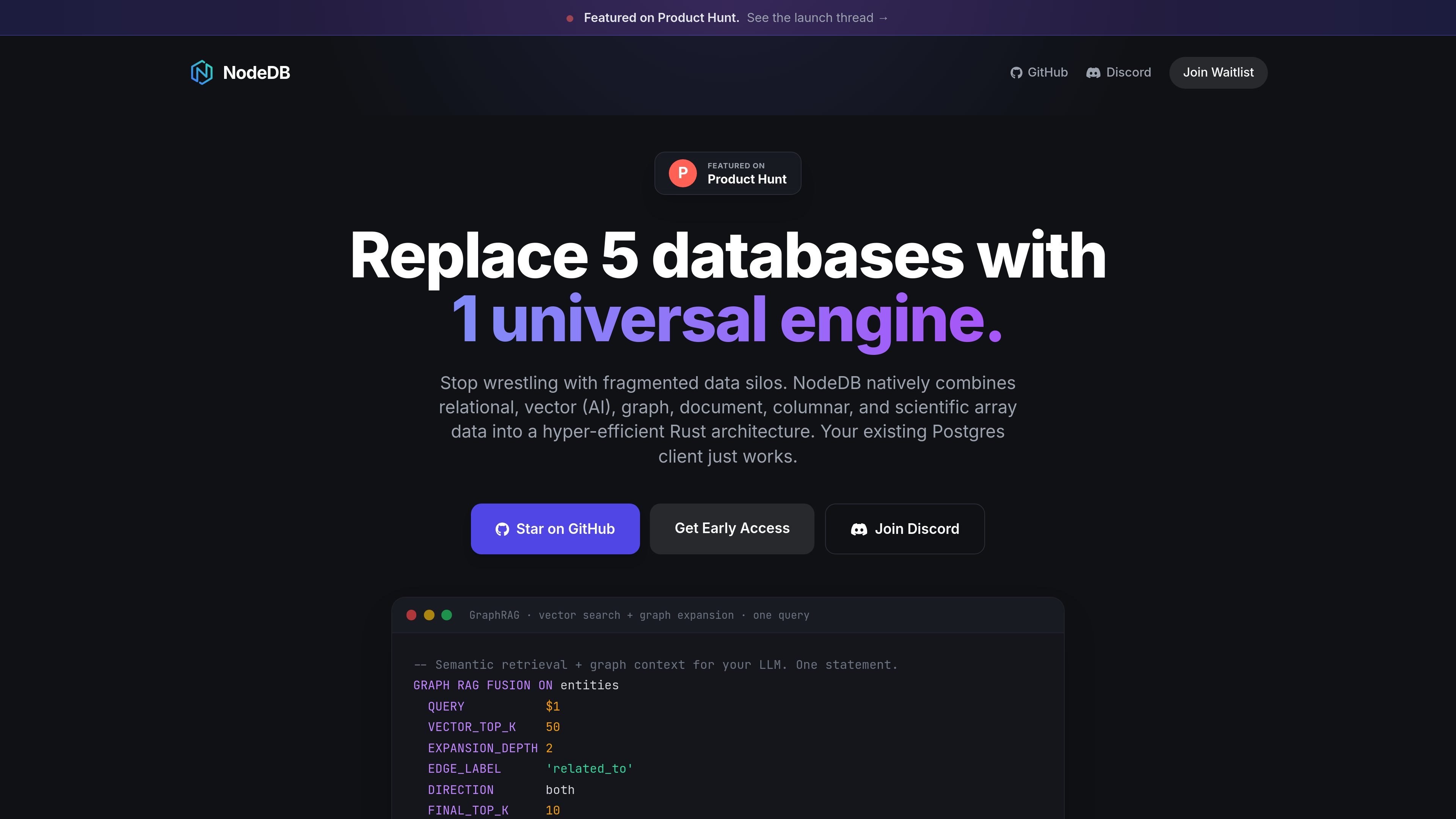
NodeDB is presented as a universal database engine that combines relational, vector, graph, document, columnar, and scientific array data in one Rust binary. The homepage positions it as a way to replace multiple specialized databases with a single system instead of moving data between separate stores.
The product page also emphasizes PostgreSQL client compatibility and shows a GraphRAG-style example where vector search and graph expansion are fused in one query. Based on the supplied pages, NodeDB is aimed at teams that want one database layer for mixed workloads, especially retrieval workflows that need both semantic search and graph context.
NodeDB is described as combining relational, vector, graph, document, columnar, and scientific array data in a single Rust-based engine.
The homepage states that an existing Postgres client just works, indicating compatibility with the PostgreSQL client interface without requiring a new client workflow.
A GraphRAG example shows vector search and graph expansion in one statement, with rank fusion applied at query time.
The product is presented as a Rust binary, which suggests a single executable deployment model rather than a multi-service stack.
The site frames the product around avoiding fragmented data silos and reducing the need for separate pipelines or Python glue for retrieval workflows.
Use NodeDB when you want semantic retrieval and graph neighborhood expansion in one query instead of orchestrating separate vector and graph systems.
Use it for applications that need relational records alongside vectors, graphs, documents, columnar data, or scientific arrays in one engine.
Use it when you already have a Postgres-oriented client and want a database layer that claims compatibility with that client workflow.
Use it when you want a single Rust binary rather than coordinating multiple databases and glue code across services.
NodeDB is presented as a universal engine that combines relational, vector, graph, document, columnar, and scientific array data in one Rust binary. The homepage also says an existing Postgres client works with it.
The homepage highlights GraphRAG-style retrieval that combines vector search and graph expansion in a single query. It shows a fused query example and describes the workflow as running at the database layer without separate pipelines.
The source says existing Postgres clients work, but it does not list specific drivers, APIs, or connectors. Beyond that compatibility claim, no detailed integration matrix is provided on the pages supplied.
A pricing page URL exists, but it currently returns a 404 in the supplied evidence. That means no plan, pricing, or trial details can be confirmed from the available pages.

garden-md is an open-source Node.js CLI that turns meeting transcripts into a local company wiki, linking entities and preserving the original text.

Scite is an AI research platform for finding papers, checking citation context, and getting answers grounded in scholarly literature and patents.

DrDroid is an AI SRE agent for incident investigation that connects cloud, code and telemetry to build a stack-wide knowledge graph for faster root-cause analysis.

Metabase Data Studio is a semantic layer and analytics workbench for cleaning, defining, and publishing reusable data in Metabase. Keeps metrics and datasets consistent.

HydraDB is a graph-native memory layer for AI, enabling persistent, structured retrieval across sessions for support, research, coding, sales, and operations.

BackEngine connects customer systems into an account-based knowledge layer for AI, with scheduled briefs, alerts, and shared context in your existing tools.