

OpenArt
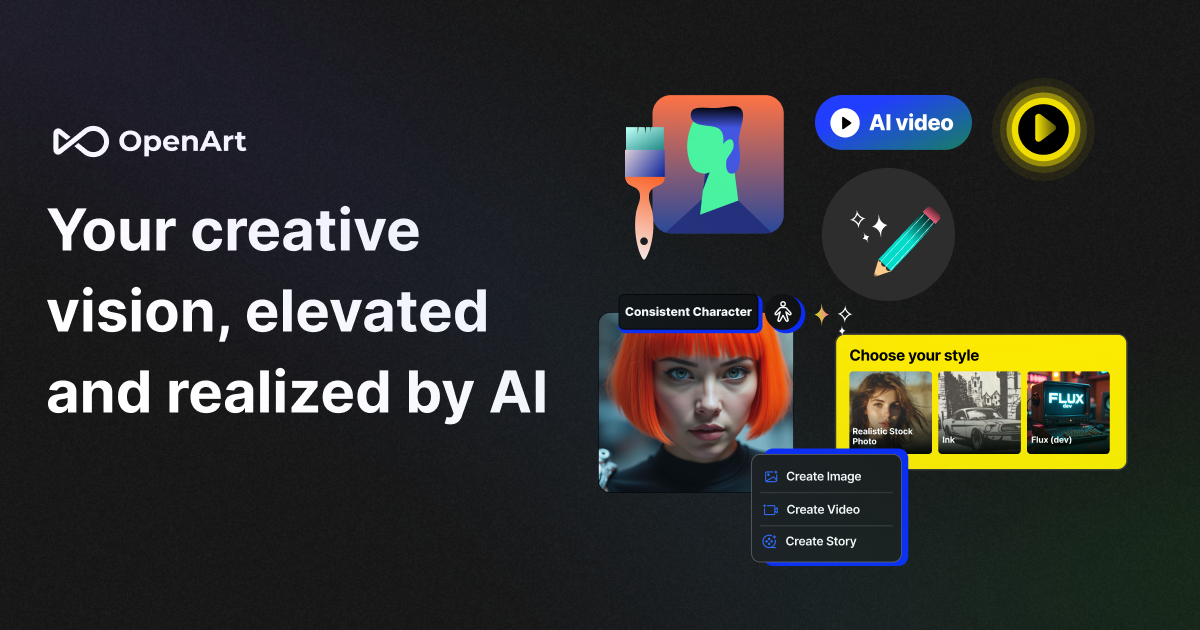
OpenArt is an AI art platform to create and edit images—text-to-image, photo-to-video, inpainting, and object removal, with pre-built or custom models.
What is OpenArt?
OpenArt is an AI-powered art platform for creating and editing images. It supports generating artwork from pre-built models and can also be used to train custom models, alongside a suite of AI tools for image enhancement and editing.
The platform is positioned for turning ideas into visual outputs quickly—whether that means creating images from text prompts, converting photos into video, or editing existing images with features like inpainting and object removal.
Key Features
- Text-to-image generation using pre-built models: Create images by providing descriptive textual prompts.
- Custom model training (per FAQ): Use the platform to train your own models in addition to using pre-built ones.
- Photo-to-video conversion: Convert an image into a video using OpenArt’s photo-to-video converter.
- Boundary-free AI drawing (prompts optional, per site copy): Draw with less reliance on prompts than typical AI generators, with interaction “on your terms.”
- Inpainting and image editing tools: Use inpainting plus other editing capabilities such as object removal (described in the “advanced AI art tools” section).
- OpenArt Characters for consistent character scenes: Create consistent characters from one image or description, then pose, place, and combine them into different scenes.
- Character and style support for iterative work: The editing suite is described as enabling iteration and enhancement, with a range of tools including Img2Img and ControlNet (mentioned under the Starter plan features).
How to Use OpenArt
- Start by logging in or starting creation from the OpenArt landing page.
- Choose your workflow: generate from text prompts (for new images), use photo-to-video for turning a photo into a video, or open an editing tool such as inpainting / object removal.
- Iterate on results using the provided AI editing tools (e.g., Img2Img, ControlNet, and upscaling options mentioned in plan details).
- For character workflows, use OpenArt Characters to create a consistent character from an image or description, then build scenes by posing and placing the character.
Use Cases
- Create marketing or social visuals from ideas: Turn a textual concept into an image quickly for posts, brand content, or campaign drafts.
- Turn a tutorial or storyboard into a video: Convert a still image into a video for tutorials, montages, or ad-style visuals, then refine it with the platform’s editing tools.
- Remove or revise parts of an image: Use inpainting and object removal to change elements in existing photos or generated images.
- Build multiple scenes with the same character: Use OpenArt Characters to keep a character consistent across different poses and placements, supporting longer storytelling sequences.
- Iterate on generated art with guided control: Use tools listed in plan features such as Img2Img and ControlNet to refine composition while maintaining stylistic and structural intent.
FAQ
What is OpenArt?
OpenArt is an AI-powered art platform where users can create images using pre-built models or by training their own models. It also provides a suite of AI tools to enhance artwork and includes an active Discord community for collaboration.
What is an AI art generator?
An AI art generator like OpenArt uses generative AI to convert user-provided textual prompts into images. The source describes this as using diffusion-model-based technologies that can produce a range of styles, from realistic painting-like outputs to abstract visuals.
What plans does OpenArt offer?
OpenArt offers multiple plans for users ages 18 and up: Free, Starter, Hobbyist, and Pro. The page includes details such as monthly credits, parallel generations, and feature access (e.g., fine-tuned models and premium editing tools) for paid tiers.
Does OpenArt include a photo-to-video feature?
Yes. The site describes an image-to-video converter on OpenArt, including instructions for converting photos into video “for free” and using intuitive editing tools.
Can OpenArt be used to train custom models?
Yes. The FAQ states that OpenArt supports training users’ own models in addition to using pre-built models.
Alternatives
- Other AI image generators with text-to-image workflows: These typically focus on prompt-based image creation; compared with OpenArt, they may not bundle photo-to-video, character consistency tools, or the same editing suite in one workflow.
- Video creation/editing tools that use image-to-video pipelines: These are aimed at turning stills into motion, which may be useful if video output is the primary goal; compared with OpenArt, they may not offer character consistency or the same generative editing tools.
- General-purpose photo editors with AI features: These can be used for inpainting-like touch-ups and removal workflows; compared with OpenArt, they may not support training custom models or the broader generation/character toolset.
- AI art tools focused on character generation/consistency: These prioritize keeping character identity across outputs; compared with OpenArt, they may not cover the full range of image editing and photo-to-video capabilities described on the site.
Alternatives

改图鸭
The AI painting generator is an online AI-powered software that automatically creates artwork based on text descriptions provided by users.

VIDEOAI.ME
VIDEOAI.ME is an AI video generator to create studio-quality, publish-ready videos with realistic AI actors and voiceovers from text or a selfie.
Petalica Paint
Petalica Paint is an automatic coloring service for line art, designed to enhance digital artwork with ease.

HeyGen
HeyGen Developers offers an API platform to generate, translate, and lipsync avatar videos with TTS models—built for scalable production workflows.

艺映AI
艺映AI is a free AI video generation platform focused on transforming text and images into high-quality dynamic videos.

The Genesis
The Genesis transforms the cryptographic signature of a specific date into a unique, mathematically generated piece of generative art, capturing the moment two lives intersected.