
Editable multitrack timeline
OpenChatCut uses a real multitrack timeline, so edits land on tracks, clips, captions, transitions, effects, keyframes, and history rather than a flattened render.

OpenChatCut is an open-source, local-first AI video editor for multitrack timeline editing, conversational workflows, and editable exports.
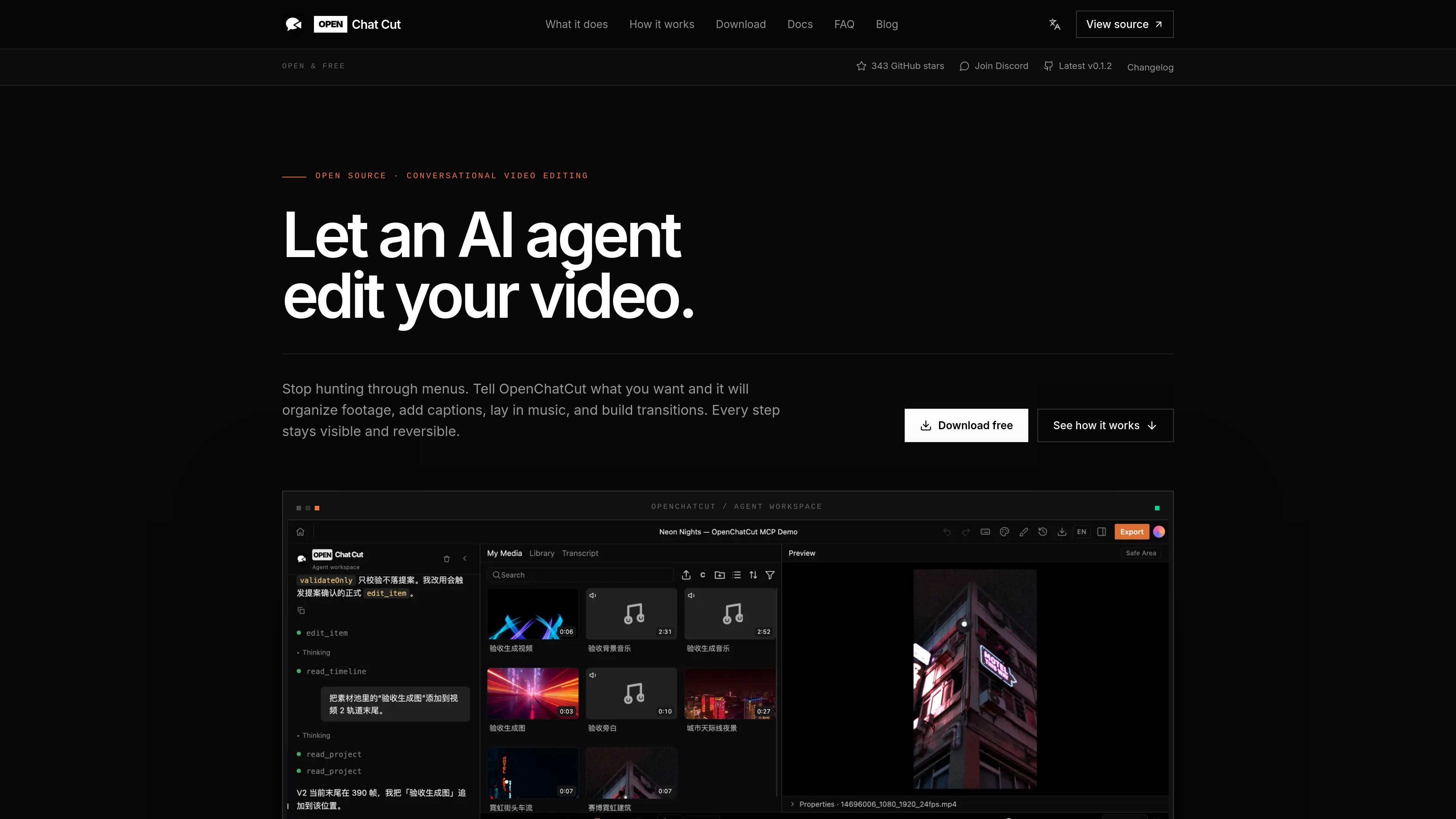
OpenChatCut is an open-source, local-first AI video editor built around a real multitrack timeline. Instead of generating a finished video in one shot, it lets an agent make concrete edits to the project so the result remains previewable, reversible, and ready for further manual work.
The product is aimed at editors, creators, and developers who want AI assistance inside an actual editing workflow. It supports conversational edits, external agents such as Codex and Claude through MCP, and exports that can move into broader production pipelines.
OpenChatCut uses a real multitrack timeline, so edits land on tracks, clips, captions, transitions, effects, keyframes, and history rather than a flattened render.
You can direct the edit in natural language, and the agent reads the project before making changes. It can use the media, transcript, current selection, and timeline state to decide what to do.
The product supports Codex, Claude, and other agents through MCP, plugins, and templates, so you can bring your own agent workflow instead of being locked to one model.
Built-in tools and MCP let the agent perform deterministic edit actions such as trimming, captions, ducking, transitions, and other timeline operations.
The docs say OpenChatCut can export video, audio, captions, and project formats such as FCPXML, making it usable in production handoff workflows.
OpenChatCut is local-first and open source. Projects and media stay on the user’s machine by default, and the code can be audited or run from source.
Creators can ask an agent to organize footage, trim dead space, add captions, and assemble a first pass on the timeline before they polish the cut manually.
Podcasters and video teams can keep captions, music, and transitions editable while refining pacing and audio balance across an existing project.
Developers can connect Codex, Claude Code, or another agent through MCP to test agent-native editing workflows against a real timeline.
Editors who already hand off to another NLE can export project formats such as FCPXML, along with video, audio, and captions, for downstream work.
Teams working with local or sensitive media can keep projects on-device by default and avoid requiring a cloud account just to create a project.
OpenChatCut is designed to work from a local desktop project. The docs say you can install a desktop build or run it from source, and that projects and media stay on your machine by default, with optional online models and remote storage add-ons.
The workflow is: import media, describe the edit in chat, let the agent change the timeline, then review and refine the result in the preview. The source also says the agent can read the project, current selection, transcript, and timeline state before making edits.
OpenChatCut exports video, audio, captions, and project formats such as FCPXML, with capabilities depending on the current release. The docs also mention frame range, resolution, and progress feedback during export.
OpenChatCut is built around a real multitrack timeline, so the result stays editable and undoable instead of becoming a flattened file. The site contrasts this with pure generation, where you often cannot revise individual details after rendering.
OpenChatCut supports the built-in agent plus external agents such as Codex and Claude Code through MCP. The docs say it exposes a local Streamable HTTP MCP endpoint for connecting external tools.

ByteAsk is a terminal-first AI coding agent for C and C++ that edits repos and verifies changes with compilers, debuggers, sanitizers, and tests.

MeetStream is a meeting bot API for Zoom, Google Meet, Microsoft Teams, and Webex. Record, stream, and analyze meetings with usage-based pricing and $5 free credit.

CreateOS Sandbox is an isolated compute environment for running code and agent workloads in Firecracker micro-VMs with private networking and SDK, CLI, or MCP control.

hob is an independent workspace for coding agents, with local control over sessions, terminals, history, routing, and follow-up work.

Manta AI is an autonomous web app testing tool that maps app behavior, catches regressions, and generates tests from a URL, no scripts or selectors needed.

Redline is a budgeting tool for Claude Code that paces sessions by time, tokens, cost, or plan percentage, helping them end with a usable result.