
CRM records and relationships
Manage companies, people, opportunities, tasks, and notes with linked records, interaction history, activity logs, search, and filters.

Relaticle is an open-source CRM for managing companies, contacts, opportunities, tasks, notes, and pipelines, with hosted or self-hosted options, AI, REST API, and MCP access.
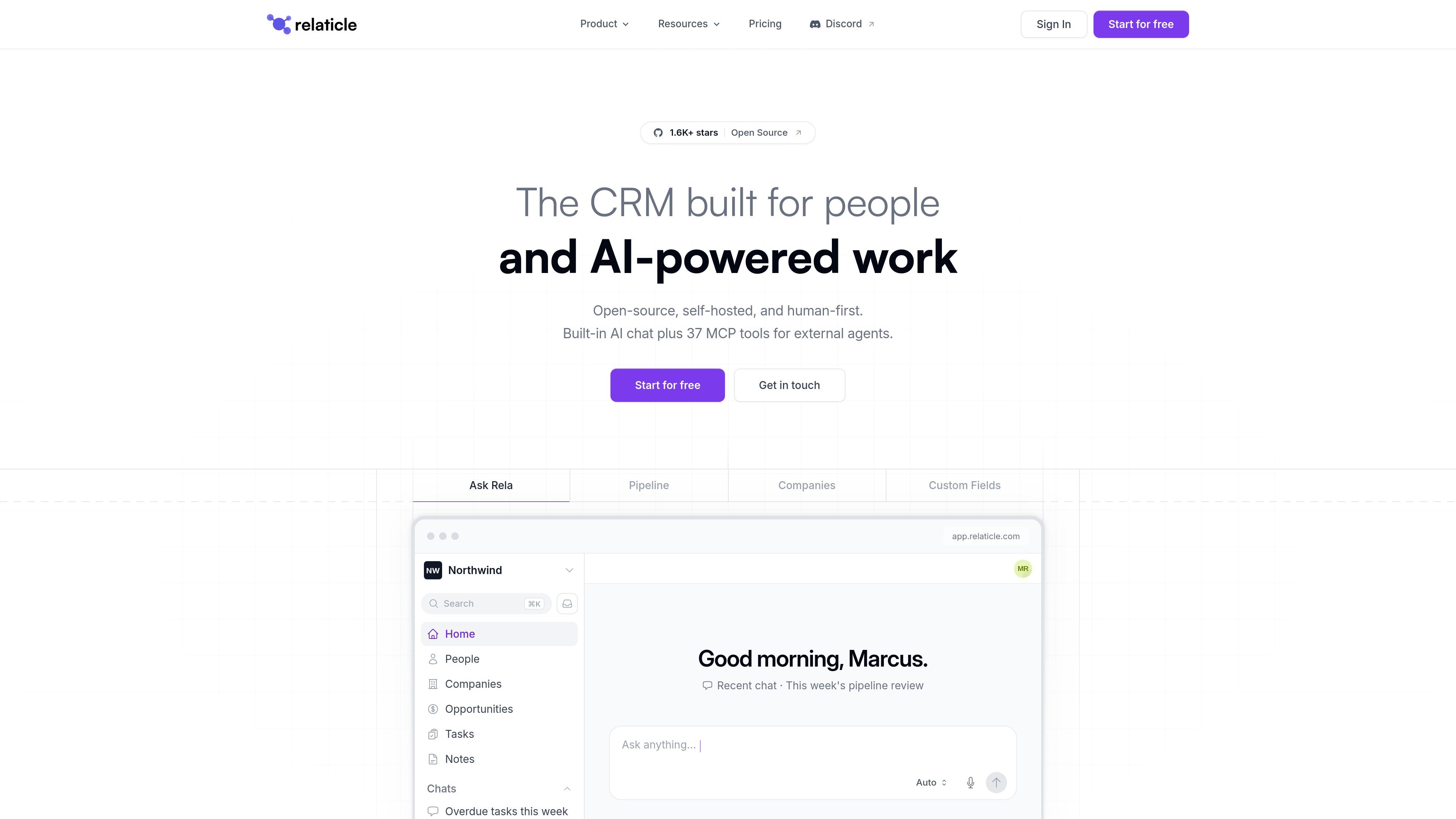
Relaticle is an open-source customer relationship management (CRM) platform for teams that need to manage companies, people, opportunities, tasks, notes, and related activity in one workspace. It combines a conventional web interface with a built-in AI assistant and an MCP server, allowing people and external AI agents to work against the same CRM records, permissions, and schema.
The product can be used as a hosted cloud service or self-hosted on a team's own server under the AGPL-3.0 license. Its data model supports custom fields and linked entities, while CSV import and export provide a documented path for moving records between deployments or from another CRM.
Manage companies, people, opportunities, tasks, and notes with linked records, interaction history, activity logs, search, and filters.
Define custom fields across the CRM using 22 field types, including entity relationships, conditional visibility, and per-field encryption.
Track opportunities through custom stages with lifecycle tracking and win/loss analysis, then review pipeline information through the app or assistant.
Ask the built-in Rela assistant to find records, summarize data, create records, or propose changes. Updates and deletions are shown for approval before they are saved, and approved destructive actions can be undone for five seconds.
Connect Claude, ChatGPT, Gemini, open-source models, or custom MCP-compatible agents through a 37-tool MCP server. The REST API supports custom integrations and direct API or MCP usage does not consume the built-in chat credit balance.
Use multiple workspaces with role-based permissions and five-layer authorization, and move CRM data through CSV import and export with column mapping, validation, and error handling.
Sales teams can organize company and contact records, move opportunities through custom stages, review win/loss information, and ask the assistant for pipeline summaries or follow-up tasks.
Teams can use the assistant to locate overdue work, draft follow-ups, create tasks, and update records while reviewing proposed changes before they are committed.
Organizations that want control over infrastructure can deploy the AGPL-3.0 codebase on their own server, connect a provider such as Claude or GPT, or route requests to a local model through Ollama.
Technical teams can connect Claude, ChatGPT, Gemini, or custom MCP clients to read, create, update, delete, and analyze CRM data through the 37-tool MCP server.
Teams moving from another CRM can import CSV files with column mapping and validation, then export companies, people, opportunities, tasks, or notes when needed.
Relaticle can be used in the hosted cloud or self-hosted on your own server. Self-hosting uses the AGPL-3.0 open-source codebase and can be deployed with the published Docker Compose file.
The built-in Rela assistant can search and summarize CRM data, create records, propose updates or deletions, draft follow-ups, and answer questions about the product documentation. Proposed creates, updates, and deletes require user approval before they are saved.
Relaticle includes an MCP server with 37 tools for MCP-compatible clients such as Claude, ChatGPT, Gemini, open-source models, or custom agents. It also provides a REST API for custom integrations.
The CRM supports companies, people, opportunities, tasks, notes, custom fields, activity history, CSV import and export, and pipeline analysis. The hosted plan and self-hosted deployment support unlimited users and records, according to the pricing page.
Cloud Pro starts with a 14-day trial and does not require a card at signup. The hosted plan is priced per workspace rather than per seat; self-hosting is available under the AGPL-3.0 license.

Podium is an AI lead generation and lead management platform for local businesses. Centralize conversations, follow-up, reviews, payments, and booking with a 24/7 AI Employee add-on.

Wysera is an AI business platform with PostWyse for content and OpsWyse for CRM and revenue workflows, powered by shared Wyse AI and approval-first automation.

Volanea is an email platform for transactional email, campaigns, and lifecycle automation, with sending, tracking, and deliverability monitoring in one contact graph.

Ninjō AI is an AI sales agent platform for creators and agencies that qualifies leads, handles sales conversations, and supports multi-channel follow-up.

Knock is customer engagement infrastructure for product, marketing, and transactional messaging teams—activate your data and ship cross-channel workflows with developer tooling.

Habitu is a customer loyalty platform for retailers using Apple Wallet and Google Wallet, with no app to install. Automate stamps or points and re-engage customers with an AI coach.