
Self-hosted gateway setup
Deploy a PayRam gateway on your own VPS and connect it to OpenClaw through the hosted MCP server. The setup flow is presented as script- or prompt-driven rather than account-based.

PayRam for OpenClaw is self-hosted payment infrastructure for agents to create payment links, invoices, and crypto or card checkout in messaging channels.
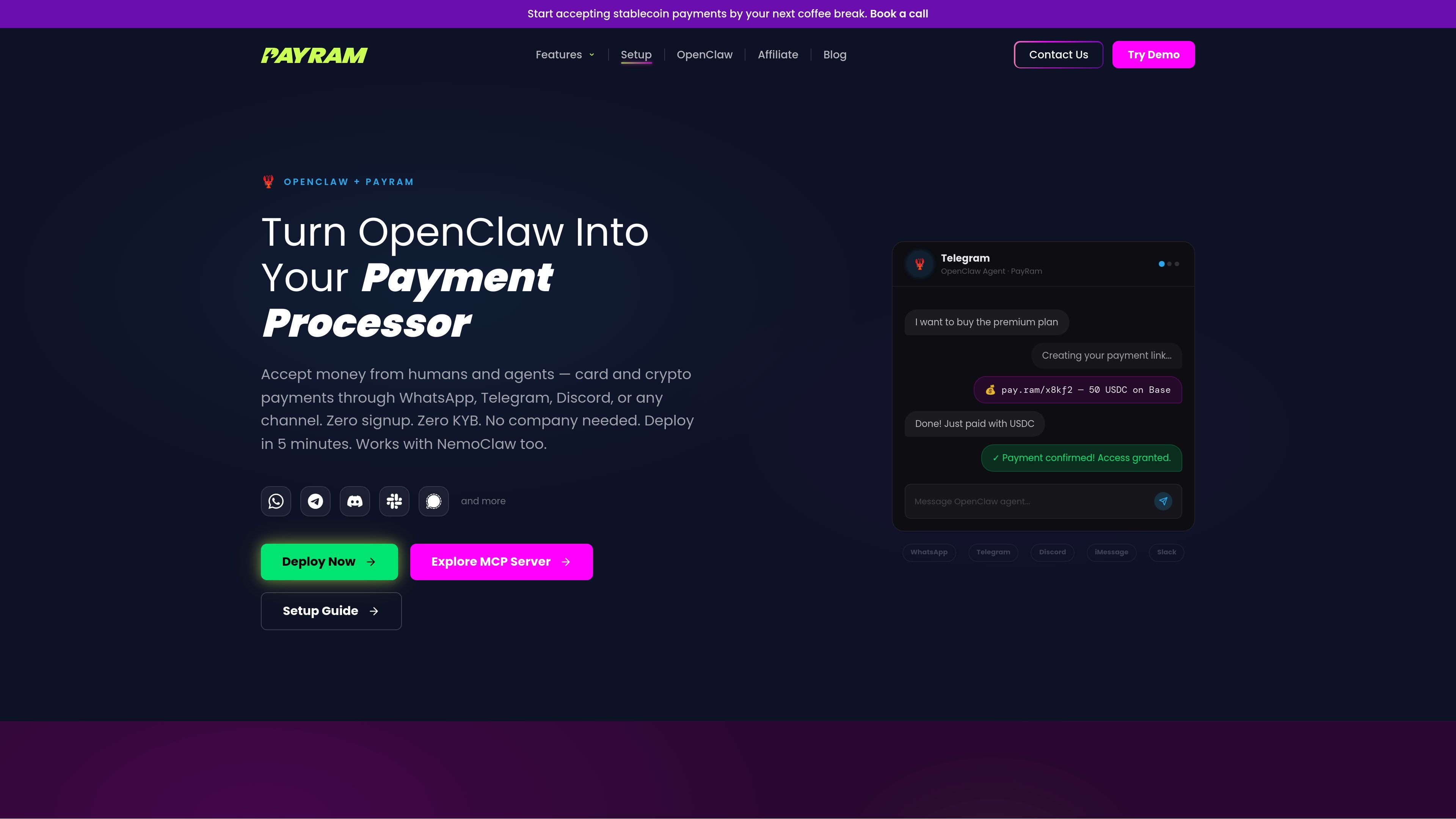
PayRam for OpenClaw is self-hosted payment infrastructure that lets an OpenClaw agent create payment links, generate invoices, and accept crypto or card payments inside messaging channels. The source positions it as a way to turn an agent into a payment processor that can operate in WhatsApp, Telegram, Discord, email, and other channels OpenClaw can reach.
The pages emphasize a setup model that avoids PayRam account creation, signup, KYB, and merchant onboarding. Instead, users deploy the gateway on their own server, connect it through MCP, and direct funds to a wallet they control. The same stack is described as working for human customers and agent-to-agent payments, with stablecoin settlement and card-to-crypto conversion called out in the source.
Deploy a PayRam gateway on your own VPS and connect it to OpenClaw through the hosted MCP server. The setup flow is presented as script- or prompt-driven rather than account-based.
Generate payment links and invoices from the agent, then share them inside chat or email. The source shows both human-facing checkout links and agent-to-agent payment flows.
Accept stablecoins and crypto, with source examples including USDC, USDT, BTC, and ETH. The pages also describe card payments that are converted to crypto settlement.
Route payments through messaging channels such as WhatsApp, Telegram, Discord, Slack, iMessage, Signal, and email. The product is presented as a payment processor that lives inside those conversations.
Use MCP tools such as `create_payment`, `generate_invoice`, `get_balance`, `send_payment`, and `test_connection`. These are exposed so the agent can discover and use payment actions directly.
Sweep funds to a wallet you own and keep deposit keys off the server. The source frames the system as non-custodial and emphasizes on-chain contract handling.
An OpenClaw agent can generate a payment link in a Telegram conversation, wait for on-chain confirmation, and then complete the customer request without leaving the chat.
A WhatsApp-based storefront can take a customer request, produce an invoice, and accept card payment that settles as crypto in the owner’s wallet.
A Discord community can gate premium access behind payment, verify settlement on-chain, and assign or revoke access automatically.
A freelancer or small operator can issue invoices by email, track payment status, and send receipts after confirmation.
An AI agent can charge another agent or service for API access or data using MCP tools and autonomous payment links.
PayRam is positioned as self-hosted payment infrastructure for OpenClaw. The source says there is no PayRam account, signup, KYB, or merchant account required, but an initial VPS setup and contract deployment still require human action.
The source says the gateway is deployed on your own server and does not store the keys used to accept or sweep funds. Payments are handled through on-chain smart contracts, while your wallet remains under your control.
The OpenClaw pages describe one-command or prompt-based setup, including connecting to the MCP server, deploying PayRam on an Ubuntu VPS, configuring wallet settings, and generating payment links. The stablecoin setup page shows the flow can include a small gas-funding step for testnet deployment.
The source highlights WhatsApp, Telegram, Discord, Slack, iMessage, Signal, web checkout, email, and MCP-based agent workflows. It does not provide a complete platform matrix or full integration list for every channel.
The pricing page does not show pricing details. It currently points users to self-hosted payments, AI agent payments, card-to-crypto, documentation, the blog, and contact options rather than published plan tiers.

Timebook is a time tracking, invoicing, and bookkeeping app for freelancers and single-member LLCs. It combines hours, invoices, and basic books in one place, with optional Plaid bank sync and AI-agent support.

Finchum is a personal finance planning tool that aggregates accounts and forecasts future balances for users in the US and Canada. It supports secure sync without sharing bank passwords, with OAuth where available and file-based imports as a fallback.

CashPylot is finance software for startups and freelancers that combines invoicing, expense tracking, cashflow monitoring, budgets, and client management in one platform. It offers a 7-day free trial on a single paid plan.

Ramp is a spend management platform that brings together corporate cards, expenses, accounts payable, travel, procurement, accounting automation, and banking. It offers free and paid plans for teams that want to centralize finance workflows and automate routine approvals and coding.

Double is month-end close management software for accounting firms and internal finance teams. It ties close work to the underlying ledger, adds AI-assisted task automation, and supports client communication, tax workflow tools, and ERP integrations.

Estimatic AI is Contractor+ estimating software for contractors that drafts bids from your cost book, live supplier pricing, and local labor rates. It supports uploaded job context, editable proposals, and eSign inside the Contractor+ workflow.