
Ledger-integrated close management
Double ties the close to the underlying ledger so work is grounded in the source of truth instead of living in disconnected spreadsheets or task lists.

Double is month-end close management software for accounting firms and internal finance teams. It ties close work to the underlying ledger, adds AI-assisted task automation, and supports client communication, tax workflow tools, and ERP integrations.
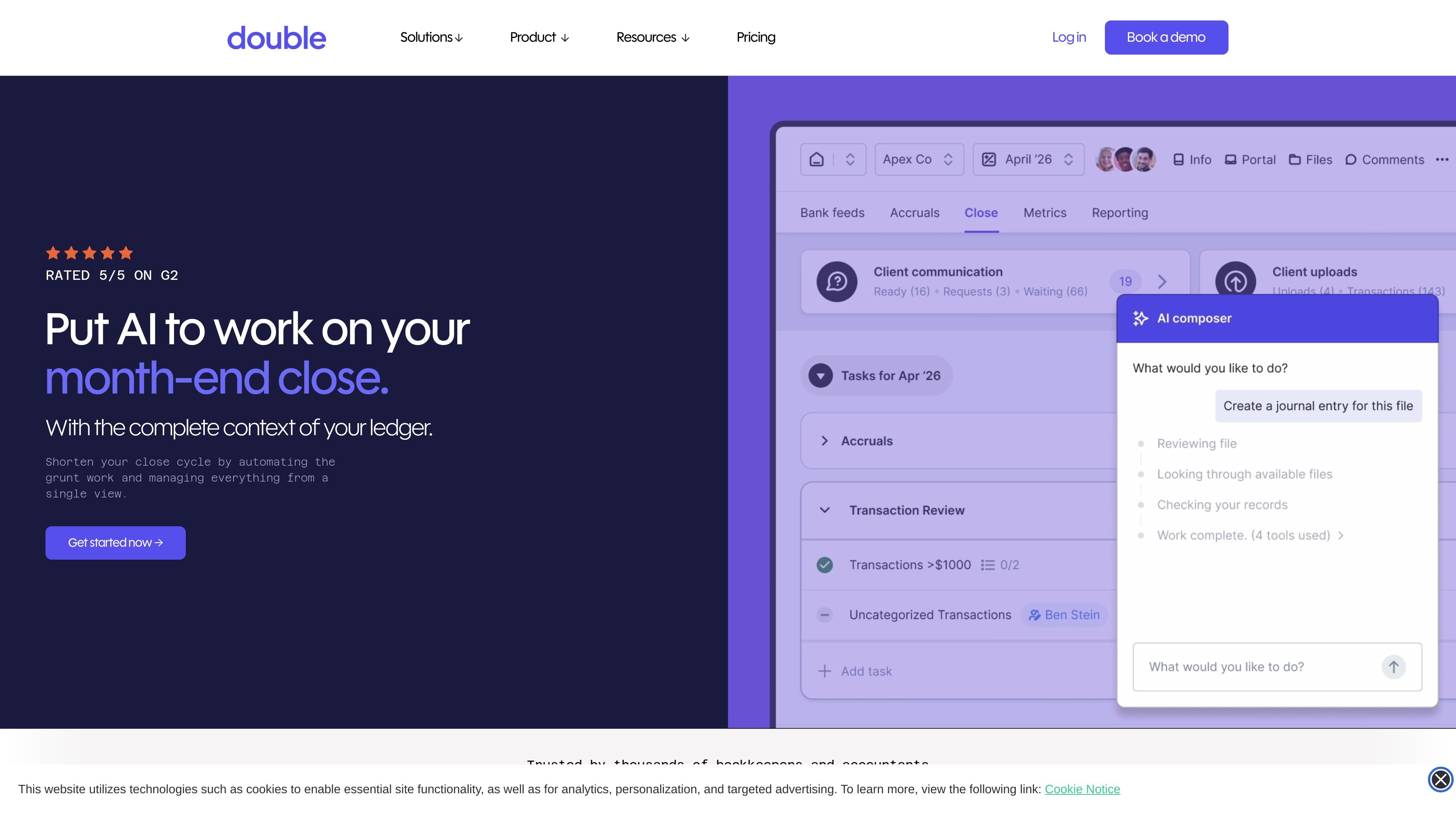
Double is month-end close management software for accounting firms and internal finance teams. It is built around the idea that close work should stay connected to the client ledger or ERP, rather than being split across spreadsheets, reminders, and separate communication tools.
The platform uses AI and workflow automation to handle repetitive tasks such as transaction handling, reconciliations, and journal entries, while keeping people in control of review and exceptions. Teams can manage tasks, communicate with clients, track status, and work from a single system that is synchronized with QuickBooks Online, Xero, Sage, or NetSuite.
Double also extends beyond the core close workflow with add-ons and related modules. The Tax Suite supports tax organizers, KBA e-signatures, live return-status tracking, and file storage, while the Emails add-on provides an integrated inbox for keeping team communication organized. Pricing is structured per connected client for accounting firms, with unlimited users, and internal finance teams have an annual plan with implementation and support included.
Double ties the close to the underlying ledger so work is grounded in the source of truth instead of living in disconnected spreadsheets or task lists.
The platform can automate repetitive close work such as categorizing and posting transactions, drafting complex journal entries, and helping teams focus on exceptions during review and reconciliation.
Close activity, dependencies, and status can be tracked from a single view so teams know what is complete, what is blocked, and what still needs attention.
Teams can communicate with clients and teammates from within the close workflow, keeping questions, reminders, and notes attached to the work itself.
Double supports two-way integrations with QuickBooks Online, Xero, Sage, and NetSuite, plus sync across the wider accounting stack.
The Tax Suite adds organizers, KBA e-signatures, and year-organized file storage for teams that also manage tax preparation work.
Accounting firms can centralize monthly close work for multiple clients, track status across engagements, and keep client questions attached to the work instead of scattered across separate tools.
Internal finance teams can use the platform to reduce manual transaction handling, reconciliation work, and journal entry drafting while keeping review and exceptions visible.
Teams that handle both bookkeeping and tax preparation can use The Tax Suite to collect organizer responses, send KBA e-signature requests, store files by year, and follow return progress in one place.
Firms that rely heavily on client communication can use the integrated inbox and portal-style communication to keep reminders, follow-ups, and answers organized in context.
Teams working across ledgers and ERPs can use the two-way sync to keep workflows aligned with financial data from systems like QuickBooks Online, Xero, Sage, and NetSuite.
Double connects to QuickBooks Online, Xero, Sage, and NetSuite so accounting work is tied to the ledger rather than managed in a separate spreadsheet or checklist.
The pricing page says Double uses per-connected-client pricing with unlimited users, and internal finance teams have an annual plan with flat-rate pricing and included implementation services.
The pricing page says onboarding starts after a personalized demo, followed by a free trial and a 60-minute onboarding call with a Customer Success Representative.
Yes. The pricing page says connected clients are billed monthly, and quarterly clients can be marked in practice settings.
The Tax Suite page shows that Double can also support tax organizers, KBA e-signatures, file storage, and live return-status tracking within the same platform.

Codex Plugins bundle reusable skills, app integrations, and MCP servers into workflows you can install in the Codex app or use from Codex CLI.

Struere is an AI-native platform for turning spreadsheet data into structured operational software with dashboards, alerts, and automations. It is aimed at teams that want to replace manual spreadsheet workflows without building custom tools from scratch.

OpenFlags is an open-source, self-hosted feature flag platform for modern JavaScript teams. It supports local evaluation, targeted rollouts, and controlled launches while keeping flag data in your own infrastructure.

Fountain is a frontline workforce platform for hiring, onboarding, sourcing, and scheduling at high-volume employers. It combines Frontline OS with partner integrations and AI-assisted workflows to help teams move candidates and workers through frontline operations.

GitBoard is a native macOS menu bar app for GitHub Projects to view your kanban board, filter by status, search issues, and create or assign.

Lemon is a Mac voice assistant that turns spoken instructions into finished writing tasks and other actions. It offers a free Basic plan, a paid Pro plan, and a workflow centered on pressing fn, speaking, and staying in the same tab.