

Picsart
Picsart is an all-in-one AI creative platform to make and edit images and video with free AI design tools, templates, and generative features.
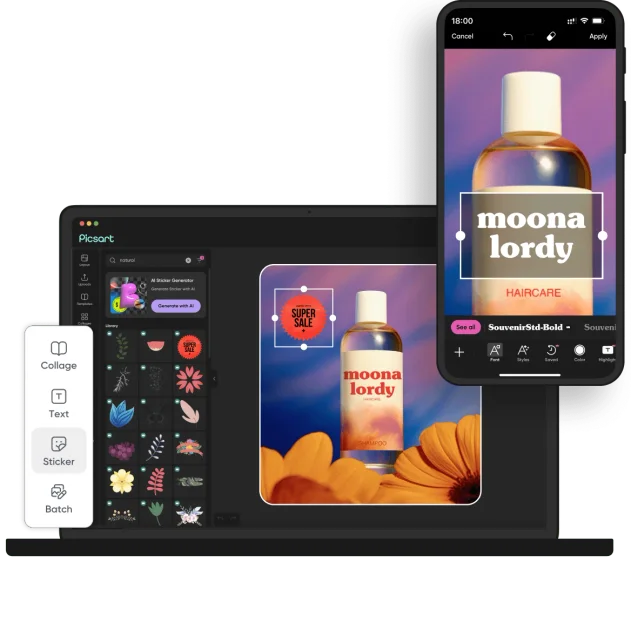
What is Picsart?
Picsart is an AI creative platform for making and editing images and video, designed for individuals and teams creating content for social media and other projects. It combines built-in templates and asset libraries with generative AI tools so you can go from an idea (prompt or input) to finished visuals.
The platform includes multiple AI capabilities such as image generation, automated edits, animated content, and specialized generators (for example, comic-style images and scripted story generation), along with editing effects and workflow tools for producing content at scale.
Key Features
- Multiple generative AI models in one place: Access a collection of AI tools (described on the site as “93 AI models in one place”) to generate and transform content.
- Picsart Aura (prompt-based creation and editing): Create, edit, and refine designs from a single conversation flow, aimed at moving from prompt to polished results.
- Picsart Flow (automated creative workflows): Connect AI models, effects, and assets into workflows that produce multiple outputs from one input.
- Templates and resizing/export tools for social formats: Use ready-to-use templates for platforms like TikTok/Reels and features such as batch resize and export for working faster.
- Image and video effects and social-native tools: Apply trending effects (including image-to-video effects and motion-style options) and use features like profile/mood edits and background or scene changes.
- Specialized generators: Tools mentioned on the site include comic generation from a photo, story generation with scripting/voiceover/scene animation, animated story creation, and avatar/persona-style character creation.
How to Use Picsart
- Get started on web or mobile: The site references both a web app and a mobile app.
- Choose a creation path: Start with a template (for posts like Reels/TikTok or carousels) or begin from an AI prompt using tools such as Picsart Aura.
- Generate or edit: Use AI models to create images, apply effects, or make transformations (such as changing scenes or styles).
- Finalize for the platform: Use resizing and export options to fit the desired format, and batch export when producing multiple assets.
Use Cases
- Social video and post production: Create Stories/Reels/TikToks/carousels using platform-sized templates, add effects, then resize and batch export multiple outputs.
- Selfie and photo editing for personal sharing: Perform edits and transformations (e.g., background changes or stylized looks) using AI-assisted editing tools.
- Marketing or e-commerce content: Generate and repurpose creative assets for campaigns using templates, background swaps, and other AI edit tools, then export in multiple sizes.
- Comic-style image creation: Upload a photo (or an image of a hero) and use the comic-focused tool to generate a complete comic-book style result.
- Animated storytelling workflows: Use story-related functionality that writes a script, generates voiceover, and animates scenes, then create animated story outputs.
FAQ
-
Is Picsart available on mobile and web? Yes. The site references an open web app and a mobile app, with content syncing across devices.
-
What kinds of content can I create? The platform supports creative work for images and video, including effects, animated outputs, and social-ready formats.
-
How do I generate content with AI? You can use prompt-based creation and editing tools (such as Picsart Aura) and also access a set of AI models for generating or transforming visuals.
-
Can I automate repeated creative tasks? Picsart Flow is positioned for connecting AI models, effects, and assets into automated workflows that generate multiple outputs from one input.
-
Do I need design experience to use the platform? The site indicates “no experience needed” for certain social/personal editing tasks (for example, selfie-related AI editing).
Alternatives
- General-purpose online photo and design editors with AI tools: These can also help with photo editing, templates, and AI-assisted transformations, but may offer less focus on automated workflow building.
- AI image generation and editing platforms: Alternatives in this category prioritize text-to-image generation and stylization; workflows for social templates and batch resizing may differ.
- Video editor platforms with effects and templating: If your primary need is video creation (rather than multi-model AI image generation and character/persona features), dedicated video tools can fit better.
- Creator-focused social content tools with templates: These are often optimized for faster social publishing and resizing; they may be narrower in scope than an all-in-one AI creative suite.
Alternatives

PXZ AI
An All-In-One AI Platform that combines tools for image, video, voice, writing, and chat to enhance creativity and collaboration.

Slidesgo
Discover free Google Slides themes and PowerPoint templates on Slidesgo. Download and customize online to create presentations.

VIDEOAI.ME
VIDEOAI.ME is an AI video generator to create studio-quality, publish-ready videos with realistic AI actors and voiceovers from text or a selfie.

Pixelcut
Easy-to-use AI tools to make your photos stand out!

Petalica Paint
Petalica Paint is an automatic coloring service for line art, designed to enhance digital artwork with ease.

Grok AI Assistant
Grok is a free AI assistant developed by xAI, engineered to prioritize truth and objectivity while offering advanced capabilities like real-time information access and image generation.