
Budget-aware trip planning
Set a total trip budget, a maximum single buy-in, and bullets per event before you build the schedule. The planner checks added events against those limits.

Poker Planner helps poker players plan live or online tournament trips on a budget, avoid schedule clashes, and track results and ROI.
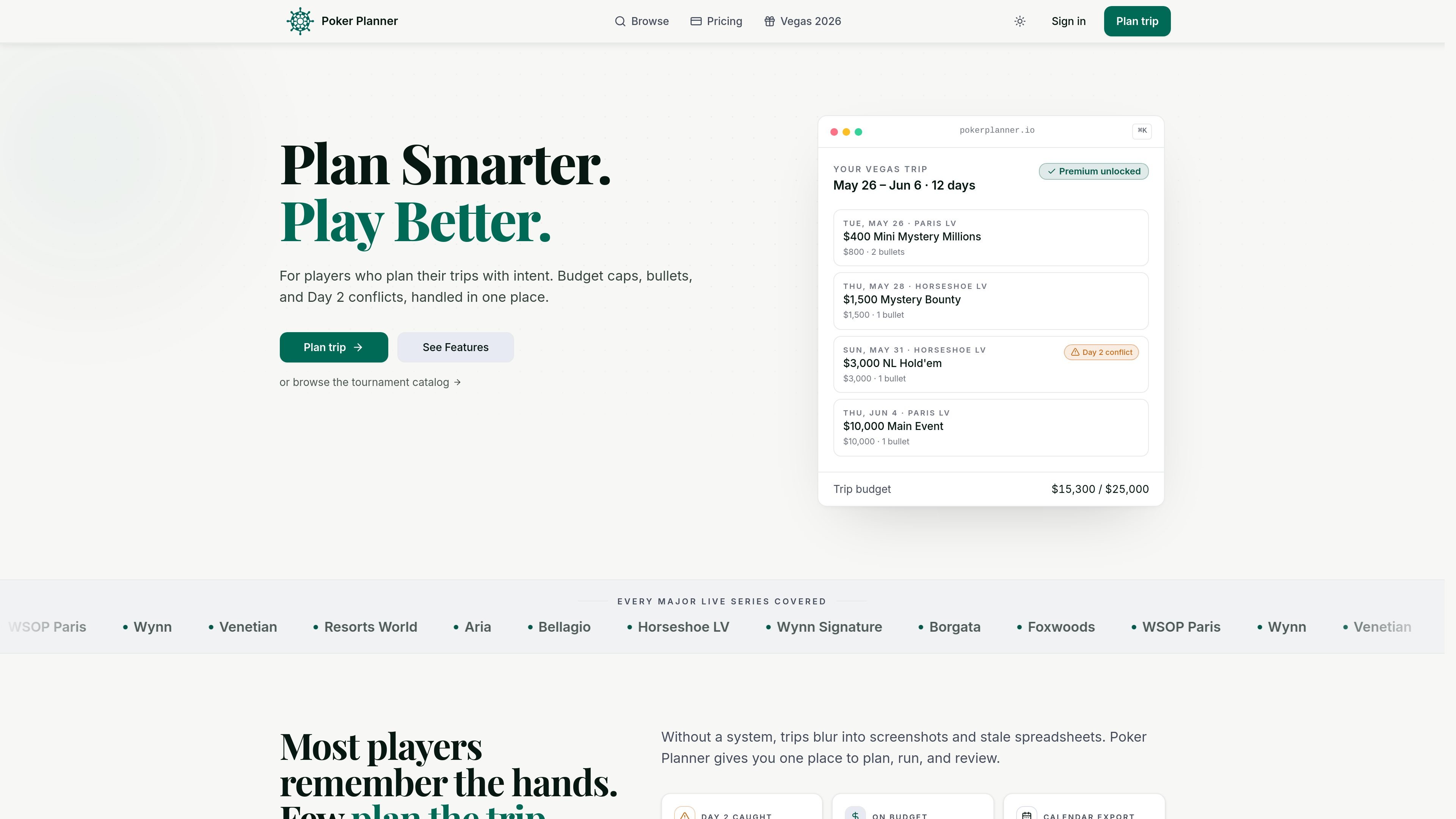
Poker Planner is a trip-planning tool for poker players who want to organize live or online tournament schedules around a budget. It brings together event selection, conflict checks, budget guardrails, backup options, and results tracking in one workflow.
The product is built around planning a trip before travel, adjusting it on the road, and reviewing what actually happened afterward. Users can start from the tournament calendar, build a schedule, track spend and re-entries during the trip, and then compare results with the original plan.
Set a total trip budget, a maximum single buy-in, and bullets per event before you build the schedule. The planner checks added events against those limits.
Add tournaments and have the builder flag Day 2 clashes and other timing conflicts so you can adjust the schedule before you travel.
Mark alternates for a slot and swap them in when plans change, such as a bust, cancellation, or oversleeping.
Track actual buy-ins, rebuys, cashes, and non-poker expenses while the trip is in progress so the budget stays aligned with reality.
Review trip, yearly, and all-time ROI after the trip ends, with results kept alongside the original plan.
Browse live tournament series by date, venue, buy-in, guarantee, game type, or series to build a schedule from current listings.
A player planning a Vegas series can set a total budget, choose events from multiple rooms, and keep the full trip inside one plan.
When a Day 2 lands on top of another event, the planner flags the conflict so the player can drop the clash or switch to a backup.
A player who wants to control re-entry costs can set bullets per event and monitor actual spend as the trip unfolds.
After the trip, the player can review results, cashes, and ROI against the original plan to see what changed.
Someone comparing upcoming series can browse and filter the tournament calendar by venue, buy-in, game type, guarantee, or series.
It is a planning tool, not an official tournament schedule. You should confirm dates, structures, and registration details with the venue or operator before traveling.
Yes. You can add live festival events, daily tournaments, and online series to the same trip and review them in a single timeline.
When available, the planner reads published Day 2 timing and flags overlaps so you can choose a different event or a backup.
Yes. The core planner is free to start, and the pricing page lists paid features under Pro.
You can log buy-ins, rebuys, cashes, and other expenses as the trip runs, so the remaining budget reflects actual spend rather than only the original plan.

PromptScout tracks how ChatGPT, Gemini, Google AI Overviews, and Perplexity mention your brand or competitors, with source analysis and website audits.

SaveMRR is a Stripe retention tool for SaaS teams to scan churn and MRR leaks, then automate recovery with dunning, cancel-save offers, win-back emails, and onboarding nudges.

Hype is a web tool for finding trending YouTube topics by category, time range, and scoring mode. Spot emerging ideas and review source videos.

Sleek Analytics is a privacy-friendly web analytics tool with real-time visitor tracking, Core Web Vitals, and revenue attribution.

Struere turns spreadsheet data into structured operational software with dashboards, alerts, and automations for teams replacing manual spreadsheet workflows.

ClayHog is an AI search visibility platform for tracking brand presence in ChatGPT, Gemini, Perplexity, Claude, and Google AI Overviews from one dashboard.