
Side-by-side multilingual translation
Translate text across 70+ languages and compare the results side by side to see how meaning changes across languages and regions.

Polyglotta is a multilingual translator and AI language learning partner that shows languages side by side, helping you compare meaning and practice pronunciation.
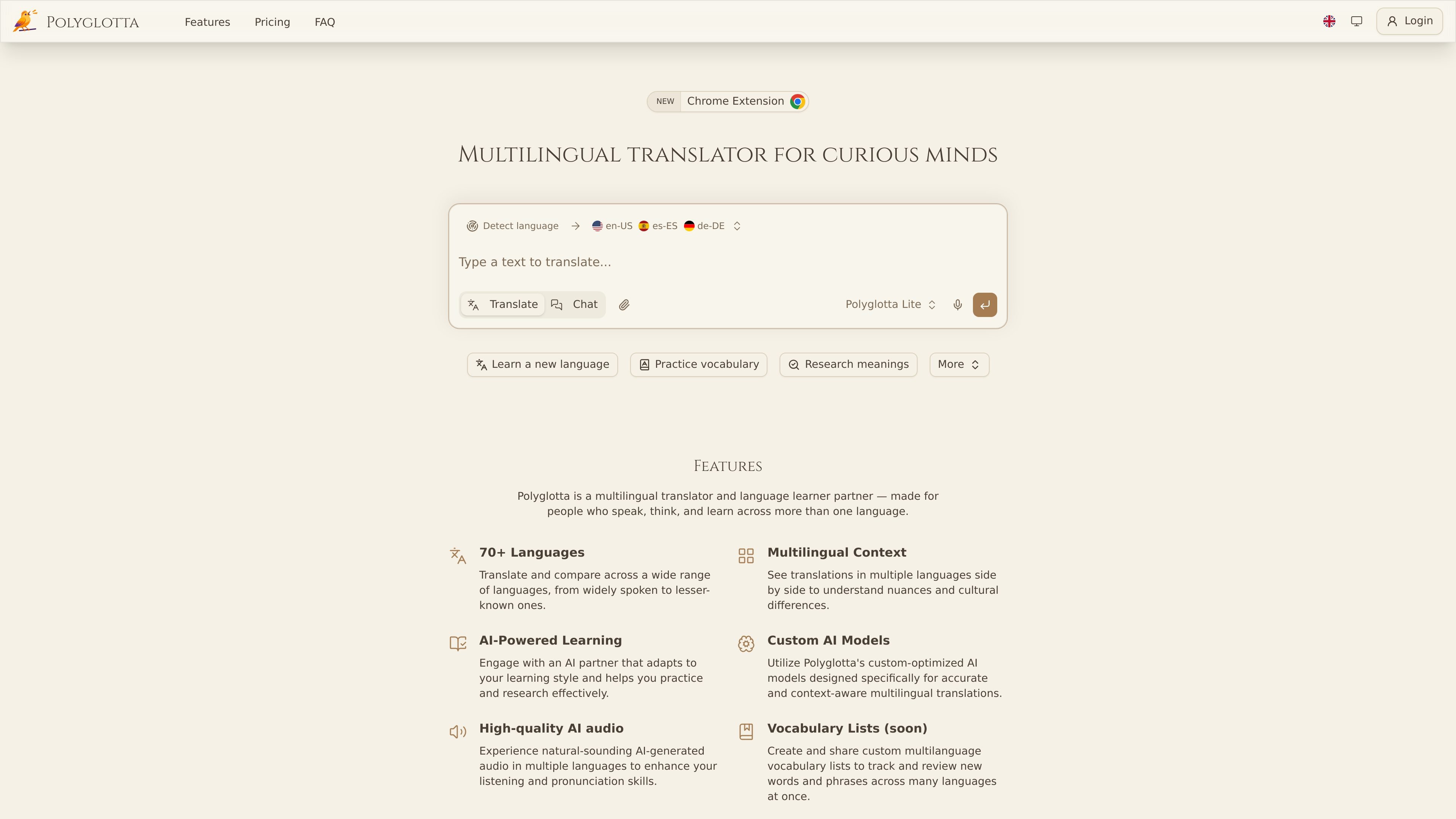
Polyglotta is a multilingual translator and AI-powered language learning partner for people who want to compare languages rather than translate into just one target language. It presents translations side by side, supports 70+ languages, and is designed to help users see how meaning shifts, repeats, or changes across cultures.
The product combines direct translation, an interactive Ask mode, pronunciation audio, saved conversations, and community feedback threads. The site also says Polyglotta is still in beta, so translations can sometimes be clumsy, incomplete, or wrong, and users are encouraged to help improve results through comments and votes.
Translate text across 70+ languages and compare the results side by side to see how meaning changes across languages and regions.
Use Translate mode for direct translations, or Ask mode to chat with the AI about grammar, idioms, etymology, and translation choices.
Choose from three custom-optimized models: Polyglotta Lite, Polyglotta Pro, and Polyglotta Max, each aimed at different levels of quality and context handling.
Hear translations with AI-generated pronunciation audio, including multiple voice options and premium voices on higher tiers.
Review prior work through saved chat history, with options to rename, delete, and revisit conversations later.
Participate in translation threads, voting, and comments so the community can add context and improvements to generated translations.
Compare how the same sentence is rendered across several languages to study nuance, structure, and regional variation.
Ask the AI partner about grammar, idioms, word origins, or why a translation sounds natural or awkward.
Listen to translations with AI pronunciation audio to practice listening and pronunciation in the target language.
Save and organize translation conversations so you can return to earlier research or continue a longer language session later.
Use community voting and comments to improve a translation when the output seems uncertain or needs cultural context.
Polyglotta is a multilingual translator and AI-powered language learning partner. It shows multiple translations side by side, and its Ask mode lets you ask questions about grammar, idioms, word origins, and cultural context.
Yes. Polyglotta offers a free plan with 100 daily credits that reset every 24 hours. The site also lists Student and Professional plans for users who need more credits or additional model access.
Polyglotta supports auto-detection of the source language by default. You can also set the source language manually if you want more control or are working with mixed-language text.
Yes. Logged-in users can access saved chat history, rename conversations, delete old chats, and return to previous threads later. Conversations are not saved when you are not logged in.
The site says Polyglotta uses ElevenLabs AI voice technology for pronunciation audio. Users can hear translations spoken aloud, with free voices available on any plan and higher-quality premium voices on Pro.

Microsoft Translator is a Bing translation web app for short text between English and 100+ languages, with image translation, listen and copy.

Google Translate is a free Google translation service for text, speech, images, documents and web pages in 100+ languages.

LangPanda is a browser extension for learning languages from streaming video with instant subtitle lookup, flashcards, vocabulary tracking, and SRS for 36 languages.

Talkpal is an AI language learning app for web and mobile with speaking, listening, writing, pronunciation practice, guided courses, roleplays, and 130+ languages.

MagicSlides is an AI presentation generator that turns text, topics, documents, URLs, and videos into slide decks. Google Slides by default, with PowerPoint export and multilingual AI editing.

Rubriq is an AI tool for academic paper editing and translation, with personal subscriptions, institutional plans, and plagiarism-check services.