
Screen annotation
Draw in real time with pens, highlighters, text, arrows, circles, squares, and lines. The app says it works over any app or file type, including presentations, PDFs, videos, and code.

Presentify is a macOS screen annotation app for highlighting the cursor, spotlighting content, zooming during presentations, and using whiteboard mode.
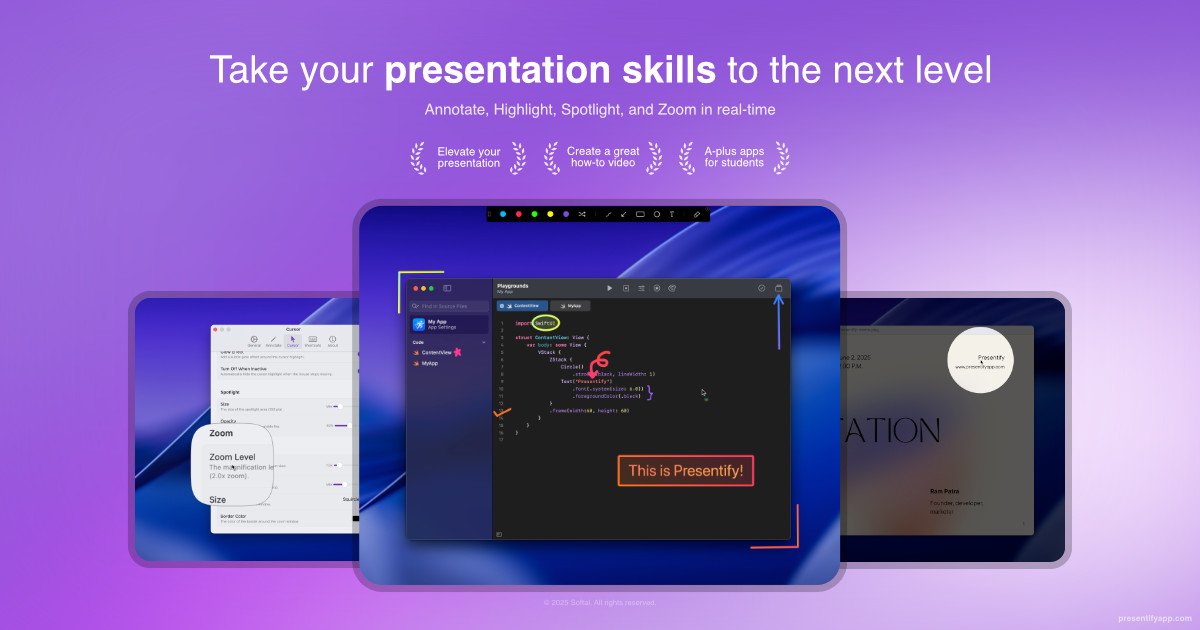
Presentify is a macOS app for annotating the screen, highlighting the cursor, spotlighting parts of the display, and zooming in on content during presentations, tutorials, and demos. The site positions it as a native tool for people who need to draw, point, and explain directly on top of what they are showing.
It supports live annotations with pens, highlighters, text, shapes, and arrows, plus a separate whiteboard mode for sketching ideas without drawing over the active screen. The app is presented as working across many common contexts, including Zoom, Google Meet, Keynote, PowerPoint, OBS, PDFs, videos, and code.
Draw in real time with pens, highlighters, text, arrows, circles, squares, and lines. The app says it works over any app or file type, including presentations, PDFs, videos, and code.
Create a separate digital whiteboard for brainstorming, sketching diagrams, explaining concepts, or freeform drawing without marking up the live screen.
Put a ring, squircle, or other shape around the cursor to make it easier for viewers to follow along. The home page also mentions click animations and configurable appearance.
Spotlight a region of the screen or dim the rest of the display to focus attention on a specific area.
Magnify content with a zoom view that follows the cursor so small text and details are easier to read during demos or teaching.
Tune colors, shapes, opacity, size, border, intensity, and keyboard shortcuts so the tool fits different presentation styles and workflows.
Teachers, trainers, and presenters can mark up slides, PDFs, or live screens while explaining a concept step by step.
Support people who need to direct attention to a control, button, or interface element can use the cursor ring, spotlight, or zoom view to keep viewers oriented.
Users can sketch on a whiteboard for brainstorming, diagramming, or explaining ideas without altering the content currently on screen.
Creators working in Zoom, Google Meet, OBS, Keynote, PowerPoint, or code editors can annotate directly in the workflow they already use.
People who annotate frequently can rely on keyboard shortcuts and customizable defaults to move between actions quickly.
The FAQ page says Presentify supports App Version 7.0.0 (Build 34) onwards. The home page describes it as a macOS app, so it is intended for Mac users.
The home page says you can download it from the Mac App Store, install via Setapp, or use a direct download. It also mentions Homebrew for terminal-based installation.
The home page explains that Presentify lets you annotate your screen, highlight your cursor, spotlight areas of the display, and zoom in on content. It also includes a whiteboard mode for drawing away from the live screen.
The FAQ list includes questions about interacting with underlying apps, so the product supports annotating while continuing to work in other apps. The home page also says it works with apps and file types such as Zoom, Google Meet, Keynote, PowerPoint, OBS, PDFs, videos, and code.
The FAQ page includes device licensing and deactivation questions, and the site also includes a refund question. It does not expose pricing details on the collected pages, and the pricing page returned a 404.

Goldfish is an AI memory app for macOS that helps you reply, write, summarize, and continue with context already on your Mac. It stores memory locally and writes in your tone.

ArtDeck is a visual reference board app for iPhone, iPad, and Mac. Collect mixed references on one canvas and study them with ToolBox lenses. Offline, optional iCloud sync, one-time purchase.

Biji is a versatile platform designed to enhance productivity through innovative tools and features.

Malyatko is a baby tracker for feeding, sleep, growth, teething, and milestones. Use it on iPhone, Apple Watch, and widgets offline, with iCloud sharing.

Slidesgo is a presentation template platform for Google Slides, PowerPoint and Canva workflows, with free and Premium templates plus AI-assisted creation.

Redline is a budgeting tool for Claude Code that paces sessions by time, tokens, cost, or plan percentage, helping them end with a usable result.