

Quash
Quash is an AI-powered mobile app testing and QA automation platform that creates, executes, and reports tests from plain-language intent.
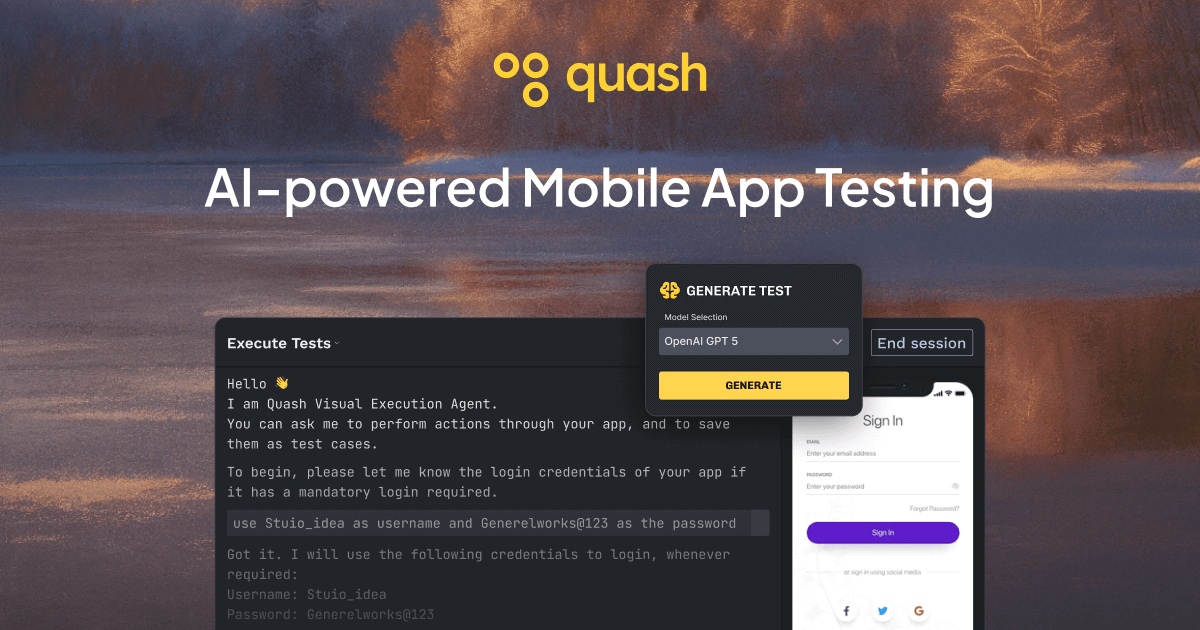
What is Quash?
Quash is an AI-powered platform for mobile app testing and QA automation. Its core purpose is to let QA teams generate and run tests without building and maintaining test scripts, while supporting end-to-end workflows that exercise real app behavior.
Instead of translating test steps into selector-based code, Quash uses intent-based test creation and execution. It then produces execution results that include context for understanding failures, positioning it as a single workflow for generate → execute → report.
Key Features
- Intent-driven test execution: Describe an app flow in plain language, and Quash handles taps, swipes, typing, navigation, and form interactions automatically.
- UI-aware execution: Tests adapt to UI changes, loading states, and dynamic screens encountered during runtime.
- Real behavior over mocked environments: Execution runs against actual app behavior rather than relying on mocked, script-driven environments.
- API and database validations during mobile tests: Validate backend responses and system behavior as part of the same test run (not only after UI verification).
- Test management and unified reporting: Generate tests, execute them, and produce reports in one place, with reporting that includes steps and screenshots.
- Flexible device execution without vendor lock-in (per site claim): Run tests on local devices, emulators, or cloud devices without setting up or maintaining the required testing infrastructure.
- Role-based access: Admin and user roles support team permission management.
How to Use Quash
- Try the product using the provided web playground or by downloading the app.
- Create a test using intent by describing the desired app flow in plain language instead of specifying selectors or test-script steps.
- Run the test across devices (local devices, emulators, or cloud devices) as supported by the platform.
- Review results in the execution reports, which include contextual information such as steps and screenshots to help interpret failures.
Use Cases
- Regression testing that adapts to UI changes: Re-run key user flows after releases while reducing maintenance caused by UI updates, loading states, or dynamic screens.
- Edge-case discovery during functional workflows: Exercise an app flow from start to finish and capture failures that may not appear in isolated checks.
- End-to-end checks that include backend behavior: Validate backend responses and system behavior alongside UI interactions within the same mobile test run.
- Cross-environment testing without maintaining infrastructure: Run mobile tests on local devices, emulators, or cloud devices while avoiding separate test infrastructure management.
- Team-based QA execution and reporting: Use role-based access so teams can execute tests and understand outcomes from shared, context-rich reports.
FAQ
-
Do I need to write test scripts or selectors? The site positions Quash as not requiring scripts or setup, converting intent written in plain language into executable actions.
-
What does “intent-driven” mean in practice? You describe an app flow in natural language; Quash then handles common interaction types (taps, swipes, typing), navigation, and form interactions.
-
How does Quash handle app UI changes during execution? It is described as adapting to UI changes, loading states, and dynamic screens encountered while tests run.
-
Can Quash validate backend/API behavior during mobile tests? Yes. The platform includes API and DB validations during mobile test execution.
-
Where do results show up? Quash provides execution reports with context such as steps and screenshots, intended to be understandable by the whole team.
Alternatives
- Traditional script-based mobile UI testing frameworks: Solutions that require test code and selectors. They may offer fine-grained control, but typically involve more maintenance when UIs change.
- Manual exploratory testing with bug tracking: Human-driven testing focused on discovering issues. It doesn’t provide automated execution or standardized reporting workflows.
- Test runners for device farms / cloud testing: Platforms focused on running tests across devices. Compared to Quash, they may require you to supply the test scripts or automation logic yourself.
- General test management tools: Systems for organizing test cases and results. They generally don’t perform intent-based generation/execution of mobile UI actions on their own.
Alternatives

FixMyCWV
FixMyCWV audits Core Web Vitals, identifies LCP, INP, and CLS issues, and delivers code-level fixes for developers and teams.

Ably Chat
Ably Chat is a chat API and SDKs for building custom realtime chat apps, with reactions, presence, and message edit/delete.

AakarDev AI
AakarDev AI is a powerful platform that simplifies the development of AI applications with seamless vector database integration, enabling rapid deployment and scalability.

DeepMotion
DeepMotion is an AI motion capture and body-tracking platform to generate 3D animations from video (and text) in your web browser, via Animate 3D API.

Arduino VENTUNO Q
Arduino VENTUNO Q is an edge AI computer for robotics, combining AI inference hardware and a microcontroller for deterministic control. Arduino App Lab-ready.

Devin
Devin is an AI coding agent that helps software teams complete code migrations and large refactoring by running subtasks in parallel.