
Automatic timeline tracking
Records visits and travel paths automatically using GPS and motion sensors, then reconstructs a daily timeline without manual logging.

Replay is an iOS app for automatic life and travel tracking. It records visits, routes, and movement patterns in the background, then shows daily timelines, map views, and trip summaries.
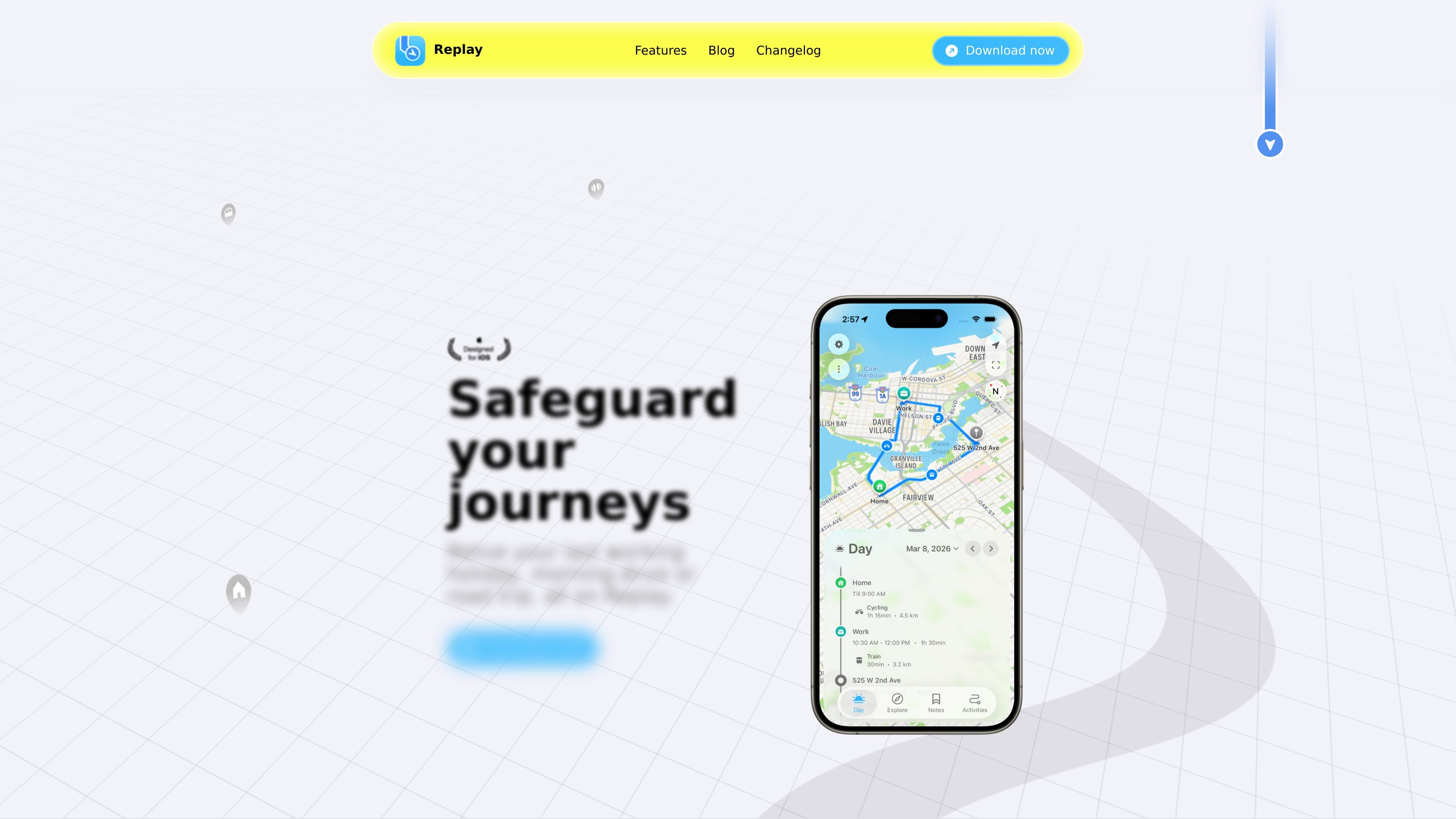
Replay is an iOS app for life and travel tracking. It automatically saves visits, routes, and movement patterns in the background, then shows them as a daily timeline and map view so users can review where they went without manual check-ins or logging.
The product is aimed at people who want a record of everyday movement as well as trips. The site emphasizes private on-device processing, no account creation, and battery-efficient background tracking, with additional features for photos, notes, activity detection, and trip summaries.
Records visits and travel paths automatically using GPS and motion sensors, then reconstructs a daily timeline without manual logging.
Detects movement types such as walking, running, cycling, driving, and more, so trips and activity segments are easier to read at a glance.
Shows a full-day map view with stops, travel legs, and arrival times to help users review where they were and how they moved between places.
Lets users attach notes and photos to places or moments, adding context to locations and trips they want to remember.
Surface insights across days, weeks, and months, including pattern discovery in movement and travel behavior.
Supports travel-oriented updates such as trips detection, travel summaries, photo mode, and timeline editing through merging unexpected records.
For people who want an automatic record of where they have been without manually tagging every stop or route. Replay collects visits and movement in the background and presents them as a timeline.
For travelers who want to revisit trips after the fact. The app’s map views, trip detection, and travel summaries help reconstruct where you went and how you moved between places.
For users who want to spot patterns in their routines over time. Replay highlights movement insights across days, weeks, and months instead of only showing a single day’s route.
For people who want to add context to specific places. Notes, photos, and place-based activities make it easier to remember what mattered at a location.
For users who already track fitness or weather in Apple’s ecosystem. The changelog notes Apple Health activity import and weather data in the timeline, which can enrich the daily record.
Replay is an iOS app that runs in the background, using GPS and motion sensors to automatically save visits and routes. It builds a timeline for each day and classifies activities such as walking, running, cycling, and driving.
The source identifies Replay as an iOS app. It does not mention Android or other platforms being available.
The FAQ lists import, export, delete, backup, offline use, and whether data can be recovered, but the published source text does not include the answers to those questions.
Replay is designed for individual use. The site emphasizes that no one else has access to your data and says there is no sign up, but it does not describe team or shared-workspace features.
The pricing page at `/pricing` returns a Not Found response in the provided source, so no pricing details are available from the collected evidence.

Goldfish is an AI memory app for macOS that helps you reply, write, summarize, and continue with context already on your Mac. It stores memory locally and writes in your tone.

Lasso is an ecommerce product data platform for enriching catalog records, processing supplier files, generating product content, and tracking competitors. It includes a web app, REST API, SDK, and MCP server.

Struere turns spreadsheet data into structured operational software with dashboards, alerts, and automations for teams replacing manual spreadsheet workflows.

garden-md is an open-source Node.js CLI that turns meeting transcripts into a local company wiki, linking entities and preserving the original text.

Falconer is an AI-powered company brain that keeps internal docs accurate, searchable, and up to date by syncing with GitHub, Slack, and Linear.

Dcyde is a shared decision log for product teams to capture what was decided, why, and the source, with searchable records from Slack, Figma, or Dcyde.