
AI screenshot drafts
Import raw app screenshots and generate a drafted store set, leaving the user to review and art-direct the result rather than build every screen from scratch.

Screenodon is a screenshot design and publishing studio for App Store and Google Play listings, turning raw app screenshots into editable, localized sets for direct publishing.
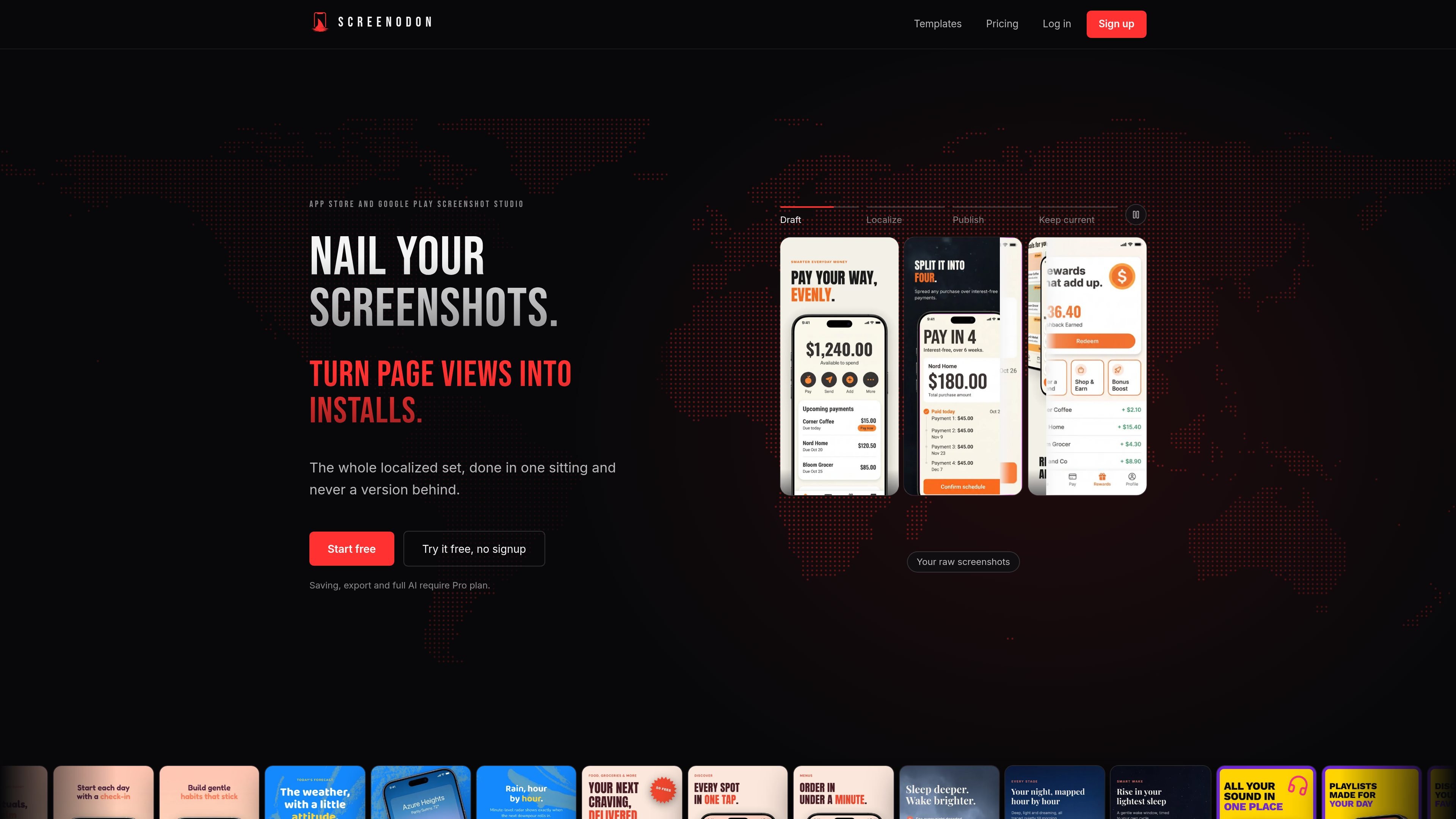
Screenodon is a browser-based screenshot studio for preparing App Store and Google Play store listings. It takes raw app screenshots and helps turn them into a complete set using editable templates, device frames, typography, backgrounds and panoramic layouts.
The product combines drafting, visual editing, localization and store delivery in one workflow. Users can review the generated layouts and translated copy, export files at store-requested sizes, or publish the finished set to App Store Connect and Google Play Console instead of managing each output manually.
Import raw app screenshots and generate a drafted store set, leaving the user to review and art-direct the result rather than build every screen from scratch.
Choose from purpose-built layouts with real device frames, type systems and panoramic art. Templates adapt across supported devices and are sized for both App Store and Google Play.
Apply fast changes to colors, typography and backgrounds, and combine screenshots with backgrounds, transparent cut-out elements and graphics from the in-app library.
Translate the complete screenshot set into 39 languages, review the translated text, and export the localized versions.
Connect store accounts and send completed sets directly to App Store Connect and Google Play Console, including the required device sizes and languages.
Create layouts for iPhone, iPhone Duo, iPad, Mac, Watch and Pixel, with additional template device categories shown for tablet, TV and Vision Pro workflows.
Start with a purpose-built template, place the app captures into its device frames, and adjust the type, colors and backgrounds to create a coherent store page without designing every layout from a blank canvas.
When an app ships in multiple markets, generate translations for the full screenshot set, inspect the localized wording, and export the language versions together.
Support a new release by replacing the source screenshots in an existing project and updating the set rather than rebuilding every store image from the beginning.
Prepare outputs for different device families, including iPhone, iPhone Duo, iPad, Mac, Watch and Pixel, using layouts that adapt across device categories and store requirements.
After review, connect the store accounts and send the finished images directly to both app distribution consoles, reducing the need to download and upload each size manually.
You can try the full editor and make one AI draft without a card. Changes are not saved in the no-signup try mode; creating a free account is required to save work. Saving, export, publishing, uploads, additional projects and additional AI use require Pro.
Add raw app screenshots to the editor, choose or adapt a template, review the drafted layouts and copy, then export the finished set or publish it directly to App Store Connect and Google Play Console. The site also supports reviewing translated versions before export.
Pro supports 39 languages, with translation and export for the localized set. The editor lets you review each translated line before exporting.
The product publishes to App Store Connect and Google Play Console after you connect those store accounts. It is intended to handle the store-specific device sizes and languages in one publishing workflow.
There is currently no team plan. Pro is described as being for one person; users needing seats or an API are directed to contact support.
PixelDrive is a bulk image generation API for on-brand images from one template via browser editor, REST API, CSV batch, or MCP.

Napkin AI turns text into editable visuals for presentations, documents, and shareable content. Text-first generation, collaboration, and export to PPT, PNG, SVG, or PDF.

appdesigns creates App Store and Google Play screenshots from app images. Add device frames, customize layouts, and export unlimited PNGs without watermarks or an account.

Shotie is a Mac app for localized App Store and Google Play screenshots from captures, generated screens, or uploads, with chat editing and one-zip export.

Refero MCP for AI agents connects an MCP-compatible agent to Refero’s curated library of web and iOS product interfaces and user flows. It helps agents research real design patterns before generating UI, with access included in the Refero Pro plan.

Pass Designer is a macOS beta tool for creating and previewing Apple Wallet passes with templates, imagery, fields, colors, and semantic data on iPhone and Apple Watch.