
StampCam
StampCam turns any photo into a sticker in one tap or frames it like a postage stamp, for quick sticker-style and stamp-style outputs.
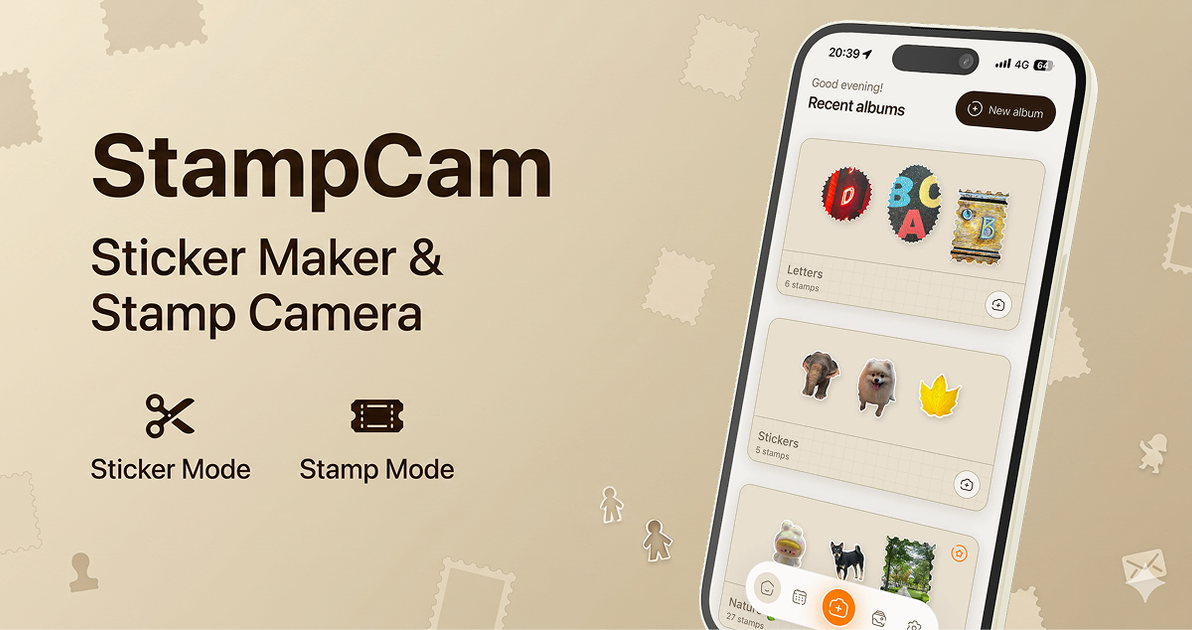
What is StampCam?
StampCam is a photo app that turns a picture into a sticker with one tap or frames it to look like a postage stamp. Based on the product title and description, its core purpose is to give users a quick way to transform photos into shareable sticker-style or stamp-style visuals.
The product appears focused on simple image conversion rather than a full editor. It is positioned for people who want a fast, lightweight way to create decorative photo outputs without a complex workflow.
Key Features
- One-tap sticker creation from a photo, which suggests a fast path from image to sticker-style output.
- Postage-stamp framing, allowing a photo to be presented with a stamp-like border or layout.
- Dual output styles in a single app: sticker and stamp, giving users two different presentation formats.
- Lightweight, task-specific workflow, aimed at users who want a quick transformation rather than broad editing tools.
How to Use StampCam
A typical workflow would start by opening the app and choosing a photo. From there, the user can turn the image into a sticker in one tap or apply the stamp framing option, then save or share the result.
Use Cases
- Creating chat stickers from personal photos for messaging apps.
- Framing a travel photo or snapshot as a stamp-style image for sharing.
- Making simple decorative assets for posts, stories, or digital journals.
- Quickly converting an image into a playful visual format without editing manually.
FAQ
- Does StampCam edit photos in depth? The available description only indicates sticker conversion and stamp framing, so it should be treated as a focused transformation tool rather than a full photo editor.
- What kinds of outputs does it create? It creates sticker-style images and stamp-framed images based on the source photo.
- Is the process complicated? The description says you can turn a photo into a sticker in one tap, which implies a simple workflow.
- Can it be used for both stickers and stamps? Yes. The product title and meta description mention both sticker making and stamp camera functionality.
Alternatives
- General photo editors: These are broader tools for cropping, filtering, and compositing, but they usually require more manual editing than a one-tap sticker or stamp workflow.
- Sticker maker apps: These focus on cutting out or styling images for messaging and social use, and may offer more dedicated sticker export tools.
- Collage or scrapbook apps: These are better suited to layered layouts and decorative page design, while StampCam appears centered on a single-photo transformation.
- Camera apps with filters or frames: These may offer similar visual presentation options, but their primary focus is usually capture and filtering rather than sticker creation.
Alternatives

Terraforge: Alchemy Craft Game
Tier-based puzzle game: drag and mix elements to discover new creations, saved in an in-app grimoire. Optional Master Forger hints; offline + iCloud sync.

Pixelcut
Easy-to-use AI tools to make your photos stand out!

Petalica Paint
Petalica Paint is an automatic coloring service for line art, designed to enhance digital artwork with ease.

Decision Jar
Create virtual jars of options with Decision Jar—shake your phone to pick instantly, use AI suggestions, and view decision logs over time.
Wearvue AI
Wearvue AI creates outfit previews from your photo, helps refine the look for any occasion, and finds similar real products to shop.

Upscale.media
Upscale.media AI image enhancer upscales photos (2x/4x) and improves clarity with sharpening, deblurring, dehazing, portrait face enhancement, and restoration.