
Fast search and JQL
Press ⌘K to search by issue key, summary, or project. Advanced search supports full JQL with autocomplete for fields, operators, and values plus syntax highlighting.

Starlie is a native Mac client for Jira Cloud and self-hosted Jira, with JQL search, sprint boards, issue context, and key updates.
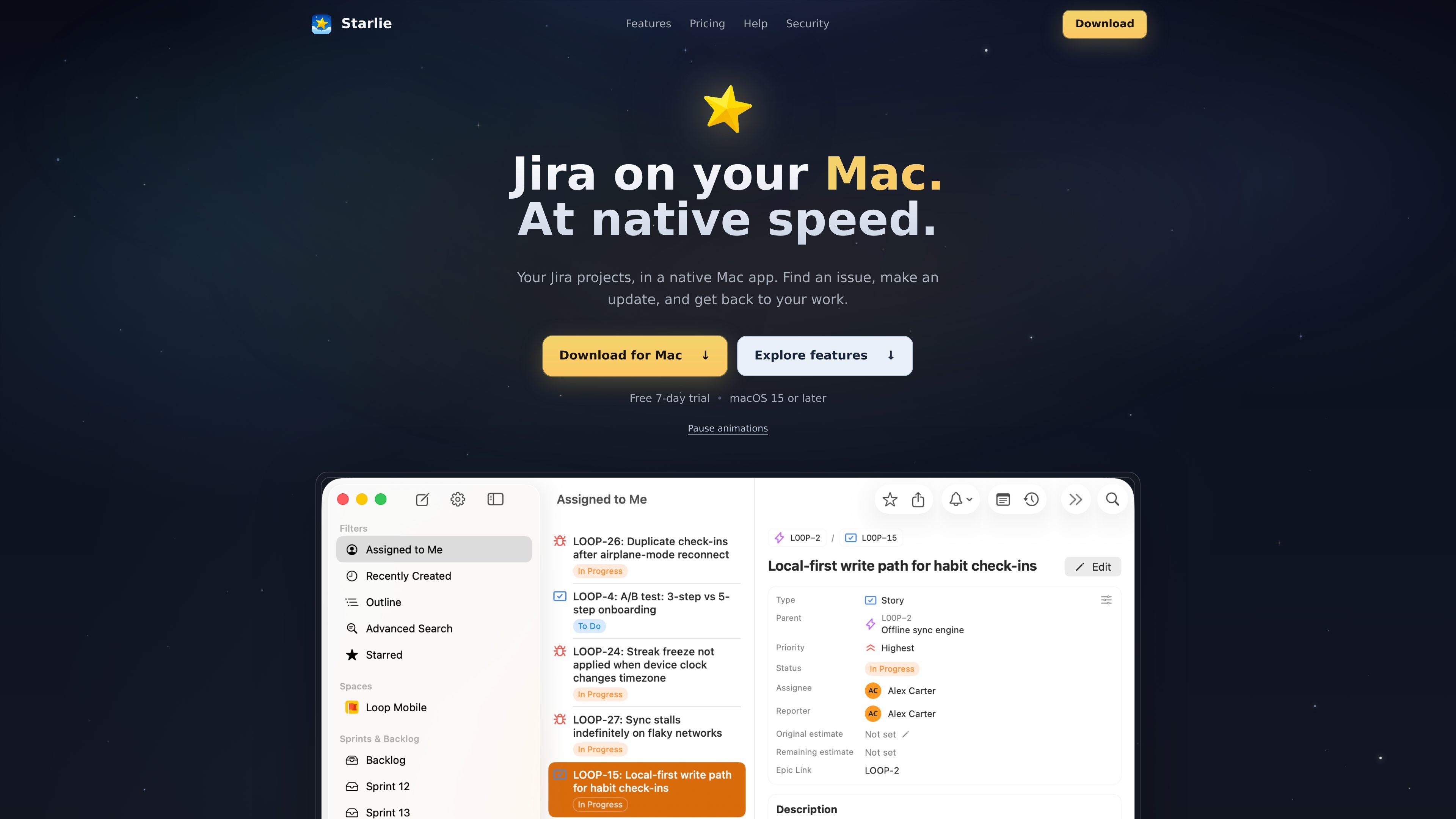
Starlie is a native macOS desktop client for Jira Cloud and self-hosted Jira. It brings issue search, JQL, sprint boards, issue details, and selected editing actions into a Mac application rather than requiring Jira in a browser. The app requires macOS 15 or later and is distributed through the Mac App Store.
Starlie is designed for everyday Jira work: locate an issue, inspect its related work and conversation, update key fields, or move sprint cards between columns. It connects to Jira through Atlassian's official API, while the product says credentials are kept in the macOS Keychain and Jira content is exchanged directly between the Mac and Atlassian.
Press ⌘K to search by issue key, summary, or project. Advanced search supports full JQL with autocomplete for fields, operators, and values plus syntax highlighting.
Open an active sprint in board view and drag cards between columns. Changes sync to Jira as you work.
Read an issue's description, subtasks, and comments together, then change its status, assignee, or priority from the detail view or a list context menu.
Bring epics, stories, and subtasks from multiple projects into one expandable tree. Outline supports grouping, sorting, and JQL filtering.
Use native macOS notifications, light and dark appearance, multiple windows, and keyboard shortcuts while working across Jira issues.
Use ⌘K to jump directly to an issue by key, summary, or project, then open the relevant result without browsing through Jira's web interface.
Review an active sprint as a board and move work between columns as its status changes, with the update synchronized back to Jira.
Open an issue when you need the surrounding context: description, subtasks, and comments are available together, along with controls for status, assignee, and priority.
Use Outline to inspect epics, stories, and subtasks from multiple projects in one expandable hierarchy, then group, sort, or narrow the view with JQL.
Build a focused Jira search for assigned, overdue, recently created, or untouched work with JQL autocomplete and reusable query patterns.
Yes. Starlie supports Jira Cloud and self-hosted Jira instances. During setup, you choose the Jira site to connect; a separate Starlie account is not required.
Install Starlie from the Mac App Store, open it from Launchpad or Spotlight, and follow the connection prompts. Jira Cloud sign-in uses Atlassian's OAuth flow, and access tokens are stored in the macOS Keychain. The app requires macOS 15 or later.
Starlie offers a 7-day free trial, followed by monthly, yearly, or lifetime purchase options. The pricing page lists $2.99 per month, $14.99 per year, and $29.99 for a lifetime license; prices are shown in USD and may vary by region in the Mac App Store.
Starlie connects to Jira through Atlassian's official API. Issues, comments, attachments, boards, and related Jira data are requested directly between your Mac and Atlassian over TLS. Starlie says its server handles the OAuth token exchange but does not receive Jira business data; cached data and local settings remain on the Mac.
Use the app's advanced search with full JQL. Autocomplete suggests fields, operators, and values, while syntax highlighting helps keep queries readable. Search results depend on your Jira permissions and available fields.

Biji is a versatile platform designed to enhance productivity through innovative tools and features.

SonOf connects to your repo and PM tool, audits your codebase, and turns approved work into shipped tickets with senior engineering review.

runevr is a connected workspace for creative teams, bringing boards, media review, chat, recordings, drive, calls, and AI agents into one room-based environment.

BotBoard is a task-management layer for AI agents to assign work, track progress, and review output via CLI, MCP, and HTTP.

Artifacts by Samepage is a connected writing surface for product teams that turns signals and context into PRDs, release notes, bug tickets, and more, with built-in AI editing.

GitBoard is a native macOS menu bar app for GitHub Projects to view your kanban board, filter by status, search issues, and create or assign.